
The Ads Manager format picker throws Image, Video, Carousel, and Collection at you once you've locked in an objective. Then somewhere past that screen, Meta starts naming things like Lead ads, Advantage+ catalog ads, and a dozen more you've probably never opened.
I manage two ad accounts and live in this screen every week, testing placements across Facebook ad types designed to drive a specific goal and ones designed to fill a feed.
Meta's Ads Guide documents four core ad formats, and I count 15 more specific ad types built on top of them, 19 in total. At least three names you'll still see on older lists have already changed or disappeared.
Get through all 19 below, and you'll know what each one does and which fits your goal. You'll also know which old standbys (Slideshow, Automated Ads, and Dynamic Ads) aren't what they used to be.
What Are Facebook Ad Types?
Facebook Ads are the paid placements that run across Meta's ad network, built and managed through Ads Manager. Every format and type in this guide gets created there, or, for a handful of types, directly from a Facebook Page.
A campaign can reach people across several of Meta's properties at once, including Facebook, Instagram, Messenger, and the Audience Network, depending on the placements you pick.
That's the core difference from posting organically: you're paying to put a specific ad in front of a specific audience, on a schedule and budget you set.
Performance marketers and brands running paid campaigns on Meta live inside this system daily, and the format and type you pick decide a lot about how that campaign performs. Get those two sorted, and the rest of Ads Manager stops being a maze.
TL;DR: Facebook Ad Types
- This guide covers 19 ad options: Four core ad formats (Image, Video, Carousel, Collection) and 15 more specific ad types, from Lead ads to Advantage+ catalog ads and Playable ads. One of the 15, Offer ads, is now a legacy format that Meta folded into standard Page offers.
- A format is the layout of your ad. A type is defined by where you build it and what goal it's built for. Every type still runs on one of the four formats underneath.
- The most effective type depends on your objective. Collection and video tend to win for Awareness, Carousel for Traffic, Lead ads for Leads, and Advantage+ catalog ads for Sales at scale.
- At least three names on older lists are already outdated. Automated Ads are being phased out in 2026, Slideshow is no longer its own selectable format, and Dynamic ads are now called Advantage+ catalog ads.
What's the Difference Between Facebook Ad Formats and Facebook Ad Types?
If you treat "format" and "type" as the same thing, the rest of this list stops making sense. Meta draws a clear technical line between these two words.
A format is the layout of your ad: How many images or videos it holds, and how they're arranged on the screen. Image, Video, Carousel, and Collection are the only four formats.
A type is defined by something else: The goal you're chasing, the placement it runs in, or the surface you built it from. That surface is either your Page or Ads Manager. A Lead ad is still built on the Image or Video format underneath it. A Reels ad is still a Video or Image format, placed inside Reels.
Every one of the 19 things covered here is either one of the four base formats, or a type layered on top of one. Keep that relationship in mind, and the rest of this list holds together.
The Three Levels of Every Facebook Ad
Format and type both live inside the smallest of three levels Meta builds every ad around.

Campaign sets your objective (Awareness, Traffic, Engagement, Leads, App promotion, or Sales) and your buying type. Ad set holds your audience, placements, budget, and schedule. Ad is where the format and most types happen, through the creative and copy you pick.
Every ad set can run more than one ad, and each ad can use a different format or type. The only requirement is that it fits the campaign's objective. Format and most types show up at that layer, one ad at a time, while placement-based types like Stories and Reels come from the ad set.
The Four Facebook Ad Formats
These four cover every layout option Meta Ads offers.
Image Ads
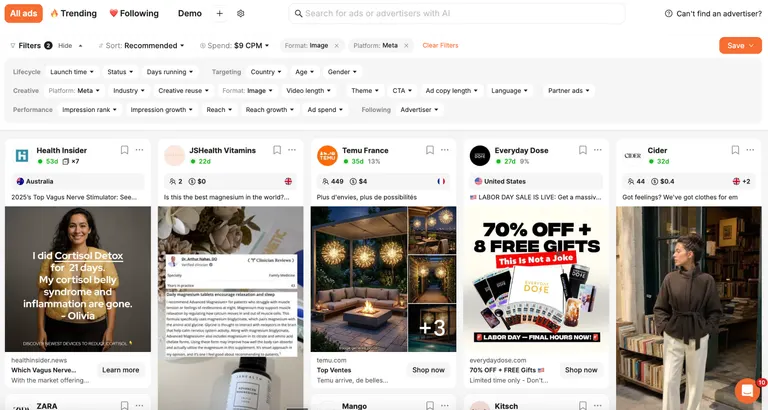
One photo, a headline, a description: Image ads are the simplest format on this list.
On Facebook Feed, Meta recommends a 4:5 ratio at 1,440 by 1,800 pixels, JPG or PNG, capped at 30MB. For primary text, the recommended range is 50 to 150 characters, and for the headline it's 27.
For the writing side, these Facebook ad copywriting frameworks show how to structure primary text, headlines, and CTAs around those limits.
Toggle through Ads Manager's own placement previews for that same upload, and the crop doesn't always hold steady. A 4:5 image that fills the frame in the Feed preview can lose its edges in another placement's preview.
Each placement crops to its own ratio unless you customize the image per placement. Check every placement's own preview thumbnail before you lock the ad in, including the Feed preview.
Static ads work well when you have one clear product shot or offer and don't need to show range. It's also the fastest format to test. One asset and a headline make up the entire job, with no editing timeline and no cards to build.
It falls short on variety. If your value proposition needs more than one angle to land, a single image can't carry that alone.
If you're looking for Slideshow ads specifically, they live here now. Meta's current ad setup screen bundles a slideshow of images into the same "single image or video" option. It used to be its own separate format, and it no longer is.
Video Ads
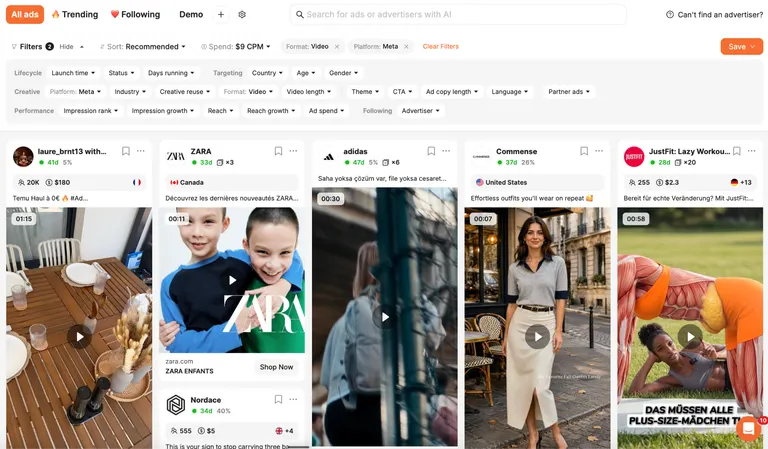
A video ad runs from one second up to 241 minutes on Facebook Feed placements (Meta didn't round it to an even four hours), using MP4, MOV, or GIF files. Meta recommends the same 4:5 ratio and 1,440 by 1,800 pixel resolution as image ads, capped at 4GB.
Video earns its place when a product needs motion or sound to make sense, such as a demo, a transformation, or a testimonial. It also tends to hold attention longer in a feed people are scrolling through fast.
Production time is the highest cost. A photo shoot takes a few hours, while a decent video ad usually takes days. That gap is where AI tools that generate ad concepts from your own performance data help, producing several video concepts without a full shoot for each one.
Carousel Ads
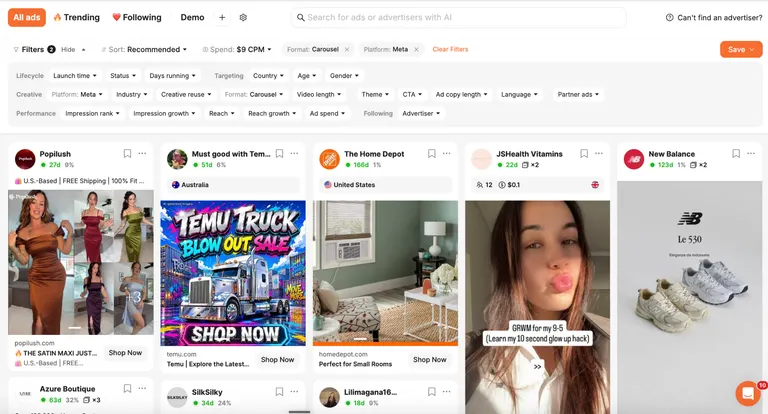
Carousel specs at a glance:
- Cards: Two to 10 images or videos in one ad, each with its own headline, description, and link.
- Image ratio: A 1:1 ratio, at a minimum of 1,080 by 1,080 pixels.
- Primary text: Meta recommends 80 characters.
- Headline: Meta recommends 20 characters per card.
- Description: Meta recommends 18 characters per card.
That 20-character headline recommendation looks generous until the card editor is open and your product name alone eats half the characters. Meta says text beyond that recommended count can get truncated depending on the placement.
I've watched a headline that read fine in the main editor get clipped mid-word once I checked a different placement's preview.
Carousel is built for range, like multiple products, a step-by-step process, or several angles on the same offer. Each card can send someone to a different landing page.
If you're deciding how to sequence those cards, these carousel ad examples break down 12 real campaigns and the tactic behind each one.
Point Carousel at a product catalog in the builder to skip building cards by hand, and a different setup snag shows up: empty card slots auto-fill with the catalog's closest match for that spot.
I've had a product with several color options end up sharing cards with an unrelated item from the same catalog. I cleaned up the variant grouping in the catalog feed first, and that fixed it.
This format asks more of you upfront, since every card needs its own asset. Build carousels across dozens of SKUs by hand, and that production load adds up fast. That's exactly the load bulk ad creation software is built to take off you.
Collection Ads

A Collection ad first opens an Instant Experience, a full-screen landing page that loads right inside Facebook or Instagram. In the feed, the ad itself pairs one cover image or video with a row of product images underneath.
Specs run 1.91:1 to 1:1 ratio, with a minimum of 1,080 by 1,080 pixels. Meta recommends 125 characters of primary text and 40 for the headline. Meta requires an Instant Experience on every Collection ad, built from a Storefront, Lookbook, or Customer Acquisition template, or from scratch.
Even with one cover image uploaded at that spec, the placement previews won't always agree with each other. I've had the same cover render clean in the Feed preview and crop noticeably tighter in another placement's preview, even with the file sized correctly for the range Meta lists.
Checking each placement's own preview before you finalize the ad catches that mismatch, because the Feed preview doesn't speak for every placement.
Collection is the closest thing to a mini storefront inside the ad itself, which is why it tends to win for browsing intent and mobile discovery. It's overkill for a single-product offer with nothing else to show underneath it.
The 15 Facebook Ad Types
What makes each one its own type is the objective it's built for, or the placement it runs in. It can also come down to where you create it: your Facebook Page or Ads Manager.
Stories Ads
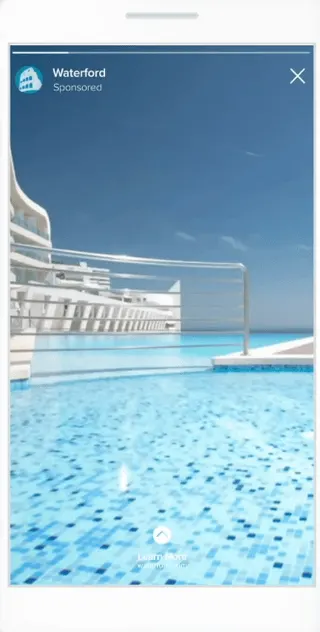
Open Stories, and a Stories ad slots in between people's own posts, full-screen. Ads in Stories now run on Facebook and Instagram, after Meta removed Messenger Stories as an ad placement on October 27, 2026.
Stories ads are a placement wearing a format's clothes. You're still uploading an image, video, or carousel, formatted vertically for a full screen someone taps or swipes through.
Stories work well for a brand-forward, immersive moment. They struggle when the creative is a resized Feed ad, since the vertical crop usually cuts off exactly the part you wanted seen.
Reels Ads

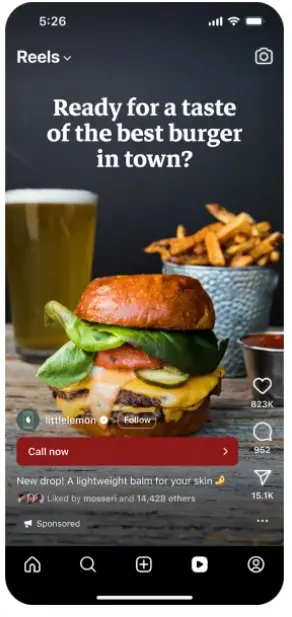
Reels has no separate ad zone. A Reels ad drops directly into that scroll between organic Reels, and people can comment, like, share, or skip it exactly like they would anything else there.
Reels rewards content that feels native over anything that looks like a traditional ad. A polished product shot tends to underperform a video that matches the pace of what's already playing in that feed.
If your creative team isn't set up to shoot vertical, native-style video regularly, Reels is the type that exposes that gap fastest.
Instant Experience Ads
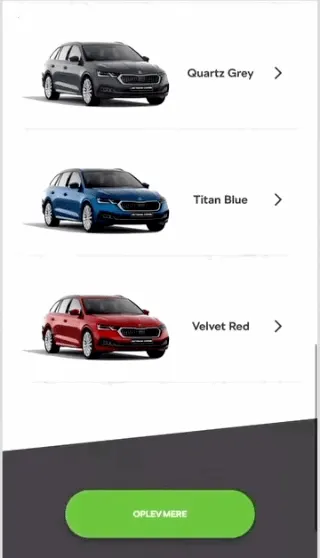
Instant Experience is the full-screen landing page that opens when someone taps a Collection ad. You can also attach one to a Carousel ad or a single image or video ad on its own.
It loads inside Facebook or Instagram itself, expanding full-screen the moment someone taps.
You can start from a template, or build from scratch:
- Storefront
- Lookbook
- Customer Acquisition
- Storytelling
- Sell Products (Without Catalog)
- From scratch
Two of these, Storytelling and Sell Products (Without Catalog), aren't available if you're building from a Collection ad specifically.
The friction shows up fast once you open the builder itself. I've had the preview panel sit blank, no error, no rendered page, while the draft underneath it was perfectly fine.
Closing the builder and reopening the same draft usually clears it, but it's easy to assume you've broken the layout when the tool's slow to render.
Starting from the Storefront or Lookbook template cuts a lot of that friction. Building one from scratch means placing every block, image, and button yourself.
Nothing stops you from stacking components in an order that reads fine in the builder and awkward on an actual phone screen. A first attempt from a template is almost always faster and cleaner than one built on a blank canvas.
It's a strong option for a product catalog or a multi-step story. It's also the type most likely to sit half-built in an account, because a good one takes design time to put together properly.
Click-to-Messenger Ads (Messenger Ads)
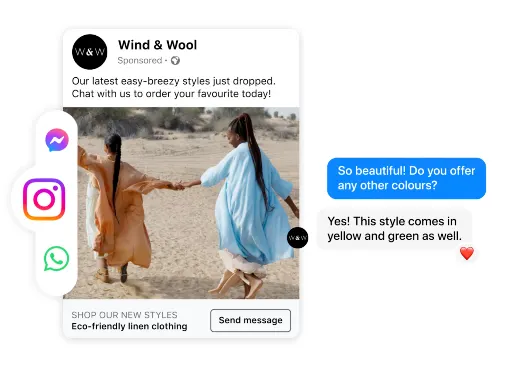
What most people still call a Messenger ad, Meta now frames more broadly as an ad that clicks to message. It can route to Messenger, Instagram Direct, or WhatsApp, depending on where you send it.
Someone taps your ad and lands straight in a conversation with your Page, skipping the landing page most ads route through. That means less friction between seeing the ad and talking to you.
It's a poor fit if nobody on your team is watching that inbox, since an unanswered message reads worse than no ad at all. When someone is watching, it's a strong fit for a business that closes deals through conversation or back-and-forth, like a service business or a booking flow.
Boosted Posts

Already published something on your Page? Boosting puts ad spend behind that exact post, tags it as an ad, and turns it into paid reach without building a separate ad from scratch.
Boosting is a weak substitute for an ad built specifically around one objective, since it inherits whatever copy and creative the original post had. It works fine, though, for extending a post that's already performing well organically.
Page Likes Ads
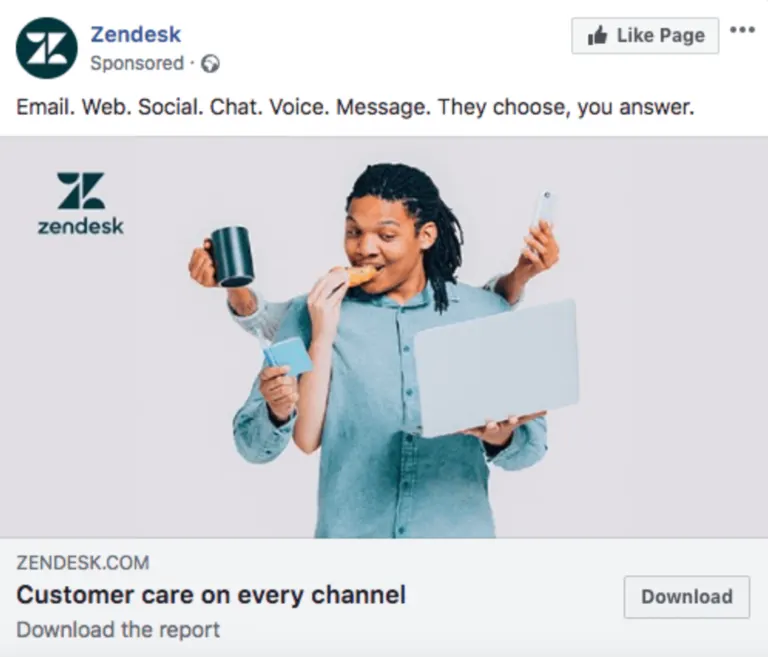
A Page Likes ad has one job: Get more people to like your Page, with the Like button built right into the ad itself. You create one directly from your own Page, skipping Ads Manager.
Once you're past the early stage of building an audience from close to zero, Page likes rarely translate directly into sales, so treat it as a top-of-funnel tool you'll outgrow quickly. Early on, though, it fits the job well.
Website Visitors Ads

Need traffic without opening Ads Manager? A Website Visitors ad promotes a specific URL straight from your Facebook Page, aimed at people likely to click through to your site.
You get far less control over audience, placement, and bidding than you would with the same goal built properly as a Traffic campaign in Ads Manager. Still, it's the simplest way to send traffic somewhere.
Website Purchases Ads

A Website Purchases ad zeroes in on sales for your site, using your Meta Pixel data to find people likely to buy.
You'll need that pixel installed and firing before this type can do anything useful. Skip that setup, and a Website Purchases ad ends up performing like a slightly better-targeted Website Visitors ad instead.
Lead Ads
Tap a Lead ad, and an instant form opens right inside Facebook or Instagram so someone can hand over their contact information on the spot.
It's built for collecting information. A purchase is a different job than gathering a name and an email address, and a Sales-objective ad is the better tool for it.
When you build conditional logic into the form itself, which is a question that should change based on an earlier answer, it's easy to set up narrower than you meant to. I've written a rule meant to end the form early on a disqualifying answer.
I stepped back through the question flow and found the condition I'd picked didn't cover the answer option I cared about. Walking the whole form path by hand once is worth it, even for a branching rule you set yourself.
Event Ads
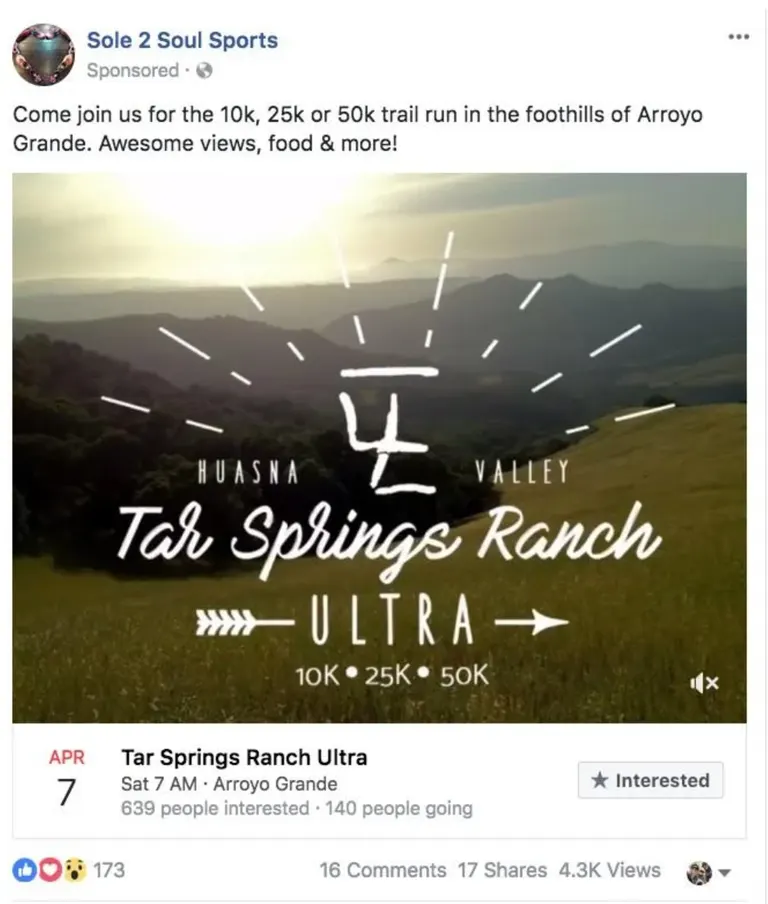
An Event ad promotes a Facebook Event, aimed at getting more RSVPs or ticket sales for something happening on a specific date.
It supports three objectives: Engagement, Traffic, and Sales. Placement depends on which one you pick: An Engagement-objective event ad runs only in Facebook Feed, while a Traffic- or Sales-objective version also reaches Marketplace, Stories, in-stream Reels, search results, and the Audience Network.
For a local or time-bound event, narrowing the geographic radius usually beats a broad audience.
Most of the value comes from people who can attend, so it's a poor fit for anything without a fixed date. A flash sale or a launch works, but an evergreen product doesn't have an event to hang the ad on.
Offer Ads
Offer ads still turn up on older lists, but Meta announced the deprecation of the dedicated Offer ads product on June 8, 2021, effective with the release of Graph API v12.0.
For a Page offer, Meta's Commerce Policy applies from the moment you create it, and someone who sees it can save it for later.
An offer is built for driving one specific action in one specific window, like a sale, a seasonal push, or a win-back campaign for lapsed customers. If you run it too often on the same audience, the discount stops feeling special.
Dynamic Creative Ads
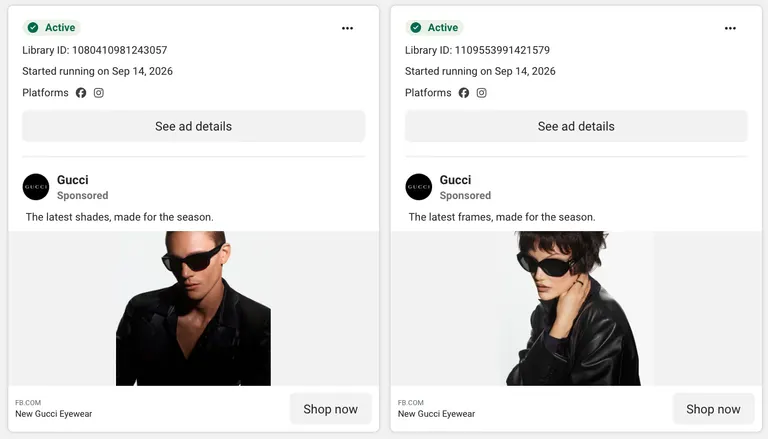
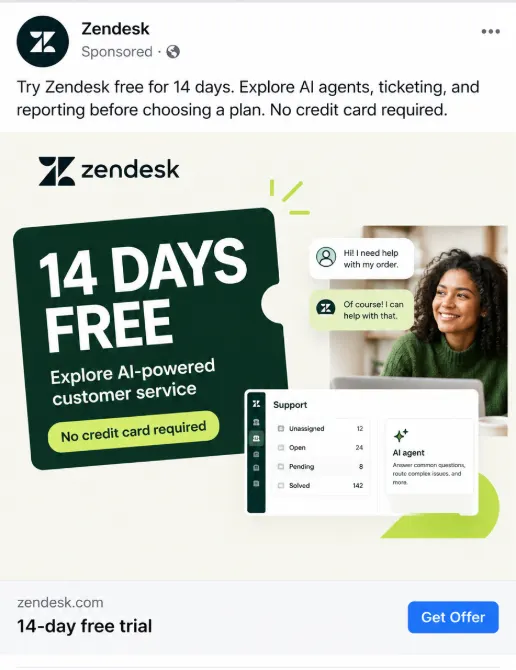
Dynamic Creative lets you upload multiple images, headlines, and copy lines at once. Meta automatically combines them to generate different ad variations and find which mix performs best for each person.
It's a different feature from Advantage+ creative, which isn't the same as Advantage+ catalog ads covered next. Advantage+ creative automatically generates multiple variations of an existing single ad's own image or video, adjusting things like cropping, brightness, and contrast for each viewer.
Dynamic Creative mixes and matches separate elements you upload, and both currently exist as separate, live options in Ads Manager.
Dynamic Creative is a strong way to find a winning combination without manually building every permutation yourself. Hand-testing that many combinations stops scaling past a handful of variables, and that's the gap creative automation platforms are built to close.
Two hard limits apply here:
- A hard content cap: A Dynamic Creative ad holds no more than 10 images or videos, so it can't test an unlimited pile of creative at once.
- It's off the table for Sales and App promotion: Since June 2024, Meta has blocked Dynamic Creative on any new Sales or App promotion ad set.
Reach for it on a Traffic, Awareness, Engagement, or Leads objective instead. An older campaign that already used it on Sales keeps running, but you can't set that combination up again.
Advantage+ Catalog Ads (Formerly Dynamic Ads)
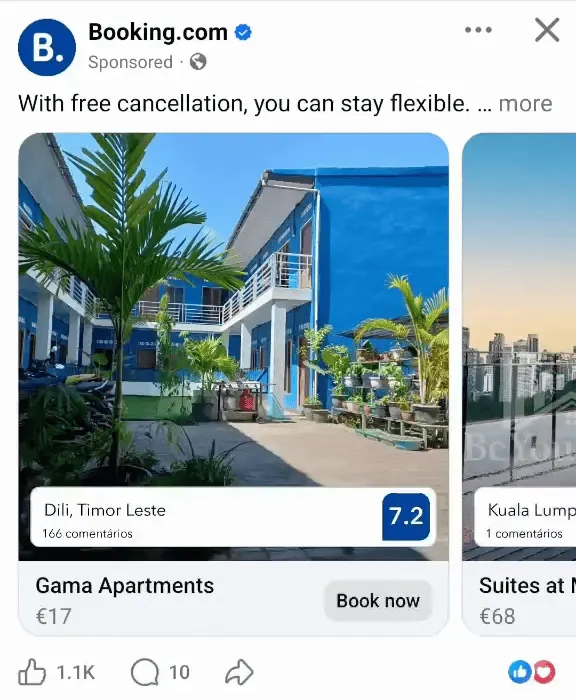
This type used to be called Dynamic ads, and Meta now calls it Advantage+ catalog ads (the rename tripped me up the first time I saw it, too). If you come across "Dynamic ads" on an older list, this is the same feature under its current name.
It pulls directly from your product catalog and shows each person the most relevant items based on their interests and actions, including products they've already viewed or added to cart.
You don't have to build a separate ad per product. Real estate and property listings get their own version of this same mechanic.
Below a few dozen SKUs, the retargeting math rarely has enough signal to beat a well-built Carousel or Collection ad you build by hand. Once your catalog runs deep, though, it's the strongest option.
App Promotion Ads

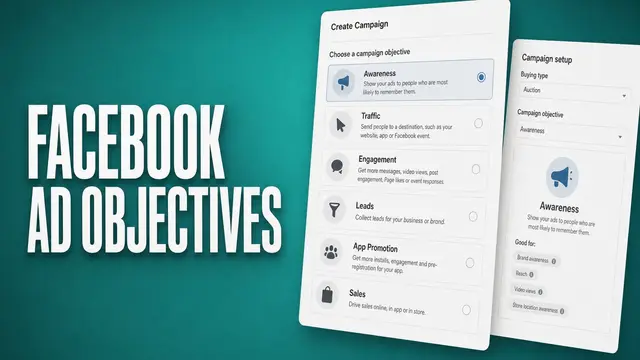
App promotion ads exist to drive installs, or a specific action from people who already have your app. App promotion is one of Meta's six current campaign objectives, and unlike several of the Page-created types above, you build these ads inside Ads Manager.
Someone taps Install, and the App Store or Play Store opens immediately, cutting out any extra step between interest and download. It works best when your app's own onboarding is strong enough to hold someone past that first open.
App promotion won't fix a leaky funnel. If your onboarding loses half the people who install, App promotion ads get you to that leak faster.
Playable Ads

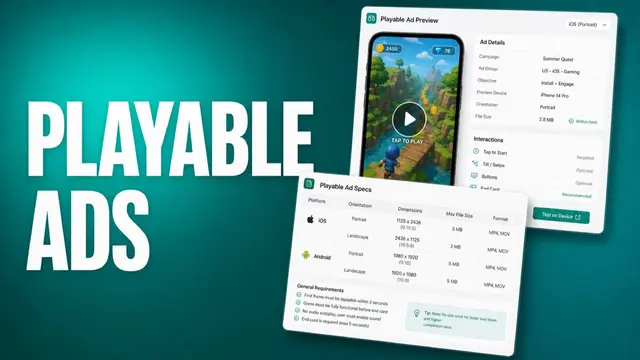
On certain app-install ads, the video goes beyond being something you watch. A playable ad hands you a short, interactive preview of the app itself, right inside the ad, before you commit to a download.
It packages as a single HTML5 file or a ZIP with an index.html at its root, built in portrait orientation. It's capped at 5MB for either a single HTML file or a ZIP, and it runs alongside a companion video. It serves across Feed, Stories, and Reels on Facebook and Instagram, plus the Audience Network.
It fits a gaming or app-install push where trying the mechanic beats watching someone else play it. Meta ties the format to higher-intent installs and less drop-off right after someone downloads, since expectations are already set before they tap Install.
It demands more upfront work than any of the other 18 formats and types covered here. Someone has to build the interactive file itself, a heavier production lift than trimming a video clip. Skip it unless you're in gaming, or your app is one people need to feel before they trust it.
How the Formats and Types Compare by Objective
Here are all 19, side by side:
| Format/Type | Objective fit | Key spec | Created from |
|---|---|---|---|
| Image ads | Awareness, Traffic, Sales | 4:5 ratio, 1,440×1,800px, 30MB max | Ads Manager |
| Video ads | Awareness, Engagement, Sales | 1 sec to 241 min, 4GB max | Ads Manager |
| Carousel ads | Traffic, Sales | Two to 10 cards, 1:1 ratio | Ads Manager |
| Collection ads | Awareness, Sales | 1.91:1 to 1:1, Instant Experience required | Ads Manager |
| Stories ads | Awareness, Engagement | Full-screen vertical, image, video, or carousel | Ads Manager |
| Reels ads | Awareness, Engagement | Native-style vertical video | Ads Manager |
| Instant Experience ads | Awareness, Sales | Attaches to Collection, Carousel, or single ad | Ads Manager |
| Click-to-Messenger ads | Engagement, Leads | Routes to Messenger, Instagram Direct, or WhatsApp | Ads Manager or Page |
| Boosted posts | Engagement | Inherits the original post's creative | Facebook Page |
| Page Likes ads | Awareness | Built-in Like button | Facebook Page |
| Website Visitors ads | Traffic | No pixel required | Facebook Page |
| Website Purchases ads | Sales | Requires Meta Pixel | Facebook Page |
| Lead ads | Leads | Instant form, no landing page | Ads Manager or Page |
| Event ads | Engagement, Traffic, Sales | Supports three objectives | Ads Manager or Page |
| Offer ads | Sales | Legacy since 2021, now a savable Page offer | Facebook Page |
| Dynamic Creative ads | Traffic, Awareness, Engagement, Leads | Auto-combines uploaded elements | Ads Manager |
| Advantage+ catalog ads | Sales | Pulls directly from your product catalog | Ads Manager |
| App promotion ads | App promotion | Direct App Store or Play Store link | Ads Manager |
| Playable ads | App promotion | Interactive HTML5 (5MB) or ZIP (5MB), portrait orientation | Ads Manager |
Which Facebook Ad Type Is Most Effective for Your Goal?
The most effective Facebook ad type changes with your objective. Here's how I'd map it.
- Awareness: Collection or Video ads, run in Stories and Reels placements for the immersive, full-screen reach that builds recognition fast.
- Traffic: Carousel ads, since multiple cards and multiple landing pages give people more than one reason to click through.
- Engagement: Video and Reels ads, because native-feeling motion holds attention and earns comments and shares better than a static image does.
- Leads: Lead ads specifically, since the instant form removes the friction of sending someone through a separate landing page.
- App promotion: App promotion ads, paired with video creative that shows the app in someone's hand, or a Playable ad when you have the budget to build one. A bare screenshot rarely converts as well, and letting someone try the mechanic first beats watching a video of it.
- Sales: Advantage+ catalog ads work for a large catalog, and Collection ads fit a smaller one. Dynamic Creative isn't an option here anymore, since Meta blocked it for new Sales ad sets in June 2024.
The pattern underneath all of this is that a cold audience responds better to an immersive format like Collection, Video, or Stories.
A warm or returning audience responds better to something narrower, like Carousel, a single image, or Advantage+ catalog ads. Match the format to where someone is in your funnel.
Picking the right format is the start, but you need enough distinct versions of it ready to go.
Common Mistakes When Choosing a Facebook Ad Format or Type
Most Facebook ad mistakes here come from picking a format out of habit or building around a name that already changed.
Slideshow now lives inside "single image or video." It used to be its own selectable format. Automated Ads are being phased out in 2026, and Dynamic Ads are now called Advantage+ catalog ads.
Instant Experience carries an old name too. Meta called it Canvas Ads before the rename, and that name still turns up on lists that haven't caught up.
Augmented Reality ads, still listed on some older guides, depended on Meta Spark effects, and Meta shut down third-party Meta Spark on January 14, 2025. Building around a name that's already changed, or gone, wastes setup time you don't get back.
A few more mistakes come up often too:
- Familiarity over fit: A single image is comfortable to make (I've defaulted to it myself more times than I'd like to admit). It's still the wrong choice for a catalog with 40 products. A Carousel or Collection ad would show off more of that catalog in one unit instead.
- Cosmetic tweaks mistaken for real diversity: Meta's Andromeda update changed how the delivery system groups ads together. A headline swap on the same Carousel usually gets clustered with the original ad. A different angle or hook counts. A different format or font doesn't.
- No pixel before a Sales-objective type: A Website Purchases ad or an Advantage+ catalog ad is only as good as the tracking underneath it. Skip the Meta Pixel setup, and both types end up performing like a Traffic ad.
- One format for every objective: A single image can technically run against any objective Meta offers, but it shouldn't be used for every one of them.
Run a Sales push through a plain image when your catalog qualifies for Advantage+ catalog ads instead, and you're leaving that automatic retargeting on the table.
The format is part of the pitch, decided alongside everything else, never bolted on as an afterthought.
Benefits of Understanding Facebook's Ad Formats and Types
When the format-to-type mapping is right, it shows up directly in what a campaign delivers.
A few gains follow once the format fits the job:
- Testing formats without new campaigns: Since one ad set can hold several ads in different formats, you can compare a Carousel against a Collection for the same goal without spinning up a second campaign to do it.
- A funnel that starts inside the app: A Collection ad opens an Instant Experience right inside Facebook or Instagram, and a Lead ad opens its form the same way. Fewer app switches between the ad and the action mean less friction standing between a click and a conversion.
- Telling Dynamic Creative and Advantage+ creative apart: One mixes and matches separate images, headlines, and copy lines you upload yourself. The other automatically adjusts an existing ad's own image or video for each viewer.
- Page offers let people save the deal for later: Someone who taps save keeps it without needing a follow-up post or email from you. That save option is built into the Page offer.
Limitations of Facebook's Ad Formats and Types
None of these formats and types work everywhere. A handful of real constraints surface often enough that it helps to know them going in.
Four constraints stand out:
- Stories ads punish a resized Feed ad: The full-screen vertical crop cuts off whatever a horizontal Feed creative was built to show. The reverse move, a vertical Stories creative reused in Feed, holds up fine. Reusing a Feed asset here is the fastest way to lose the exact detail the ad needed to land.
- Event ads rule out half the objectives: They only support three of Meta's six campaign objectives: Engagement, Traffic, and Sales. Anything built for Leads, App promotion, or Awareness needs a different type.
- Page offers wear out on repeat audiences: Show the same discount to the same audience too many times, and it stops reading as special. That ceiling comes from creative fatigue, as people get tired of seeing the same deal repeated.
- Page-created ad types cost precision: Boosted posts, Page Likes ads, Website Visitors ads, and Website Purchases ads can all be built straight from a Facebook Page in a couple of taps.
That speed comes at the cost of the audience, placement, and bidding control that the same objective gets when it's built properly in Ads Manager.
How Atria Helps You Turn the Right Format Into a Winning Ad
Once you've picked the right Facebook ad type, the harder, ongoing problem is producing enough distinct creative to win under Meta's current delivery system.
Here's what Atria does:
- Runs one loop, on repeat: Atria’s Raya works through research, brief, generate, launch, analyze, then carries what it learns from each round into the next one.
- Shows what's already winning in your category: It's trained on more than $12B in ad spend, enough to surface the formats and hooks pulling ahead right now, a wider signal than your own account alone would show you.
- Generates ad concepts across formats: It builds concepts across image and video formats, grounded in your own account's performance data.
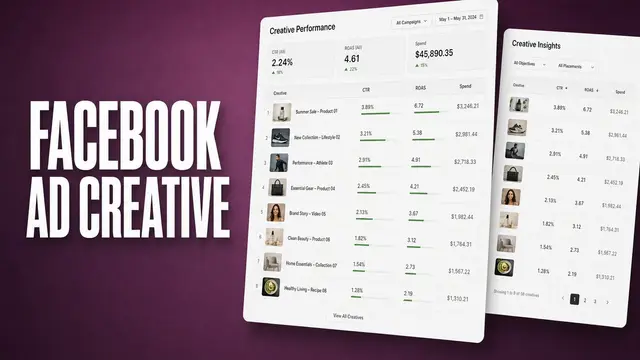
- Grades every live creative: You see which format is earning its spend and which one is taking up a slot.
- Works inside the AI tools you already use: Atria’s Meta Ads MCP lets Claude, ChatGPT, or your own agents read your account’s winning hooks, formats, and grades directly so the assistant writing your next round of variations is working from live performance data instead of guessing.
- Catches fatigue before it costs you: When a Reels ad starts to fatigue before a Collection ad does, Atria's Radar flags it before your cost per result creeps up, the same job the best creative reporting tools are built for.
Understanding each format and type is still on you. Atria takes the guesswork out of which one to build next, and how many distinct versions of it you need.
For a broader look at where it fits, our Meta ads AI tools comparison breaks down the full category. See what Atria's Radar flags in your own account.
Frequently Asked Questions
How many Facebook ad formats and types are there?
This guide covers 19 Facebook ad types and formats in total. That's four core formats (Image, Video, Carousel, Collection) and 15 more specific types built on top of them. That range spans everything from Lead ads to Advantage+ catalog ads and the interactive Playable ads format.
What's the difference between a Facebook ad format and a Facebook ad type?
The difference between a Facebook ad format and a Facebook ad type is that a format is the layout: How many images or videos an ad holds, and how they're arranged. A type is defined by the objective, placement, or surface it's built from.
What type of Facebook ad is most effective?
The most effective Facebook ad type depends on your objective. For Awareness, you need Collection and Video ads, Carousel for Traffic, Lead ads for Leads, and Advantage+ catalog ads for Sales at scale.
What are the three levels of Facebook ads?
Campaign sets your objective and buying type. Ad set holds your audience, placements, budget, and schedule. Ad is where the format and most types happen, the creative itself.
What size should a Facebook image ad be?
Meta recommends a 4:5 ratio at 1,440 by 1,800 pixels for an image ad on Facebook Feed, saved as a JPG or PNG under 30MB. Carousel cards use a 1:1 ratio at a minimum of 1,080 by 1,080 pixels instead.
Are Automated Ads still available on Facebook?
No, Meta says Automated Ads are being phased out in 2026, and some accounts have already lost access. Existing Automated Ads campaigns keep delivering for now. None of the 19 formats and types covered here are affected, so you're free to build with any of the current ones instead.