Picture a media buyer who drops $4,000 into a campaign set to Traffic because they want traffic. They get it.
Thousands of cheap clicks, a bounce rate that looked like a heart attack, and then… zero sales. They spent a week rewriting the creative before they noticed they’d picked the wrong objective, and Meta had done exactly what they asked.
That's the trap with ad objectives. Your objective tells Meta’s algorithm which outcome to chase, and the algorithm takes that instruction literally.
Choose well, and the machine does the heavy lifting. Choose wrong, and you pay, in full, for the wrong result.
By the end of this guide, you'll know which objective fits your goal, what a bad pick costs, and why Awareness and Traffic are the wrong default when sales are the goal.
What is an ad objective?
An ad objective is the goal you set at the campaign level that tells the platform which outcome to optimize delivery toward. Pick “Sales” and Meta hunts for people likely to buy. If you pick “Traffic,” it hunts for people likely to click, whether or not they ever buy.
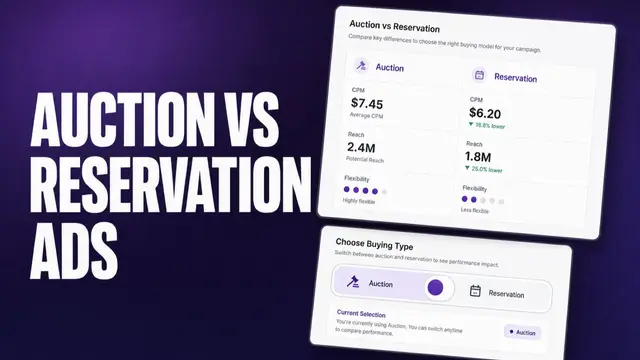
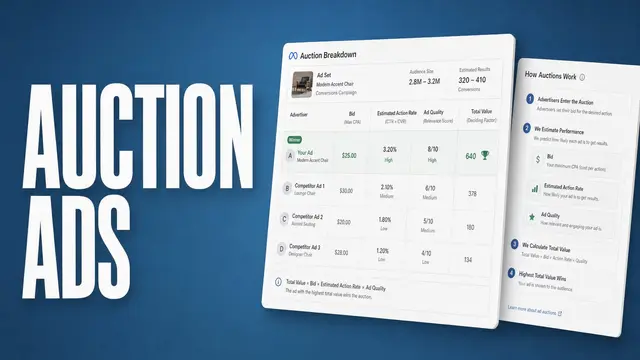
Every ad you run goes through an auction, and the objective is the instruction that the auction follows.
It helps determine who Meta shows your ad to and which action it tries to drive. That’s separate from billing, since Meta usually charges for impressions as opposed to the outcome you’re targeting.
Meta lays out this process on its own ad objectives page, where it explains that the auction looks for people most likely to take the action tied to your objective.
On Meta, the objective locks the moment a campaign goes live and you can’t edit it after that. Getting the pick right before launch is worth a few minutes of thought.
How Meta’s ad objectives map to the marketing funnel
Before you pick, it helps to know where each objective sits in the buying cycle. Match the objective to where your customer is in that journey:
| Funnel stage | Meta objective(s) | What you're buying | Typical KPI |
|---|---|---|---|
| Awareness | Awareness | Impressions and reach | CPM, reach, frequency |
| Consideration | Traffic, Engagement, App Promotion | Clicks, engagement, installs | CPC, ThruPlay, cost per install |
| Conversion | Leads, Sales | Form fills, purchases | Cost per lead, CPA, ROAS |
Andromeda is Meta’s retrieval system, the first step in how Meta picks which ads to show each person.
Meta’s own engineering team describes it as scanning tens of millions of ad candidates and narrowing them to a few thousand for each person. Your objective is one of the signals that shapes that shortlist, so it matters before your ad even reaches the auction.
The 6 Meta ad objectives, explained
Meta consolidated its old set of 11 objectives into these 6. Each one below covers what Meta optimizes for, when to choose it, and what it costs you if you pick it by mistake. Consider:
1. Awareness
Meta optimizes this for reach, impressions, ad recall lift, or video views (depending on the goal you pick), to put your ad in front of as many people as your budget allows.
It’s the right call for a brand nobody’s heard of yet, a new market where you need name recognition first, or a team with budget to spend at the top of the funnel and a retargeting plan ready to catch people later.
Without a plan to measure what happens next, you can end up celebrating reach while missing the business impact. Awareness can support future sales, but it doesn’t optimize for purchases, so reach alone won’t tell you whether the spend paid off.
2. Traffic
Meta optimizes this for link clicks and landing page views.
That’s useful when you want visits, like driving readers to a blog post, a webinar signup, or a content offer, where the click itself is the win you’re measuring.
Point this objective at sales, and you’ll see cheap clicks that don’t turn into revenue. Traffic optimizes for the tap itself, with no read on whether that person intends to buy.
Those low-intent visits are a common reason ad performance slips, so check the objective before you rewrite the creative.
3. Engagement
This one optimizes for interactions like likes, comments, shares, and saves, plus video views and messages, depending on the setup inside the objective.
Reach for it when you’re building a retargeting pool of people who watched or interacted, or when you need social proof on a piece of creative before you scale it.
Before you retarget an engaged audience with a lead-gen push, compare its cost per lead against a straight Leads campaign. A pool full of shares can still cost more per lead.
Engagement optimizes for who’s likely to share or watch. Converting wasn’t part of that targeting signal, so the pool it builds isn’t primed for pipeline the way a Leads-optimized audience is.
4. Leads
Meta optimizes this for leads, whether that’s an Instant Form, a message, a call, or a conversion on your own site.
It fits lead generation with a nurture path ready to work those leads, or any business that would rather capture contact details now and sell later, common in B2B and high-consideration purchases.
💡Tip: Add qualifying questions or a gate to the form. That filters for intent before the lead reaches the sales team, so Meta isn’t just optimizing for whoever fills it in fastest.
5. App Promotion
This objective optimizes for app installs and specific in-app events, like a purchase or a signup inside the app.
It only makes sense if you have a mobile app, with your SDK and in-app events wired up so Meta can see what happens after the install.
Without that tracking in place, Meta can only optimize for the install itself, with no signal about what happens next. You’re paying for downloads and hoping they turn into something.
6. Sales
Meta optimizes this for purchases and conversions, reading signal from your pixel and Conversions API to find people likely to buy.
It’s the honest default for anyone selling online with conversion tracking flowing, since it points the algorithm straight at revenue instead of a proxy for it.
Sales works best when your conversion data is healthy. If too few conversions come through, the objective starves, because Sales has little to learn from. That’s when the right optimization tools and cleaner conversion signal earn their keep.
Upper-funnel or direct-response: where most advertisers should spend
If you sell something, default to the Sales objective (or Leads if lead generation is the goal). Save Awareness and Traffic for the specific cases below.
The old playbook said you had to “warm up” cold audiences with upper-funnel spend before asking for the sale. In my experience, Meta’s conversion optimization has gotten good enough that it finds high-intent buyers faster than a manual awareness-then-retarget sequence does.
Spending to “build awareness” often just buys cheap attention from people who weren’t going to purchase anyway.
Upper-funnel spend is still the right call in a few clear cases:
- You’re a new brand with zero recognition.
- You’re entering a new market or launching a new category.
- You’re a big-budget account that has already saturated its conversion audiences and needs fresh demand.
Default to Sales or Leads, then test it against your own account’s data. If you’re a small or mid-size advertiser splitting budget evenly across all 6 objectives “to cover the funnel,” you’re almost certainly leaving revenue on the table.
Match your business goal to the right objective
The table below maps 6 common goals to the objective, the metric Meta optimizes for, and the risk that comes with each. Use these as your starting points:
| Your business goal | Best objective | What Meta optimizes for | Watch out for |
|---|---|---|---|
| Sell products online | Sales | Purchases via pixel or CAPI | Thin conversion data starves it |
| Collect leads for a sales team | Leads | Form fills or site conversions | Cheap leads that don’t qualify |
| Get people to an article or offer | Traffic | Link clicks, landing page views | Clicks that bounce and don’t buy |
| Build a retargeting pool or social proof | Engagement | Engagement, video views | Vanity metrics, no pipeline |
| Launch a brand nobody knows yet | Awareness | Reach, impressions, ad recall lift, or video views | Paying for people who won’t buy |
| Grow app installs and in-app actions | App Promotion | Installs and in-app events | Installs don’t guarantee active or paying users |
From 11 objectives to 6: reading your old campaigns
If you ran Facebook ads before 2023, the objective menu used to be longer. Meta collapsed its original 11 objectives into today’s 6 under a change called Outcome-Driven Ad Experiences (ODAX), and new campaigns can no longer be built on the legacy set.
Here’s the rough mapping:
- Brand Awareness and Reach became Awareness.
- Traffic stayed Traffic.
- Engagement stayed Engagement.
- Video Views moved into Awareness or Engagement.
- Messages moved into Engagement or Leads.
- Lead Generation became Leads.
- App Installs became App Promotion.
- Conversions moved into Engagement, Leads, or Sales, depending on the goal.
- Catalog Sales became Sales.
- Store Traffic became Awareness.
The detail the old objectives gave you now lives in the performance goal and conversion location settings inside each campaign, so you set the outcome first and the specifics second.
How ad objectives differ on Google, TikTok, and LinkedIn
Meta’s 6 aren’t universal. Every platform has its own objective menu, and the naming trips people up when they run cross-platform. The funnel logic carries over even though the labels and mechanics change from one platform to the next. Compare them below:
| Platform | How objectives are grouped | What to know |
|---|---|---|
| Meta | 6 flat outcomes | Awareness, Traffic, Engagement, Leads, App Promotion, Sales |
| Google Ads | Objective tied to campaign type | Objectives guide campaign type and setup recommendations |
| TikTok | 3 funnel stages | Lead Generation sits under Conversion, not Consideration |
| 3 funnel stages | Job Applicants is its own objective under Conversion |
- Google Ads: Starts with an objective like Sales, Leads, or Website traffic, then guides you toward compatible campaign types and settings, as explained in Google’s own objective guide.
- TikTok: Groups its objectives into Awareness, Consideration, and Conversion, per its own objective breakdown. Reach sits alone under Awareness, Traffic and Video Views sit under Consideration alongside Community Interaction, and Lead Generation moves down to Conversion with Sales and App Promotion.
- LinkedIn: Uses the same 3 stages, laid out in its own help center: Brand Awareness under Awareness, Website Visits, Engagement, and Video Views under Consideration, and Lead Generation, Website Conversions, and Job Applicants under Conversion.
How Atria keeps your objective, creative, and monitoring aligned
Picking the right ad objective tells Meta’s algorithm what outcome to chase, but keeping your creative, launch cadence, and performance monitoring lined up behind that objective for the life of a campaign is still manual work. Atria picks up where the objective pick leaves off.
Atria is a creative intelligence platform for Meta and TikTok ads. It’s built around Raya, an AI creative strategist that works inside Slack, and Radar, which grades every ad in your account in plain English.
Raya builds data-driven briefs from your performance data, then generates variations and batch-uploads them to Meta, the kind of output that would otherwise cap your creative velocity if every variation had to be built by hand.
See which ad objectives are actually earning their spend in your account. Try Atria for free today with 1,000 credits and no credit card required.
Frequently asked questions
What is the objective of an ad?
The objective of an ad is the outcome you tell the platform to optimize for, such as awareness, traffic, engagement, leads, or sales. It’s the target the auction bids toward, which shapes who the algorithm shows your ad to.
What are the 5 main objectives of advertising?
There’s no single accepted list of 5. The classic marketing framework lists 3 objectives: to inform, persuade, and remind. Ad platforms like Meta group goals differently, with a count of 6 covered above.
Can you change an ad objective after the campaign is live?
No. Meta Ads Manager doesn’t let you change a campaign’s objective once it’s live, so the workaround is to create a new campaign with the right objective and duplicate your ad sets and ads into it.
What happens if you choose the wrong ad objective?
If you choose the wrong ad objective, Meta optimizes for the wrong action. You pay for outcomes that don’t move the business, like cheap clicks or low-quality leads. The fix is to create a new campaign with the correct objective, reusing compatible ads and settings where possible.
Do Google and TikTok use the same objectives as Meta?
No. The funnel logic is shared, but the objective names and mechanics differ on each platform, and some Google objectives lock after campaign creation. Check each platform’s own objective menu before you launch.