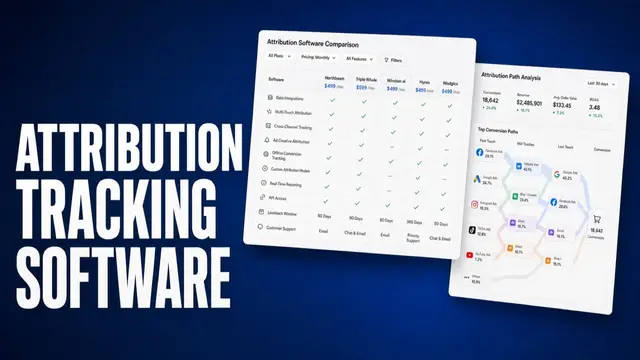
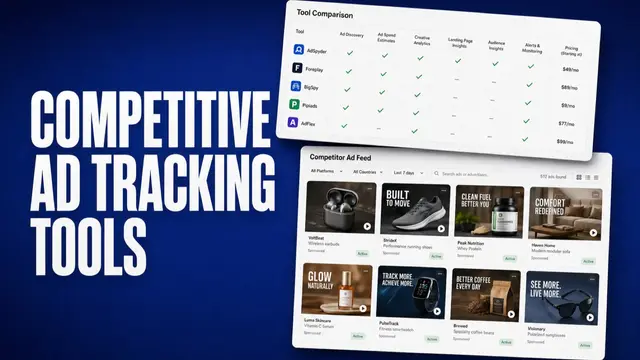
Ask ten media buyers what Facebook ads tracking software is, and you get two answers. One person means attribution: which campaign, click, or call produced revenue. The other means creative analytics: which hook, format, or first three seconds earned the result.
I compared these tools from official docs, pricing pages, and public reviews.
You'll leave knowing which tool you need. If you need closed-won in HubSpot, you don't buy a swipe-file product. And you don't buy an affiliate tracker when hook rate on TikTok is your bottleneck.
TL;DR: Best Facebook Ads Tracking Software
- Atria: Best for e-commerce brands, media buyers, and agencies scaling ad creative volume on Meta and TikTok
- Motion: Best for creative-level analytics on video drop-off, hooks, and visual formats
- Madgicx: Best for creative analytics paired with autonomous campaign management
- Cometly: Best for B2B SaaS teams tying ad spend to pipeline and closed-won CRM revenue
- RedTrack: Best for high-volume media buyers and agencies automating multi-channel optimization
- Voluum: Best for affiliate marketers and enterprise buyers running complex, multi-channel campaigns
- Triple Whale: Best for e-commerce brands centralizing ROAS and net profit metrics
- Hyros: Best for high-ticket, long-cycle offers tracking booked calls and multi-step funnels
- ClickMagick: Best for a privacy-resistant source of truth across your marketing channels
- Northbeam: Best for brands with complex, multi-touch customer journeys and multi-brand stacks
- Meta Ads Manager: Best free native tool for foundational tracking and event setup
How I compared these tools
I judged each tool based on the following criteria:
- Ease of use and learning curve: If reviews and onboarding docs described weeks of setup or a steep learning curve, that counted against the tool.
- Setup friction as described: Self-serve checkout versus demo, pixel scripts versus CRM mapping, trial clocks versus annual GMV (Gross Merchandise Value) locks.
- Integration depth: Meta CAPI (Conversions API), Shopify, HubSpot, call tracking, and creative account connections, only where the vendor documents them.
- Pricing transparency: Plan tiers and where the value starts, compared against ad spend levels.
- Use cases: which sales model, campaign structure, and media volume each tool fits best.
11 best Facebook ads tracking software: quick comparison
Here are the 11 best Facebook ads tracking software solutions:
| Tool | Category | Best for | Starting price (billed annually) |
|---|---|---|---|
| Atria | Creative | Scaling creative workflow on Meta and TikTok | $129/month annual |
| Motion | Creative | Visual creative reporting and video breakdown | $750/month |
| Madgicx | Creative and Meta ops | Creative insights paired with ad automation | $32/month, spend-tiered |
| Cometly | Attribution | B2B SaaS tying spend to CRM pipeline | Custom |
| RedTrack | Attribution | Multi-channel media buying and automation | $69/mo (Affiliates and lead gen) or from $83/mo (Ecom & DTC) |
| Voluum | Attribution | Affiliate tracking and media buying | $119/month |
| Triple Whale | Attribution | Shopify e-commerce tracking and profit | Free tier plus higher demo-gated tiers |
| Hyros | Attribution | High-ticket funnels and booked calls | From $69/mo tracked revenue |
| ClickMagick | Attribution | Cross-channel click tracking and privacy | $66/month |
| Northbeam | Attribution | Multi-touch attribution for omnichannel | $1,500/month |
| Meta Ads Manager | Native | Baseline tracking and Meta Conversions API | Free |
Starting prices accurate as of September 2026.
Group 1: Creative-level tracking
Creative tracking tools explain why a specific ad wins or dies. They look at hook rates, hold rates, and fatigue patterns to guide your next round of Ads.
Meta and TikTok now spend most of a media buyer’s week on creative volume, fatigue, and iteration. A conversion tracker won't tell you why two ads with the same targeting produced opposite CPAs.
1. Atria: Best for media buyers scaling ad creative volume on Meta and TikTok
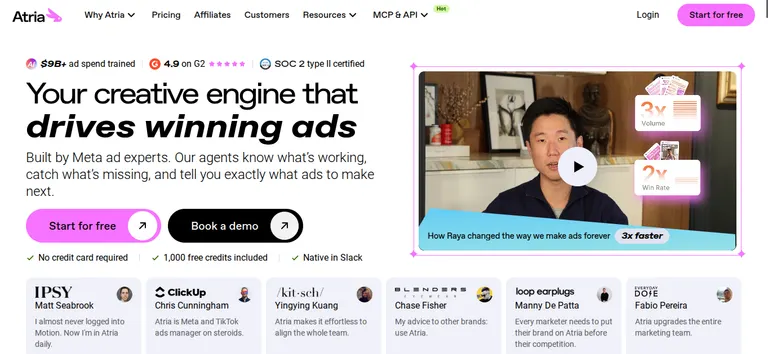
What it does: Atria analyzes video and image ad performance on Meta and TikTok, connecting specific creative elements directly to ROAS and conversion metrics.
It grades live creatives, tags hooks and angles, then turns that read into briefs, scripts, and new variants. Raya is the in-product AI strategist.
Best for: E-commerce brands, growth teams, and performance agencies scaling creative output and testing several ad variations a week on Meta and TikTok.
Atria is built for advertisers who move fast on creative.
The core loop runs research → grade → generate → launch: you pull ads from the library or your own account, Radar grades your live creative against ROAS, hook rate, and retention benchmarks, and Raya turns a weak grade into new script and image variants you can push straight to Meta without leaving the platform.
Review Mining pulls language directly from customer reviews before a script gets written, so a new ad starts from what buyers say.
Key features
- Radar: Letter grades on ROAS, CTR, hook rate, and retention.
- Creative tagging: Groups ad variations by hooks, angles, personas, emotions, and themes to show you what's winning.
- Competitor intelligence and briefing: Stores competitor creatives and turns performance data into ready-to-use production briefs
- Review mining: Pulls language and pain points straight from customer reviews to seed new ad copy and hooks.
- Raya: Tags creatives, watches competitors, proposes concepts.
- Generation and launch: Image variants, scripts, batch upload to Meta.
Pros and cons
Pros:
- Combines research, scriptwriting, and analytics. Eliminates the cost and difficulty of juggling three separate subscriptions.
- AI cloning and review-mining produce usable starting points, so you don't start from scratch.
- Faster creative cycles. Speed up production by rapidly iterating on winning hooks and visual angles.
Cons:
- Channel coverage is Meta and TikTok only.
- Learning curve assumes existing campaign and creative-strategy experience; some reviewers report a glitchy Chrome extension.
What users say
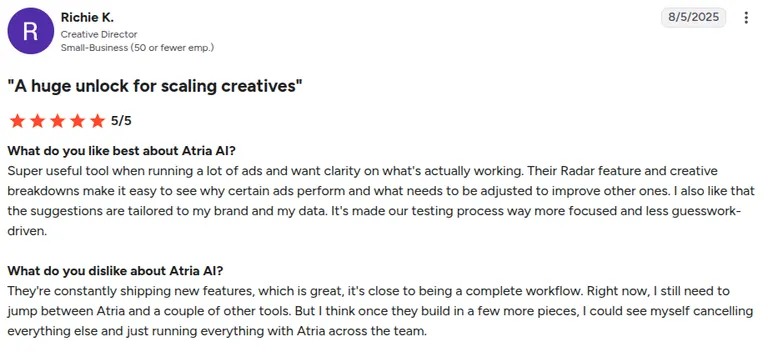
“Their Radar feature and creative breakdowns make it easy to see why certain ads perform and what needs to be adjusted to improve other ones.” (Richie K., G2)
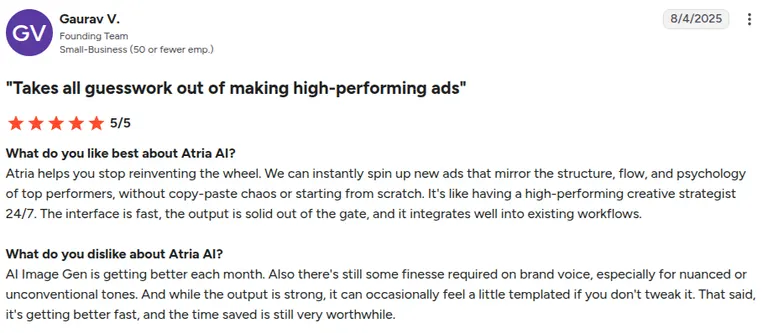
“While the output is strong, it can occasionally feel a little templated if you don't tweak it.” (Gaurav V., G2)
Pricing
Core: $159/month ($129/month annual), 5 seats, 5 ad accounts, $500K spend cap, 4,000 AI credits. Plus: $599/month ($479/month annual), 8 seats, 10 ad accounts, $1M ad spend, 10,000 AI credits.
Business: $1199/month ($959/month annual), 15 seats, unlimited ad accounts, unlimited ad spend, and 25,000 AI credits. Enterprise: custom. Extra seats $20. There's also a free trial with 1,000 free credits included.
Bottom line
Pick Atria when you want to scale creative output and understand why specific ads win or lose on Meta and TikTok. Keep an attribution tool if you still need revenue credit.
2. Motion: Best for creative analytics on video drop-off
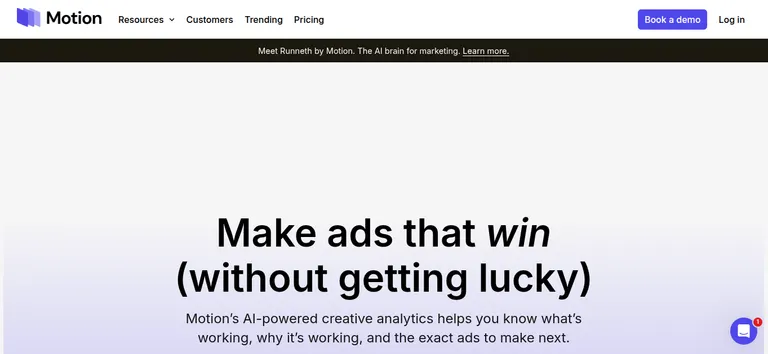
What it does: Motion visualizes Meta video ad performance, breaking down thumbstop rates, hold rates, and exactly where viewers drop off.
Best for: Brands and agencies that already ship a lot of paid-social creative and need a shared report of which ads and patterns are winning.
Motion turns raw media buying numbers into reports a creative team can read. Its retention charts show viewer drop-off second by second, so a video editor can pinpoint the exact moment someone scrolls past a Meta ad.
Motion connects to your ad accounts and watches every live creative continuously, auto-tagging format, hook, and messaging as ads run.
That tagging is what makes the leaderboard useful beyond a raw spend sort: Motion can group performance by tag (every UGC-style hook against every studio ad, for instance), so a team can see which creative pattern the ad is winning.
Key features
- Ad Leaderboard: Ranks your live creatives by spend and performance over the last 7 days, so winners and declining ads are visible at a glance.
- AI tags: Format, hook, angle, messaging.
- Frame-level video views: Breaks a video ad down frame by frame to show where viewers drop off.
- Competitor save: Save and organize competitor ads for reference alongside your own performance data.
Pros and cons
Pros:
- Visual reports teams can share.
- Pinpoint exact video drop-off points to fix failing ad elements and stop burning budget on underperforming assets.
- Identify high-performing creative themes to scale ad budgets across channels.
Cons:
- Live Starter is $750/mo, gated by a $50k monthly ad spend band, and every tier requires booking a demo rather than self-serve checkout.
- Doesn't produce the next ad.
- Steep learning curve on the interface.
What users say
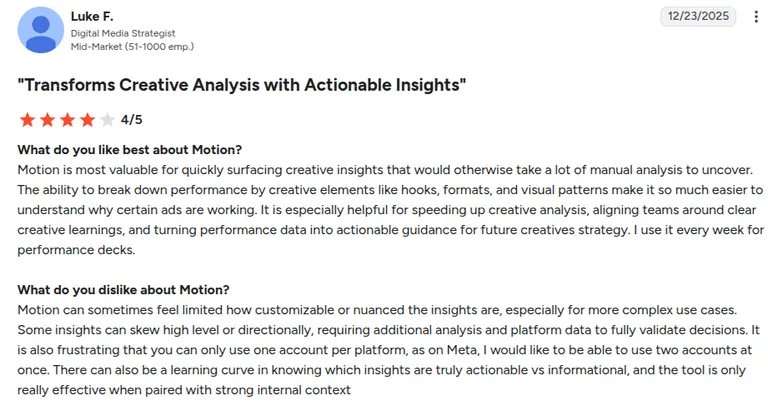
“Motion is most valuable for quickly surfacing creative insights that would otherwise take a lot of manual analysis to uncover.” (Luke F., G2)
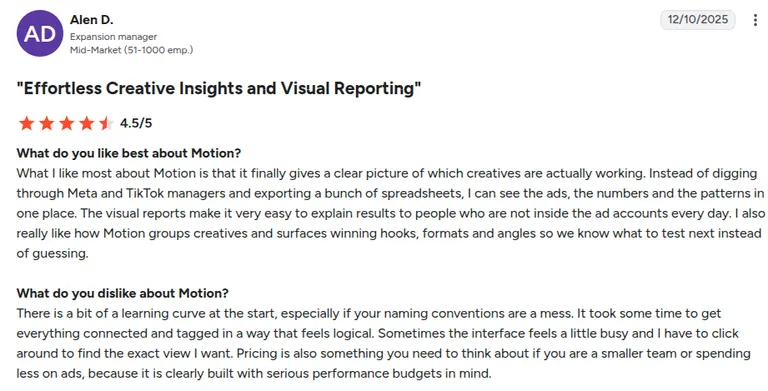
“There is a bit of a learning curve at the start, especially if your naming conventions are a mess.” (Alen D., G2)
Pricing
Starter: $750/mo, up to $50k monthly ad spend. Pro: $1,200/mo. Growth: custom, over $125k monthly ad spend.
Bottom line
Choose Motion when you need a visual scoreboard of live creatives. Choose Atria if you want ad grading and briefing. Choose Madgicx if Meta automation matters as much as the leaderboard.
3. Madgicx: Best for Meta-heavy teams that want creative analytics plus campaign automation
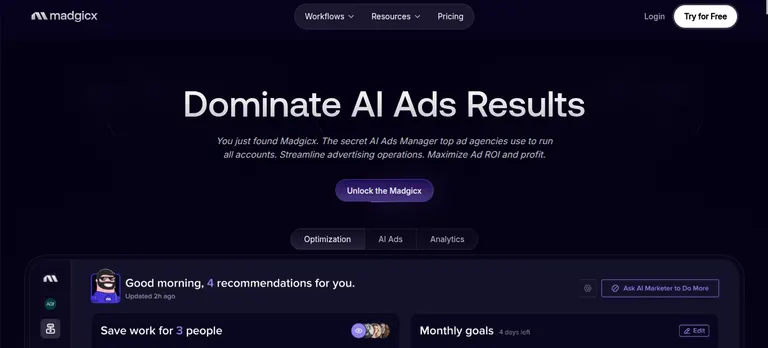
What it does: Madgicx pairs creative performance analytics with autonomous ad management, AI bidding, and automated campaign scaling for Meta Ads Manager.
Best for: Solo media buyers, small business owners, and lean growth teams who want creative insight and automated execution in one place.
Madgicx scores your visual ad formats and copy angles for creative performance, then acts on that data by adjusting bids, scaling budgets, or launching lookalike audiences based on rules you set.
AI Marketer runs a continuous audit loop on the connected Meta account, comparing current spend, audience saturation, and creative fatigue against the account's own history.
Then it either gives a recommendation for a human to approve or, on automated rules, executes the change directly, like pausing a fatigued ad set or shifting budget to a winner, without anyone clicking through Ads Manager.
Creative Insights breaks each ad into visual elements (product shot, text overlay, background, format) and correlates each element's presence across your account with ROAS.
Key features
- Creative Insights and Ad Copy Insights: Tags visual elements and ad copy in live creatives, then ties each tag to ROAS and spend.
- AI Marketer: Audits the connected Meta account and recommends specific budget, audience, and creative changes.
- AI Audiences and budget tools: Builds and tests audience segments automatically, then shifts budget toward what's converting.
- One-Click Report: Meta, Google, GA4, Shopify, Klaviyo, TikTok.
Pros and cons
Pros
- Creative Insights answers which asset and visual tag is eating spend.
- Combines creative reporting and active campaign management in one dashboard.
- Automated rules save time for solo media buyers managing daily budgets.
Cons
- The layout is dense and feature-heavy, which can feel overwhelming at first.
- Automated bidding rules need close oversight to avoid budget mistakes.
What users say
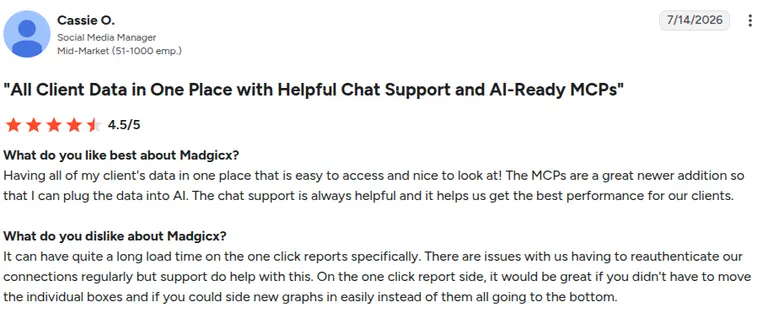
“The MCPs are a great newer addition so that I can plug the data into AI.” (Cassie O., G2)
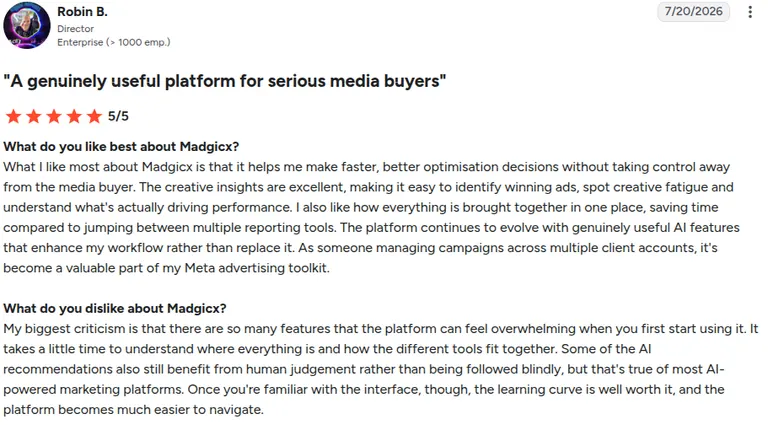
“There are so many features that the platform can feel overwhelming when you first start using it.” (Robin B., G2)
Pricing
When billed annually, Madgicx Pro Complete starts at $32/month (at less than $1k ad spend), and scales with Meta ad spend. There's a 7-day free trial. Tracking Pro add-on is $49/month per connected account.
Bottom line
Pick Madgicx when Meta is the account you optimize every day, and you need automated bidding. Already have dedicated media buyers and just need pure creative intelligence? A specialized tool like Atria gives you a cleaner workflow.
Group 2: Conversion and attribution tracking
Attribution tools connect an ad click to whatever happens after it, whether that's a Shopify checkout, a Stripe charge, or a CRM deal stage. They pull this off with first-party pixel data, CAPI syncs, and custom data models that route conversion signals back to Meta.
4. Cometly: Best for B2B SaaS tying spend to pipeline and closed-won revenue
What it does: Cometly tracks ad clicks and feeds first-party conversion data into your CRM and Meta Ads Manager, so you can see true customer acquisition cost.
Best for: B2B SaaS companies and lead-gen agencies that need to connect Meta ad spend to deal stages, pipeline value, and closed-won revenue in HubSpot or Salesforce.
Cometly’s strength is CRM sync. The platform is built for long-cycle lead tracking, where the gap between a click and a closed deal can stretch for months.
It matches ad click IDs to CRM records when a lead fills out a form, then keeps that link alive as the lead moves through pipeline stages.
A deal that closes 90 days after the original ad click still traces back to the campaign that produced it instead of falling outside Meta's 7-day attribution window.
Almost all the setup effort is on the CRM side: mapping each of your pipeline's stages (Demo Booked, Proposal Sent, Closed Won) to Cometly's reporting, so spend shows up against the stage your sales team cares about.
Key features
- CRM revenue attribution: Connects Meta ad engagement directly to deal stages in HubSpot and Salesforce.
- Server-side CAPI sync: sends offline conversion events back to Meta so the algorithm learns from qualified leads, not just clicks.
- Multi-touch attribution modeling: tracks touchpoints across long buying cycles to show first-touch and last-touch lead origin.
Pros and cons
Pros:
- Direct CRM integration gives you exact ROI on B2B lead-gen campaigns.
- Automated CAPI setup cuts the complexity of building this yourself.
- Reallocate budget from underperforming ad channels to winning campaigns with complete confidence using multi-touch pipeline attribution.
Cons:
- Thin on SKU-level creative reporting if you sell e-commerce.
- Setup and pricing often need a demo.
What users say
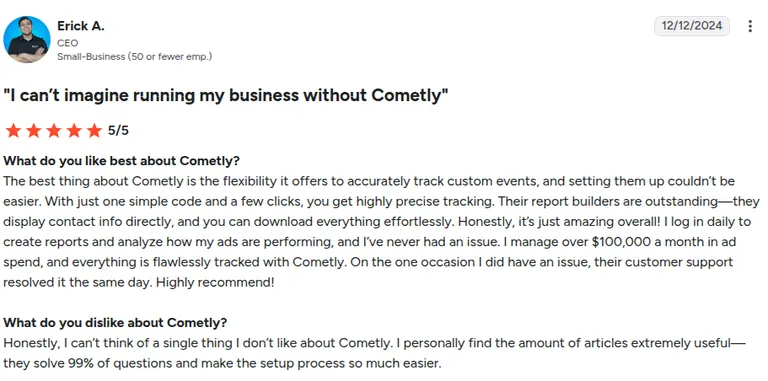
“The best thing about Cometly is the flexibility it offers to accurately track custom events, and setting them up couldn’t be easier.” (Erick A., G2)
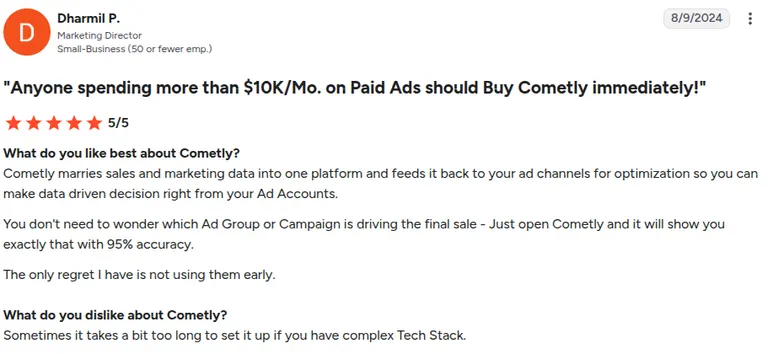
“Sometimes it takes a bit too long to set it up if you have complex Tech Stack.” (Dharmil P., G2)
Pricing
Cometly doesn't publish a fixed public price. You have to contact their sales team for a custom quote.
Bottom line
If you run Meta ads into a sales funnel, Cometly bridges the gap between ad clicks and CRM deal stages well. Running a direct-to-consumer store instead? Look at Triple Whale.
5. RedTrack: Best for high-volume media buyers and agencies
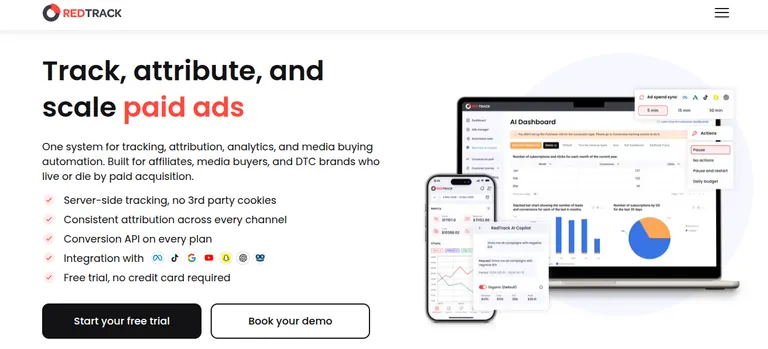
What it does: RedTrack combines multi-channel ad tracking, automated rules, and cookieless server-side attribution in one dashboard.
Best for: High-volume affiliate marketers, media buying teams, and agencies that need fast, rule-based automation across Meta, TikTok, and Google Ads.
RedTrack works as both a tracking platform and an ad management engine. Its automation rules can pause an underperforming Meta campaign or shift budget in real time based on ROAS thresholds you set.
Most competitors lean on Zapier or basic webhooks, but RedTrack keeps direct API access to major ad channels, which keeps its attribution sync times fast.
A visitor clicks an ad, lands on a RedTrack-generated tracking link, gets logged, and is redirected to your actual page.
That extra hop lets RedTrack capture data independent of the ad platform's own pixel. When a conversion happens, RedTrack sends that event back to Meta, Google, or TikTok's Conversions API using the same click ID it captured on the way in, so the ad platform's algorithm learns from a verified outcome.
Key features
- Cookieless server-side tracking: Combines CAPI with first-party domain tracking, so conversions still get captured without relying on browser storage.
- Automated rules and campaign control: Scales winning ad sets or cuts losing ones based on live custom metrics.
- Multi-account agency workspaces: Manage multiple brand accounts, ad accounts, and custom attribution windows under a single login.
Pros and cons
Pros
- Direct API links close tracking gaps across complex, multi-channel media buys.
- Built-in automation rules cut down on manual campaign management.
- Compare performance and manage ad spend across Meta, TikTok, Google, and affiliate networks from a single, unified dashboard.
Cons
- Steep learning curve if you're not technical.
- Faster cost sync speeds require paid add-ons.
What users say
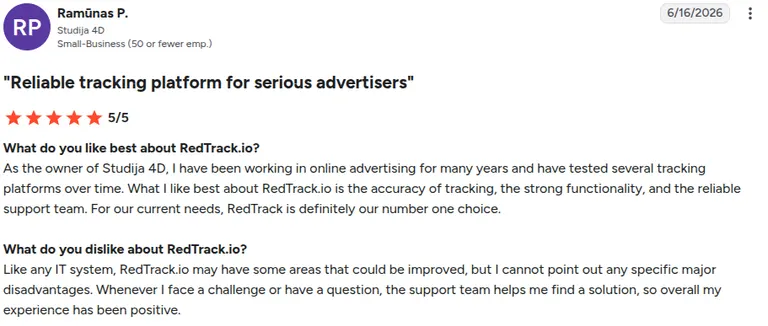
“What I like best about RedTrack.io is the accuracy of tracking, the strong functionality, and the reliable support team.” (Ramūnas P., G2)
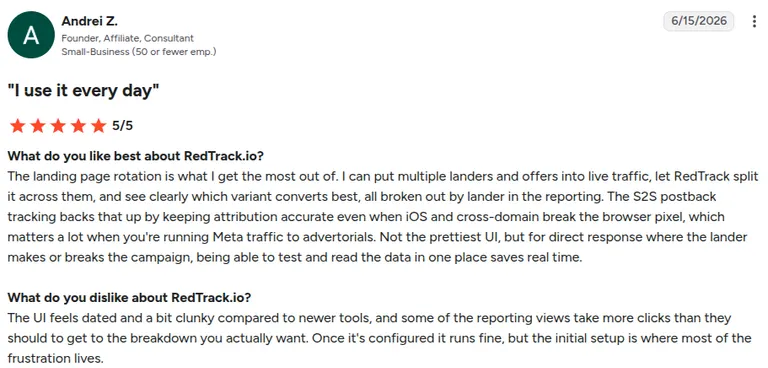
“The UI feels dated and a bit clunky compared to newer tools, and some of the reporting views take more clicks than they should to get to the breakdown you actually want.” (Andrei Z., G2)
Pricing
RedTrack offers two tracks: Affiliates & Lead Gen: Builder $79/month ($69/month annual), Solo $169/month ($141/month annual), Team $399/month ($333/month annual), Enterprise $999/month ($833/month annual).
Ecom & DTC: Brand from $99/month ($83/month), Agency from $599/month ($499).
Bottom line
RedTrack fits performance agencies and high-volume media buyers who want automated campaign scaling built into their tracking. If you’re running a single Shopify brand and only care about net profit, Triple Whale is the cleaner fit.
6. Voluum: Best for affiliate marketers and enterprise buyers automating complex multi-channel campaigns
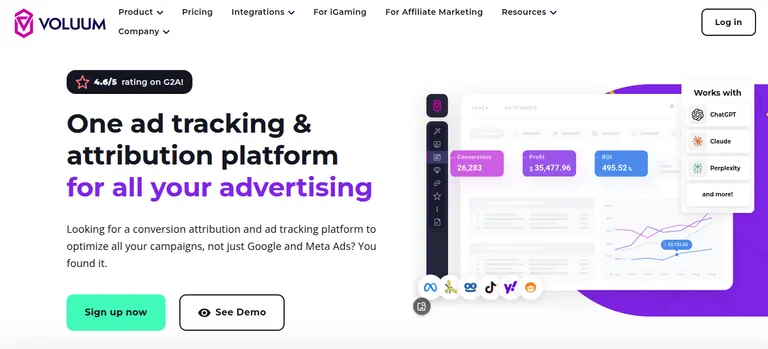
What it does: Voluum tracks, analyzes, and optimizes multi-channel ad traffic through cloud-based redirect and direct-tracking infrastructure.
Best for: Enterprise affiliate marketers, performance networks, and heavy media buyers running high-velocity traffic campaigns across Meta and native ad networks, who want AI traffic routing and rule-based control.
Voluum handles massive click volumes without lag. Where most tracking software stops at basic e-commerce checkouts, Voluum provides advanced traffic distribution logic, impression tracking, and real-time fraud detection.
It routes traffic instantly while passing attribution data back to Meta Ads Manager.
Traffic arrives from a source, hits a lander, and routes to an offer, with rules at each step (by geo, device, time of day) deciding which lander or offer a given visitor sees.
Traffic Distribution AI reweights traffic based on which combination is converting.
Key features
- Anti-fraud logic: flags bot traffic, click farms, and suspicious IPs before they inflate your metrics or burn budget.
- Automizer AI rules: integrates with Meta's API to pause low-performing ads, adjust bids, and clear budget bottlenecks automatically.
- Real-time traffic distribution: routes incoming traffic based on device type, location, or past offer performance.
Pros and cons
Pros
- Infrastructure handles millions of monthly events without lag or downtime.
- Real-time bot protection keeps junk clicks from skewing Meta's optimization.
- Track clicks, landing pages, and affiliate offers across multiple ad networks in a single dashboard.
Cons
- Steeper learning curve than simpler trackers, given the depth of rules, workspaces, and event-based pricing to configure.
- High starting cost for smaller advertisers.
What users say
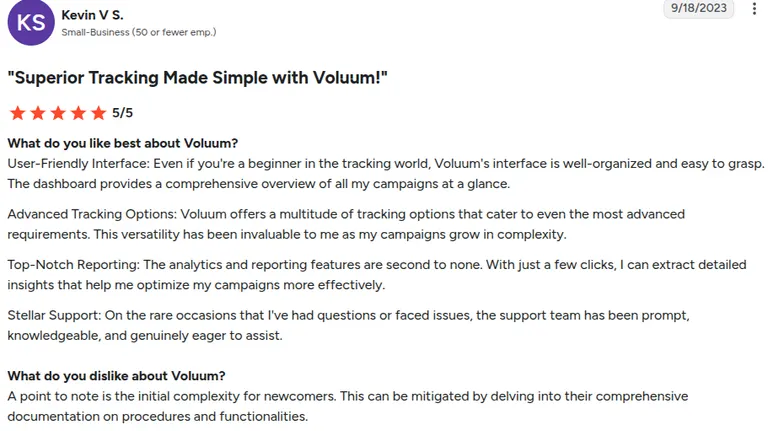
“User-Friendly Interface: Even if you're a beginner in the tracking world, Voluum's interface is well-organized and easy to grasp.” (Kevin V S., G2)
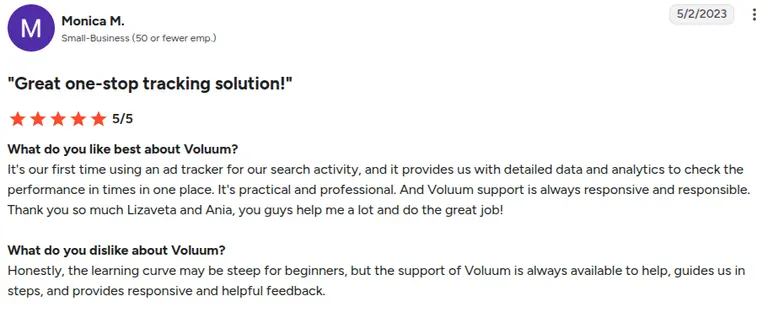
“Honestly, the learning curve may be steep for beginners.” (Monica M., G2)
Pricing
Profit $149/month ($119/month billed annually), Scale $349/month ($299/month), Start-up $599/month ($539/month annual), Agency $999/month ($799/month), Enterprise $1999/month ($1,599/month annual), Corporate $4999/month ($3,999/month annual), Executive $9999/month ($7,999/month annual).
Bottom line
Choose Voluum if you run large-scale affiliate campaigns or high-velocity offer funnels that need bot protection and instant traffic routing. For standard B2C e-commerce, it can make setup more complicated than you need.
7. Triple Whale: Best for e-commerce brands centralizing ROAS and net profit
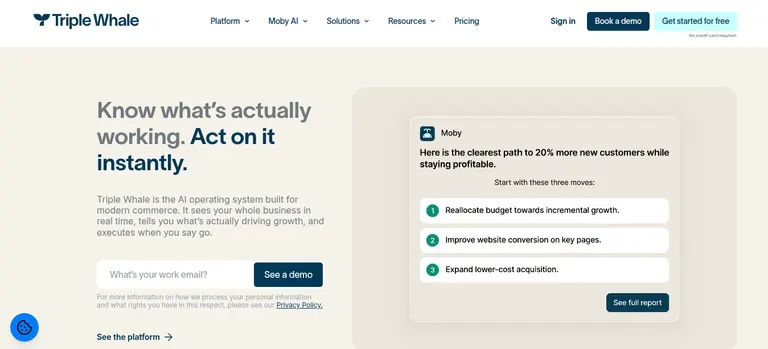
What it does: Triple Whale pulls your Shopify data, ad platform metrics, and first-party pixel events into one dashboard for real-time ROAS and net profit tracking.
Best for: Direct-to-consumer Shopify brands that need clear visibility into net margin, blended metrics, and what customers do after they buy.
Triple Whale owns the DTC Shopify space. The platform calculates true net profit by factoring in cost of goods, shipping, ad spend, and transaction fees alongside your Meta performance.
Its Triple Pixel uses first-party server data to get around ad blockers and Safari's tracking limits.
It keeps capturing on-site behavior even when a visitor blocks or clears cookies, then stitches that against Meta, Google, and email/SMS spend data to build a blended, multi-touch view of what drove a purchase.
This is better than crediting whichever channel happened to get the last click.
Key features
- Triple Pixel first-party tracking: tracks visitor journeys through server-side events to assign revenue accurately to Meta campaigns.
- Summary dashboard and net profit tracker: calculates real-time net margin using store costs, agency fees, and ad spend across channels.
- Moby AI insights: lets you query store and ad data in plain language to spot trends and outliers.
Pros and cons
Pros
- Native integration with Shopify and the popular e-commerce app stack.
- Clear financial reporting ties ad spend directly to net profit.
- Performance breakdowns and anomaly alerts (via Moby AI) to spot growth opportunities or burning budgets faster.
Cons
- Built heavily around Shopify, so non-Shopify stores get limited support.
- Pricing scales quickly as your store's revenue grows.
What users say
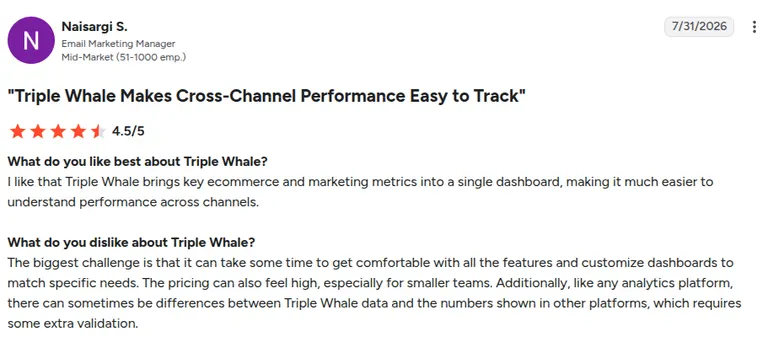
“I like that Triple Whale brings key ecommerce and marketing metrics into a single dashboard .” (Naisargi S., G2)
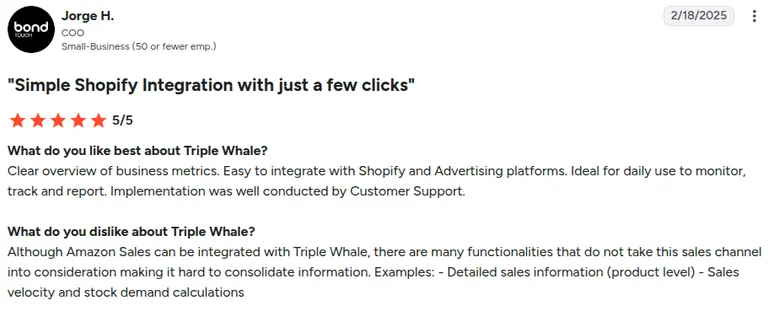
“There are many functionalities that do not take this sales channel into consideration making it hard to consolidate information.” (Jorge H., G2)
Pricing
Foundation and Automate are demo-gated, and enterprise requires contacting sales. There's a limited free plan.
Bottom line
Triple Whale is the top attribution and profit-tracking dashboard for Shopify-native brands. If you operate outside Shopify or sell B2B, look at ClickMagick or Cometly instead.
8. Hyros: Best for high-ticket and long-cycle offers
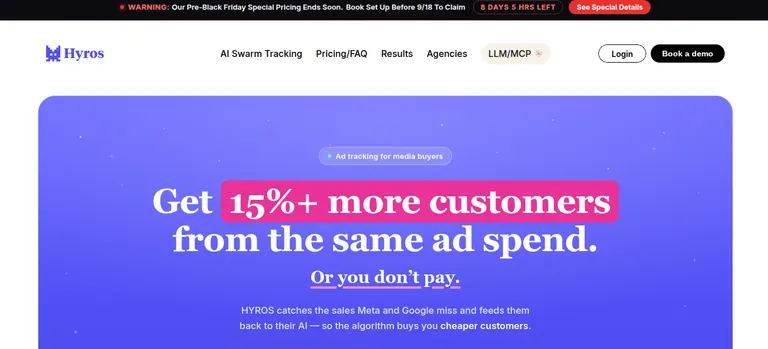
What it does: Hyros tracks complex buyer journeys across ad clicks, phone consultations, and multi-touch funnels using identity-matching technology and AI-driven attribution.
Best for: High-ticket coaches, course creators, lead generation businesses, and long sales cycles built around booked calls or high-value checkouts.
Hyros pieces together identity data (IP history, emails, phone numbers, device data) to build a full timeline of a buyer's journey, no matter how long it takes. That data feeds back into Meta through CAPI, training the algorithm to find people with high lifetime value.
Hyros assigns each visitor a persistent identity token that survives across devices and sessions.
Then it keeps that identity linked through however many steps a funnel has: a form fill, a booked call, a no-show, a rebooked call, and eventually a sale can all trace back to the same original ad click even if those steps span weeks.
Call tracking works through dynamic number insertion. Each visitor sees a unique phone number tied to their identity token, so when they call in, Hyros already knows which campaign and creative brought them before the call connects.
Key features
- Identity tracking and universal CAPI: Links offline sales, call bookings, and recurring payments back to the original Meta ad.
- Long-cycle attribution: Tracks touchpoints spanning weeks or months from first click to final purchase.
- AI optimization guardrails: Feeds clean conversion signals back to Meta to guide automated bidding.
Pros and cons
Pros
- Matches offline revenue and call bookings back to specific ad campaigns.
- Feeds Meta precise data to sharpen lookalike and custom audiences.
- Extended sales cycle attribution.
Cons
- Needs meaningful monthly ad spend or revenue to justify the cost
- Initial setup is complex and often needs developer help
What users say
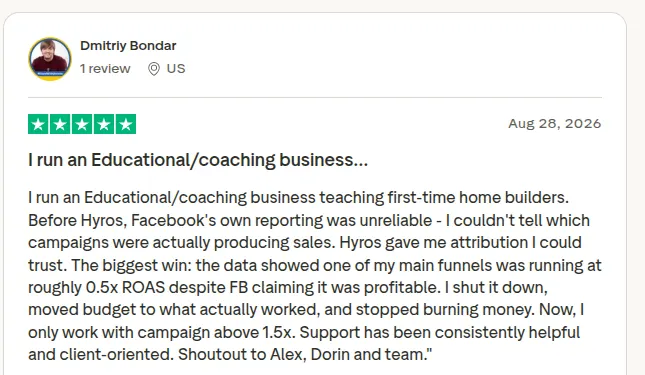
“Before Hyros, Facebook's own reporting was unreliable - I couldn't tell which campaigns were actually producing sales. Hyros gave me attribution I could trust.” (Dmitriy Bondar, Trustpilot)
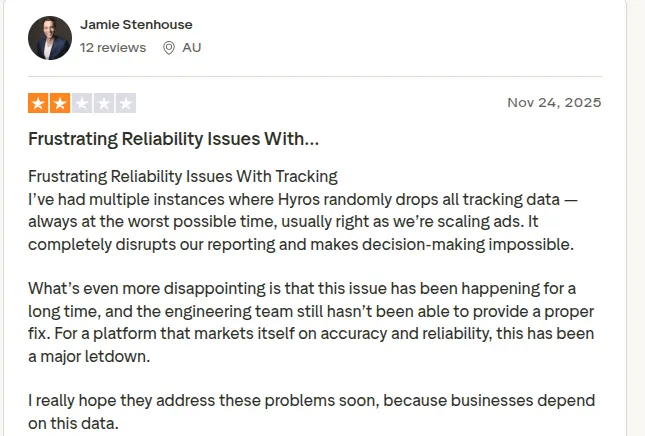
“I’ve had multiple instances where Hyros randomly drops all tracking data, always at the worst possible time, usually right as we’re scaling ads.” (Jamie Stenhouse, TrustPilot)
Pricing
Pricing starts at $69/month for up to $5k tracked revenue.
Bottom line
Choose Hyros if you own a high-ticket business or consultancy that closes deals over the phone or through long email funnels. For low-AOV e-commerce with short sales cycles, a lighter tool is a better fit.
9. ClickMagick: Best for a privacy-resistant source of truth across channels
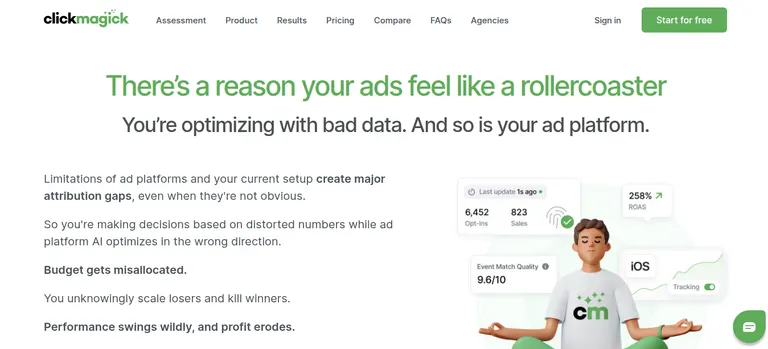
What it does: ClickMagick gives you cookieless ad tracking, click fraud filtering, and cross-channel attribution so you have an independent read on your numbers.
Best for: Performance marketers, small-to-midsize agencies, and multi-channel media buyers who want an affordable, privacy-focused tracking platform.
ClickMagick runs on its own Click Shield and True Attribution engines to stop double-counted conversions and bot traffic. It fills the gaps left by ad blockers, iOS updates, and missing UTM parameters, then syncs cleaned-up conversion data back to Meta, Google, and TikTok.
A rotator link can split traffic across multiple destination URLs by percentage or live performance, so testing two landing pages means changing a setting inside one link.
Key features
- True Attribution engine: Tracks multi-touch buyer paths to assign first-touch, last-touch, or multi-click credit
- Click Shield bot protection: Flags and blocks automated click bots, competitors, and fraud before they pollute your metrics
- Auto cost syncing: Pulls in ad spend data across networks automatically for accurate cross-channel ROAS
Pros and cons
Pros
- Eliminate wasted ad spend by detecting and blocking bots, competitors, and fraud clicks before they burn your budget.
- Accessible price point next to enterprise attribution competitors
- Syncs offline conversion data back to Meta for better audience targeting
Cons
- Visitor caps (10k/100k/1M)
- The interface takes time to navigate comfortably
What users say
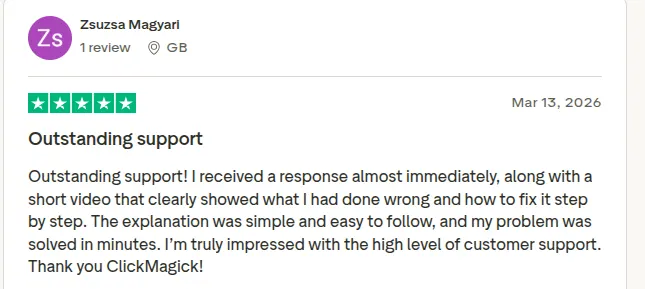
“Outstanding support! I received a response almost immediately, along with a short video that clearly showed what I had done wrong and how to fix it .” (Zsuzsa Magyari, TrustPilot)
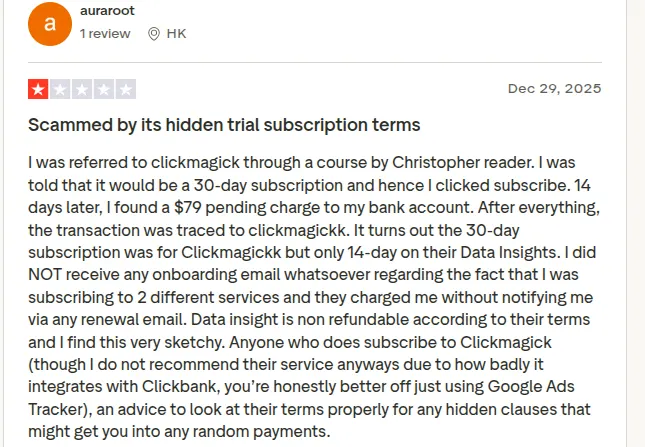
“I do not recommend their service anyways due to how badly it integrates with Clickbank.” (auraroot, Trustpilot)
Pricing
Starter: $79/month ($66/month annual), 10,000 tracked visitors. Standard: $199/month ($166/month annual), 100,000 visitors. Pro: $349/mo ($291/month annual), 1,000,000 visitors.
Bottom line
ClickMagick is a reliable, accessible option for performance marketers who want accurate cross-channel click tracking without an enterprise price tag.
10. Northbeam: Best for brands with complex customer journeys
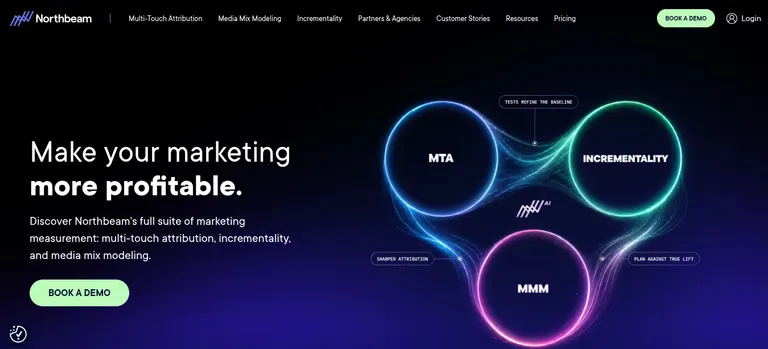
What it does: Northbeam blends machine learning attribution models with media mix modeling to evaluate spend across every channel you run.
Best for: Scaling e-commerce brands, enterprise retail networks, and multi-brand agencies managing complex, multi-touch ad distribution across social, search, and TV.
Northbeam is built for mid-market and enterprise advertisers who need deeper modeling than basic click tracking.
Its machine learning combines deterministic click data with statistical view-through modeling, so you can see how a top-of-funnel Meta awareness campaign actually drives downstream search checkouts 30, 60, or 90 days later.
Northbeam builds its attribution model from a first-party dataset it collects independently of any single ad platform. That includes pixel events, order data, and, on C+DV-enabled platforms, verified impression data.
They all feed into the same identity graph, which is what lets it credit a touchpoint even when a user never clicked an ad at all.
That independence is why onboarding takes setup time. The model needs enough historical first-party data flowing in before its multi-touch attribution has anything meaningful to weigh.
Key features
- Machine learning multi-touch attribution: Analyzes millions of touchpoints to credit ad interactions across complex paths
- Media mix modeling: Measures top-of-funnel impact and offline halo effects without relying on tracking links.
- Custom attribution windows: Switches between first-touch, linear, and decay models to match your business.
Pros and cons
Pros
- Eliminate over-attribution to reallocate ad spend away from inflated channels
- Advanced modeling accounts for view-through conversions and top-of-funnel impact.
- Enterprise reporting handles complex multi-store and multi-brand setups.
Cons
- High starting cost puts it out of reach for smaller ad accounts
- The volume of data models creates a steep learning curve for newer team members
What users say
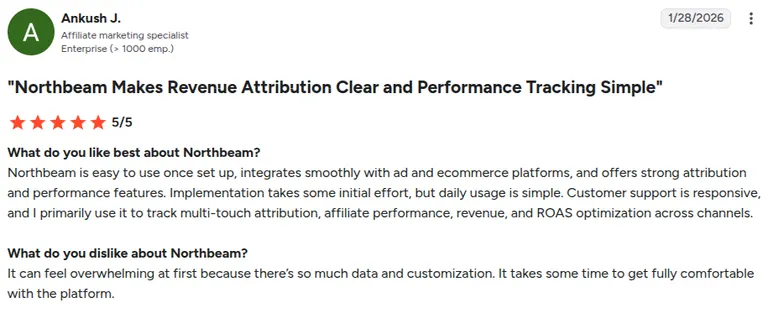
“Northbeam is easy to use once set up, integrates smoothly with ad and ecommerce platforms, and offers strong attribution and performance features.” (Ankush J., G2)
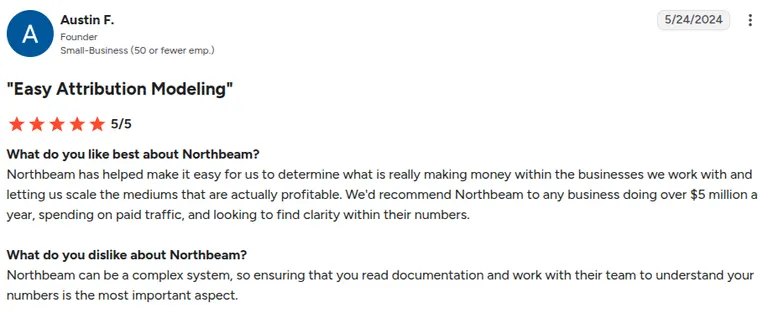
“Northbeam can be a complex system, so ensuring that you read documentation and work with their team to understand your numbers is the most important aspect.” (Austin F., G2)
Pricing
Starter: $1,500/month, Professional: $3,500/month. Enterprise and Growth are custom-priced.
Bottom line
Northbeam fits mature brands spending six figures monthly that need machine-learning attribution across a complex media mix. Earlier-stage brands will get a faster return from a simpler tool.
Group 3: Native baseline
Before you spend a dollar on third-party software, be clear on what Meta already gives you for free. Meta provides baseline tools at zero cost to track events, train its machine learning models, and handle basic attribution.
11. Meta Ads Manager: Best free native tool for foundational tracking and event setup
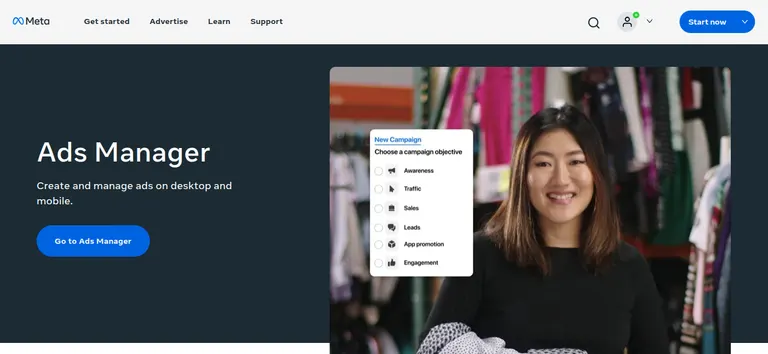
What it does: Meta Ads Manager tracks ad impressions, clicks, and conversions through the browser-based Meta Pixel and the server-side Conversions API.
Best for: Early-stage businesses and solo founders just starting out on Meta that need free native tracking before adding paid tools.
Meta Ads Manager is the mandatory baseline for every advertiser on the platform. Pairing the browser Pixel with CAPI gives you solid tracking resilience against browser signal loss.
Its default 7-day click and 1-day view attribution window tends to overreport top-of-funnel conversion credit compared to multi-touch tools, but it's the direct source feeding Meta's Advantage+ targeting.
The Pixel fires client-side, inside the visitor's browser, which is why ad blockers and browser privacy settings can drop events before Meta records them.
Conversions API closes that gap by sending the same event from your own server directly to Meta, bypassing the browser entirely. Meta then deduplicates the two signals using a shared event ID so one real conversion doesn't get double-counted.
Key features
- Standard and custom events: Track Meta's predefined actions like Purchase and Lead, or define your own event names.
- Conversions API: Sends conversion events server-to-server, so tracking survives browser and ad blocker restrictions.
- Diagnostics in Events Manager: Flags whether the pixel and CAPI are firing and matching correctly, event by event.
Pros and cons
Pros
- Free, already in the account you advertise
- Optimize bids specifically for high-value purchases, lead form submissions, or app installs using custom conversion events and value-based bidding (VO).
- Directly trains Meta's Advantage+ targeting and lookalike algorithms without delay
Cons
- Overreports conversion credit by claiming sole credit for multi-channel touchpoints
- No deep creative analytics like video drop-off curves or automated hook-rate categorization
What users say
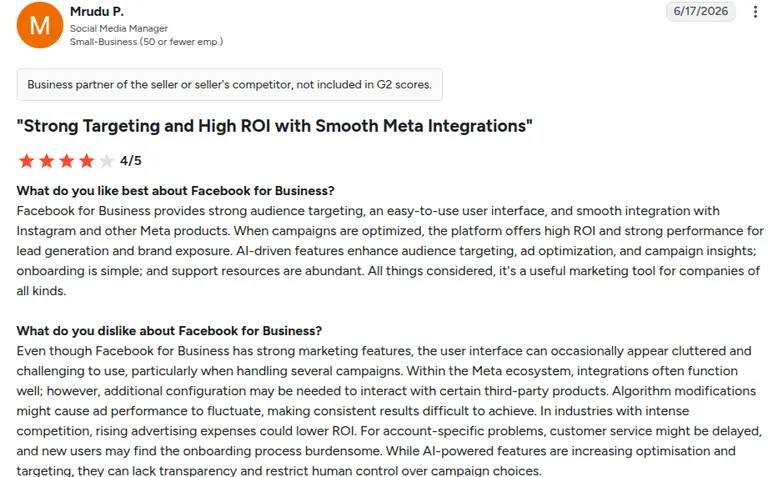
Reviews below are pulled from G2's Facebook for Business listing, where Meta's Ads Manager, Business Suite, and related tools are grouped together:
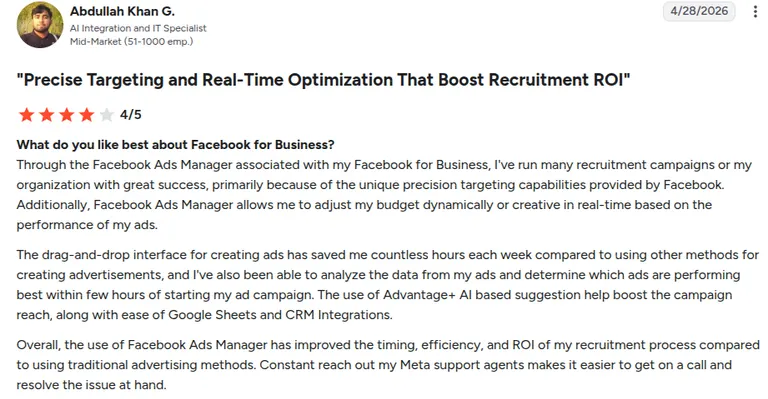
“Through the Facebook Ads Manager associated with my Facebook for Business, I've run many recruitment campaigns for my organization with great success.” (Abdullah Khan G., G2)
“The user interface can occasionally appear cluttered and challenging to use, particularly when handling several campaigns.” (Mrudu P., G2)
Pricing
Ads Manager, Events Manager, the Meta Pixel, and Conversions API setup inside Events Manager are free.
Bottom line
Set up the pixel, CAPI, and events here first. Add an attribution tool when you need revenue or pipeline outside Meta’s window, and a creative tool when you need asset-level reads Ads Manager won't give you.
Which tracking tool should you choose?
Pick based on the object you need to measure:
- Choose Atria if you're scaling high ad creative volume on Meta and TikTok and want automated tagging, competitor research, and brief generation in one place.
- Choose Motion if your priority is visual video reporting and frame-by-frame retention charts for editors.
- Choose Madgicx if you want creative insight paired with automated bidding rules in a single tool.
- Choose Triple Whale if you run a DTC Shopify store and need real-time net profit visibility.
- Choose Cometly if you run a B2B SaaS company and need to tie ad clicks directly to HubSpot or Salesforce deal pipelines.
- Choose Hyros if you sell high-ticket services or run long-cycle, booked-call funnels.
- Choose ClickMagick or RedTrack if you run high-volume performance media across multiple channels and need click fraud protection.
- Choose Voluum if you run large-scale affiliate campaigns or high-velocity offer funnels that need bot protection and traffic routing.
- Choose Northbeam if you spend six figures monthly and need machine-learning attribution.
- Choose Meta Ads Manager if your spend is too low, or you run simple single-step funnels.
Final verdict
There's no single best Facebook ads tracking software on this list, because attribution and creative analytics solve two different problems.
Force an attribution tool to handle creative strategy, or a creative tool to fix pixel drops, and you waste time and budget doing it.
If your ad spend is failing because you can't trace revenue back to campaigns, start with a dedicated attribution platform like ClickMagick or Triple Whale.
If your tracking is clean but performance has stalled from creative fatigue, scale your testing with a dedicated creative engine like Atria.
If your tracking is clean but creative fatigue is the bottleneck, an engine built for it does more than a general dashboard. In Atria, Radar grades every live creative against ROAS, hook rate, and retention, and Raya turns weak grades into new scripts and variants you can push straight to Meta.
See what Radar flags in your account, with no credit card required
Frequently asked questions
What is the best Facebook ads tracking software for brands and agencies?
There isn’t one best Facebook Ads tracking software. Triple Whale is the best attribution tool for Shopify e-commerce brands.
Atria is the best creative analytics tool for e-commerce teams scaling visual ad variations on Meta and TikTok. Most e-commerce advertisers get the most value from pairing accurate server-side attribution with dedicated creative reporting.
What is the difference between attribution tracking and creative tracking?
The main difference between attribution tracking and creative tracking is what they measure. Attribution tracking assigns credit for a conversion to a source, campaign, or path.
Creative tracking grades the asset by hook, hold, format, copy, and visual tags. One shows you the channel, and the other tells you which ad to make next.
Do you need both an attribution tool and a creative tool?
You need both an attribution tool and a creative tool only if you manage enough ad spend that you're losing conversion signal and hitting creative production bottlenecks at the same time.
If your monthly ad spend is low to mid, start with Meta Ads Manager and one primary tool before expanding your stack.
Is Meta Ads Manager enough?
Meta Ads Manager is enough for early-stage advertisers running basic funnels with CAPI set up alongside the browser Pixel. Once you scale, you'll likely outgrow native reporting, since it overreports conversion metrics and lacks granular creative performance data.