This mix of paid ads analytics tools handles revenue attribution, competitive analysis, and creative intelligence to drive better budget decisions.
I pulled the pricing, integrations, and review history for all 10, then grouped them by the job they're actually built for, so here's which one wins for each job, and who should skip it.
10 best paid ads analytics tools: TL;DR
1. Atria: Meta and TikTok advertisers who need creative intelligence and competitor ad spying built into their workflow.
2. Motion: Performance marketers who want to rank ad creative by hook, format, and theme.
3. Triple Whale: DTC brands on Shopify that need ad spend and revenue tied together in one view.
4. Hyros: High-ad-spend brands that need to trace a sale back to the exact click that caused it.
5. AgencyAnalytics: Agencies managing paid ads, SEO, and local analytics across many clients from one dashboard.
6. Whatagraph: Agencies that want automated reporting with built-in AI analysis and forecasting.
7. Windsor.ai: Businesses piecing together attribution across scattered ad platforms and CRM data.
8. Adverity: Enterprises that need governed, large-scale data orchestration across dozens of sources.
9. SEMrush: Marketers who want to see competitor keywords, ad spend, and ad copy in one PPC toolkit.
10. SpyFu: Budget-conscious advertisers who want competitor campaign data without an enterprise price tag.
How I researched these paid ads analytics tools
I compared official product pages, user feedback on G2 and Reddit, and each vendor's published pricing to see how these tools perform.
Here's what I looked at:
- Features: Whether the tool connects ad spend to revenue or competitor data, or only visualizes numbers already sitting in the ad platform
- Usability: How long it takes to go from login to a usable report, and whether the dashboard made sense without a training call
- Integrations: Compatibility with other tools, CRM systems, and ad platforms without manual CSV exports
- Pricing: What you get at the entry tier versus what's locked behind a sales conversation
- Use cases: Performance in the specific job each tool claims to solve, whether it's attribution, agency reporting, or competitor research
10 best paid ads analytics tools: quick comparison
| 💻 Tool | ⚡ Strengths | 💰 Starting Price |
|---|---|---|
| Atria | Creative intelligence and ad spying for Meta/TikTok | $159/mo ($129/mo annual) |
| Motion | Visual creative-level performance dashboards | $750/mo |
| Triple Whale | Shopify-native, creative-level ROAS | Free; paid from $219/mo |
| Hyros | Click-level tracking, cross-device journey mapping | $230/mo (billed annually) |
| AgencyAnalytics | 80+ integrations, white-label reporting | $25/mo per client |
| Whatagraph | AI-generated report summaries, forecasting | From $812/mo (billed annually) |
| Windsor.ai | Connects scattered ad and CRM sources | Free; paid from $23/mo |
| Adverity | Enterprise data governance, deep orchestration | Custom (no published pricing) |
| SEMrush | Competitor keyword and ad spend research | $99/mo (Base); $220/mo (Pro) |
| SpyFu | Full competitor ad history, low cost | $39/mo (capped at 10K rows) |
1. Atria: for creative intelligence on Meta and TikTok
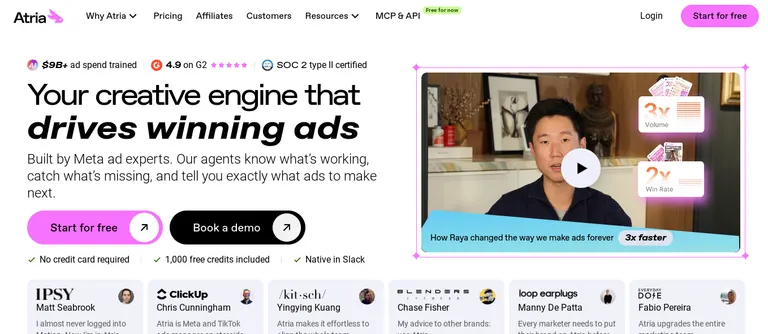
What it does: Atria combines creative intelligence, competitor ad spying, and workflow tools built specifically for paid social advertisers.
Best for: Paid social teams who want creative intelligence on what's working and what to make next, with competitor research and their own creative analysis in one workflow.
Atria combines a competitor ad library with creative auto-tagging and ad grading, giving paid social advertisers a way to see what competitors are running and organize their own testing in one workflow.
Marketers get competitor intelligence and creative analysis without switching between two separate tools.
The platform also includes workflow features built for Meta and TikTok specifically, making it a focused system for paid social teams scaling creative testing.
Key features
- Competitor ad library: Search and filter active competitor ads across Meta and TikTok by industry, format, and spend signal
- Creative auto-tagging: Automatically categorizes your own ads by hook, format, and theme for faster pattern-spotting.
- Radar ad grading: Scores your ads against benchmarks to show what to scale or cut
- Raya, the AI creative strategist: Analyzes your account, competitors, and customer reviews to find winning hooks and angles, then briefs and builds the next round of creative. It lives natively in Slack, so the insights come to you
Pros and cons
Pros:
- ✅ Internal creative analysis and competitor spying in one tool
- ✅ Auto-tagging saves time compared to manually labeling ad creative
- ✅ Workflow features make it easy to move from “what's working for competitors” to “what should we build next”
Cons:
- ❌ Limited to Meta and TikTok, no Google Ads or LinkedIn coverage
- ❌ Doesn't handle revenue attribution
What users say
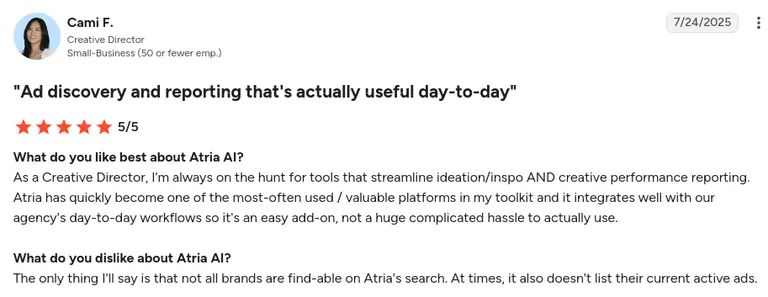
Pro: Atria's creative intelligence provides genuinely thoughtful, tailored creative direction. It helps kickstart the creative process during tight deadlines and speeds up overall output. Atria feels like an always-available creative brainstorming partner for maintaining fresh, consistent campaigns.
"Honestly, Atria has been a lifesaver for my advertising workflow. The AI-generated ad concepts are surprisingly on-point and really help kickstart my creative process when I'm stuck or facing tight deadlines" (Patrick C., G2 Review, August 5, 2025)
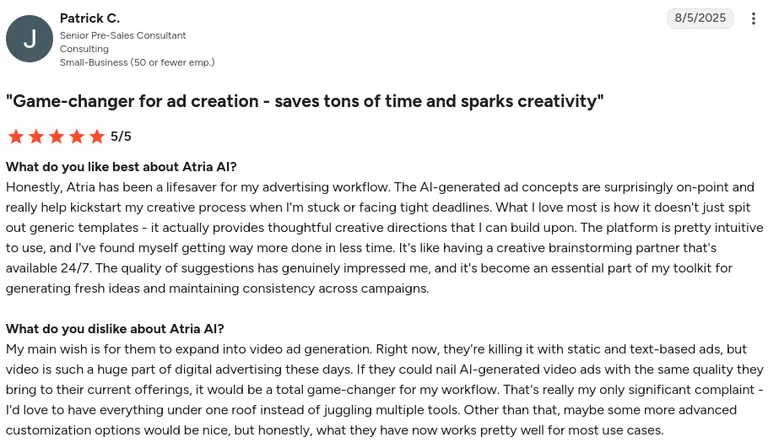
Con: Not all brands can be found through Atria's search, and even when a brand is found, its currently active ads aren't always listed.
"The only thing I'll say is that not all brands are find-able on Atria's search. At times, it also doesn't list their current active ads." (Cami F., G2 Review, July 24, 2025)
 Pricing
Core plan starts at $159/month (or $129/month billed annually), covering 5 seats and core creative intelligence features. Plus is $599/month (or $479/month annually) for deeper AI review mining and higher brand-tracking limits. Business and Enterprise are custom-priced. 1,000 free credits are available to start, with no credit card required and no time limit.
Bottom line
If Meta and TikTok are where most of your ad spend lives, and you want competitor intelligence and your own creative analysis in one place, Atria covers both without needing a second tool.
2. Motion: for ranking your own ad creative
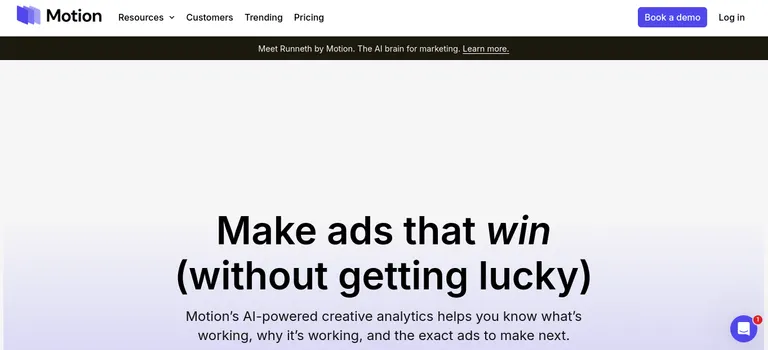
What it does: Motion pulls and ranks performance data from multiple platforms.
Best for: Performance marketers who want visual clarity on which of their ads is working, and why.
Motion pulls performance data from Meta, TikTok, and other platforms into visual, color-coded dashboards that rank ads by hook, format, and theme.
You get a fast answer to which creative is working, without digging through raw metrics first.
The platform also includes a weekly leaderboard, making it a useful system for cross-functional teams running regular creative strategy meetings.
Key features
- Creative-level dashboards: Ranks your ads by format, hook, and theme for granular performance insight
- Weekly leaderboard: Shows you top and declining ads automatically for weekly strategy meetings
- Cross-functional sharing: Built so creative and performance teams see the same data without exporting separate reports
Pros and cons
Pros:
- ✅ Visual dashboards make pattern-spotting across creative variants faster
- ✅ Weekly leaderboard feature cuts prep time for strategy meetings
- ✅ Strong for cross-functional teams where creative and media buying sit separately
Cons:
- ❌ Doesn't support Google Search, Display, or programmatic channels
- ❌ Doesn't provide competitors' internal performance metrics such as ROAS or CPA
What users say
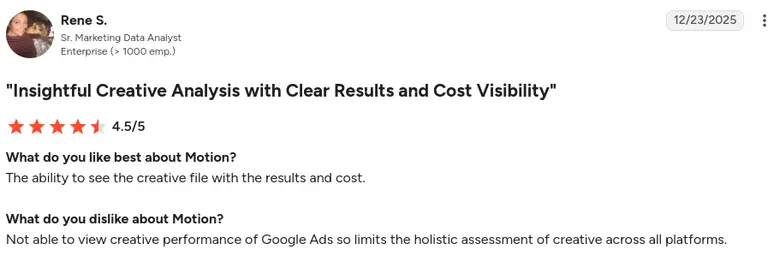
Pro: Motion lets you view the actual creative file alongside its results and cost, giving clear, direct visibility into how each ad is performing.
"The ability to see the creative file with the results and cost." (Rene S., G2 Review, December 23, 2025)
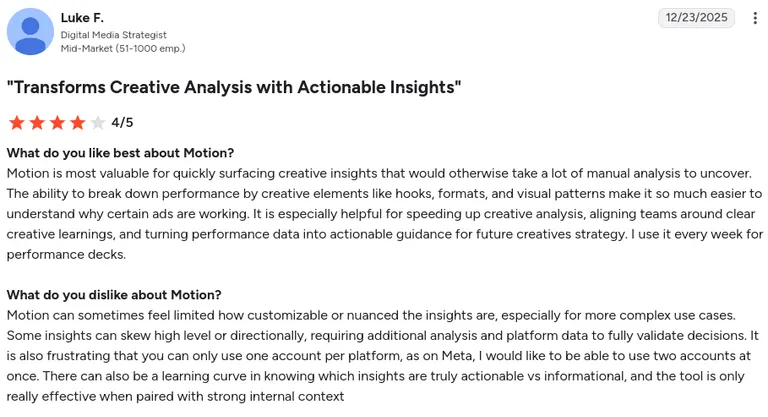
Con: Insights can feel high-level and limited for complex use cases, often requiring extra analysis to fully validate decisions. It only supports one account per platform (a limitation for Meta users managing two accounts). There's also a learning curve in distinguishing actionable insights from purely informational ones, and the tool works best paired with strong internal context.
"Motion can sometimes feel limited how customizable or nuanced the insights are, especially for more complex use cases." (Luke F., G2 Review, December 23, 2025)
 Pricing
Starter plan is $750/month for brands spending up to $50,000/month on ads. Pro is $1,200/month for spend over $50,000/month. Growth is custom-priced for spend over $125,000/month (book a demo). There's also a free trial available.
Bottom line
If you struggle to see why one creative outperforms another, Motion's visual breakdowns solve that specific problem well.
3. Triple Whale: for DTC brands on Shopify
 What it does: Triple Whale pulls Shopify orders, refunds, and ad spend from Meta, Google, and TikTok.
Best for: DTC brands running paid social who are tired of reconciling Shopify numbers against platform-reported ROAS by hand.
Triple Whale aggregates every Shopify order, refund, and ad dollar into one feed and matches them against creative-level performance, showing you which ad drove revenue at the creative level.
You get a daily view of what's working without pulling Shopify and ad platform data into a spreadsheet.
The platform also includes LTV tracking and cross-platform spend visibility, which makes it a central system for Shopify-first DTC brands running paid social.
Key features
- Shopify-native attribution: Matches orders, refunds, and LTV directly to ad spend without CSV exports
- Creative Cockpit: Breaks down performance by individual ad creative, so you know which hook or format is converting
- Daily media buying view: Built for checking spend and performance frequently
Pros and cons
Pros:
- ✅ Fast setup with a live Shopify store connected
- ✅ Creative-level ROAS is useful for day-to-day media buying decisions
- ✅ Refund and return data factored into ROAS, giving a more accurate number than gross revenue alone
Cons:
- ❌ Built almost entirely around Shopify, less useful if you sell on multiple platforms
- ❌ Attribution model can overstate credit compared to a true incrementality test
What users say
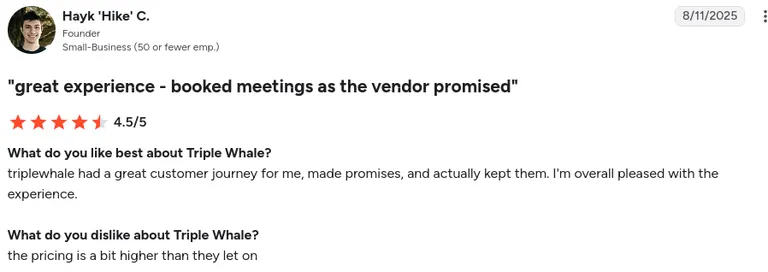
Pro: Triple Whale's team follows through on what they promise during the sales process and delivers the customer experience they set expectations for.
"Triple Whale had a great customer journey for me, made promises, and actually kept them. I'm overall pleased with the experience." (Hayk 'Hike' C., G2 Review, August 11, 2025)
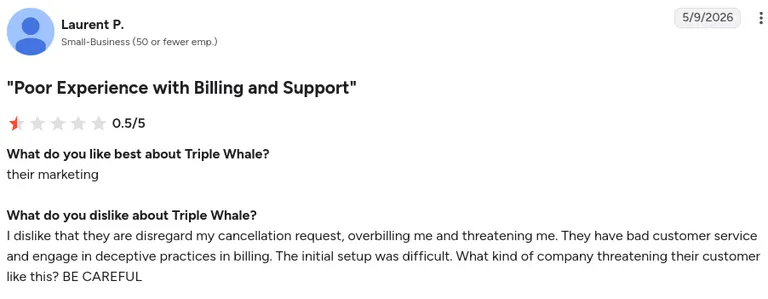
Con: Initial setup was difficult for some users.
"The initial setup was difficult." (Laurent P., G2 Review, May 9, 2026)
 Pricing
Free to start, with paid plans beginning at $219/month for the Foundation tier or $2,190/year if paid annually. Pricing scales based on your brand's annual GMV.
Bottom line
If you're a Shopify brand trying to figure out which ad creative is making you money, Triple Whale gets you there faster than pulling Shopify and Meta data into a spreadsheet yourself. If you sell across multiple platforms beyond Shopify, you'll want to check how well it handles that before committing.
4. Hyros: for high ad-spend brands needing exact attribution
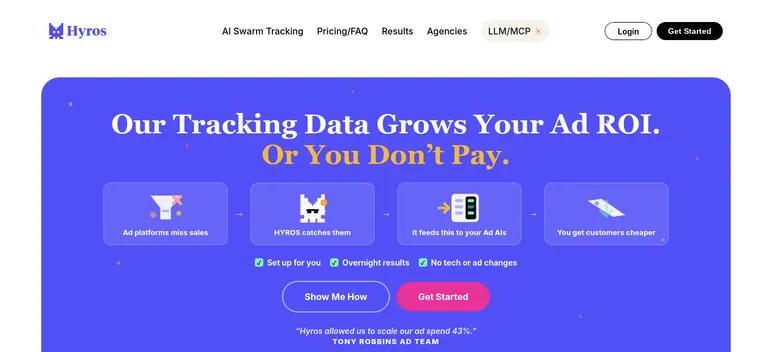
What it does: Hyros tracks a customer's full journey across devices and points of contact, then traces every sale back to the exact ad click or interaction that started it.
Best for: Brands spending heavily on paid traffic who need to know precisely which ad caused a sale, down to the click level.
Hyros tracks every interaction even when the purchase happens days later on a different device.
Brands get attribution accurate enough to trust with real budget decisions, not guesses.
The platform also includes call tracking, making it a strong fit for high-ticket offers sold over the phone as much as online.
Key features
- Click-level attribution: Traces individual sales back to the specific ad, beyond the campaign or ad set
- Cross-device tracking: Follows a customer from mobile ad click to desktop purchase without losing the thread
- Call tracking integration: Attributes phone sales to ad clicks. Useful for high-ticket offers sold over calls
Pros and cons
Pros:
- ✅ Attribution accuracy holds up even for multi-day, multi-device customer journeys
- ✅ Call tracking is important for brands selling high-ticket offers
- ✅ Support team walks you through setup personally
Cons:
- ❌ Onboarding can take up to a week
- ❌ A sales call is required before signing up, despite published pricing
What users say
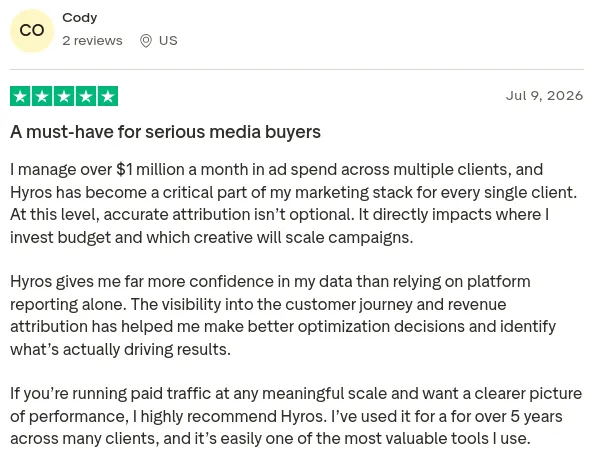
Pro: For a media buyer managing $1M+/month in ad spend across multiple clients, Hyros delivers attribution accurate enough to trust with real budget and creative-scaling decisions.
Offers more confidence than platform-reported data alone, with the reviewer having relied on it for over 5 years across many clients.
"I manage over $1 million a month in ad spend across multiple clients, and Hyros has become a critical part of my marketing stack for every single client. At this level, accurate attribution isn't optional." (Cody, Trustpilot Review, July 9, 2026)
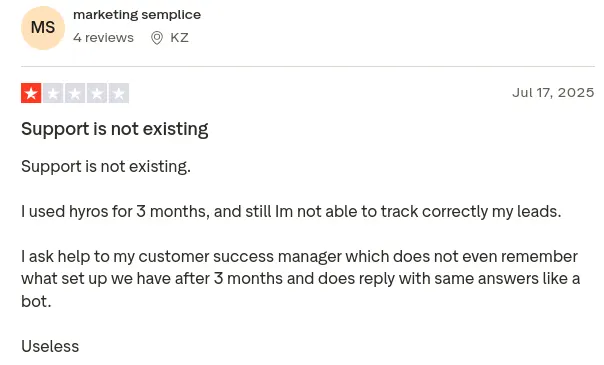
Con: Support is largely unresponsive, with the reviewer unable to get leads tracked correctly after three months, and their customer success manager reportedly losing track of the account setup and replying with generic, bot-like answers.
"I used hyros for 3 months, and still Im not able to track correctly my leads." (marketing semplice, Trustpilot Review, July 18, 2025)
Pricing
Business plan starts at $230/month (billed annually), scaling with tracked monthly revenue. A setup call is required before signing up, even though the entry price is published.
Bottom line
If your ad spend is high enough that a single misattributed sale matters, Hyros is worth the setup time. If you're spending under $20K a month, though, it probably isn't worth it yet.
5. AgencyAnalytics: for agencies managing many clients
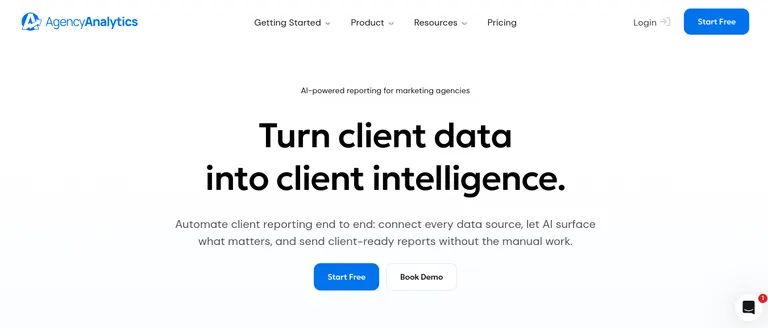
What it does: AgencyAnalytics centralizes paid ads, SEO, and local analytics data for agencies reporting to multiple clients.
Best for: Agencies juggling 5 to 30 client accounts who need reports out the door without designing each one from scratch.
AgencyAnalytics pulls paid ads, SEO, and local data into branded client dashboards automatically, so agencies stop rebuilding reports from scratch every month.
Your clients get a live, white-labeled view of their own performance without emailing the account manager for updates.
The platform also includes 80+ integrations and dozens of templates, which makes it a central reporting system for agencies managing multiple accounts.
Key features
- 80+ integrations: Google Ads, Meta, Bing, Shopify, and more, all included without per-connector fees
- White-label reporting: Custom domains, logos, and branded dashboards clients can log into directly
- Dozens of templates: Organized by service type, so PPC, SEO, and social reports each have a starting point
Pros and cons
Pros:
- ✅ First-report turnover in under 30 minutes
- ✅ Flat integration access means no surprise per-connector costs
- ✅ Interface is simple enough for a junior team member to manage client dashboards
Cons:
- ❌ Per-client pricing adds up quickly past 15-20 accounts
- ❌ No optimization or attribution modeling. It only reports what happened
What users say
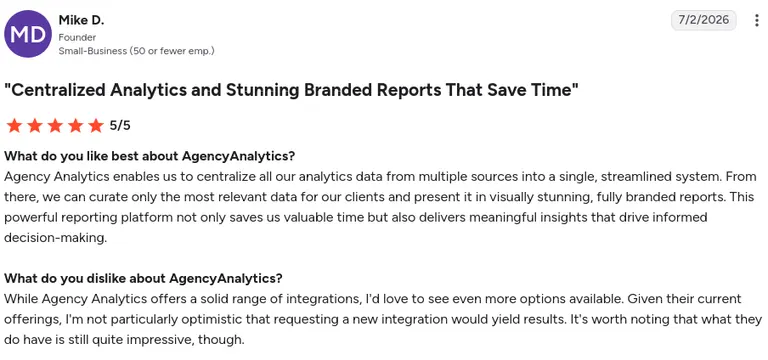
Pro: AgencyAnalytics centralizes analytics data from multiple sources into one system, letting the agency curate the most relevant data into visually polished, fully branded client reports. Saves time while still delivering meaningful insights for decision-making.
"Agency Analytics enables us to centralize all our analytics data from multiple sources into a single, streamlined system." (Mike D., G2 Review, July 2, 2026)
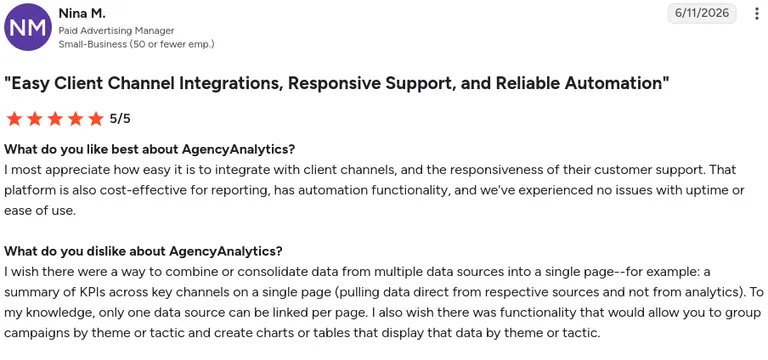
Con: No way to combine data from multiple sources onto a single summary page, since only one data source can be linked per page, and there's no option to group campaigns by theme or tactic for cross-campaign reporting.
"I wish there were a way to combine or consolidate data from multiple data sources into a single page." (Nina M., G2 Review, June 11, 2026)
Pricing
Starts at $25/month per client (or $20/month per client billed annually), scaling with the number of clients managed. A custom Enterprise plan is available for larger agencies.
Bottom line
AgencyAnalytics is great for getting client reports out the door on time. But it can't tell you what to change in a campaign. You'll need another tool for that.
6. Whatagraph: for automated reporting with AI analysis
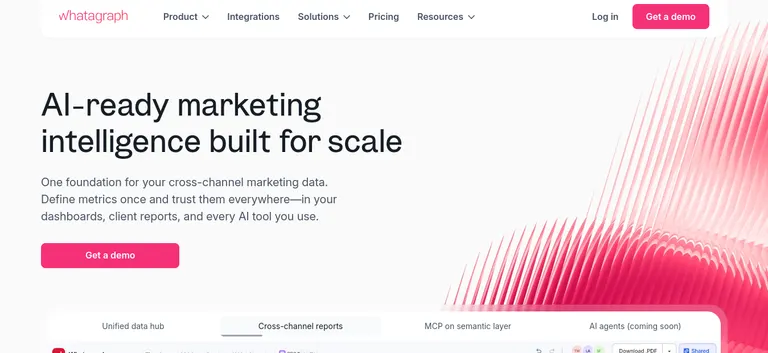
What it does: Whatagraph pulls data from 45+ marketing sources into branded reports.
Best for: Agencies and teams tired of writing the “so what does this mean?” commentary by hand every month.
Whatagraph connects 45+ marketing sources and adds AI-generated narrative summaries that explain what changed and why, in plain language, automatically.
You get the narrative alongside the data, cutting hours off monthly report writing.
The platform also includes predictive modeling, making it a strong fit for agencies that want reporting and forward-looking insight in one place.
Key features
- 45+ native integrations: Google Ads, Meta, LinkedIn, TikTok, Shopify, HubSpot, and more in one report
- AI campaign summaries: Auto-generated narrative takeaways alongside the raw data
- Predictive modeling: Forecasts likely performance trends based on current pacing
Pros and cons
Pros:
- ✅ AI summaries correctly identify underperforming campaigns without manual flagging
- ✅ Broadest connector library of the reporting tools compared here, useful beyond just ads
- ✅ Unlimited users on paid plans. No per-seat cost creep
Cons:
- ❌ Starting price is higher than comparable reporting tools like AgencyAnalytics
- ❌ Possible sync delays, particularly with less common integrations
What users say
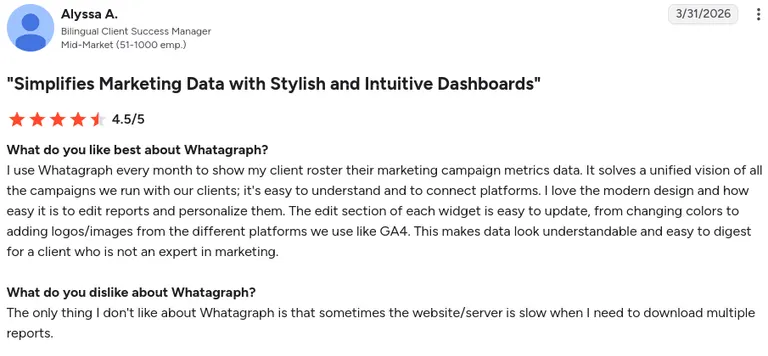
Pro: Whatagraph gives a unified, easy-to-connect view of all client campaign data in a modern, intuitive dashboard, with widgets that are simple to customize (colors, logos, platform branding like GA4). Makes the data digestible even for clients without marketing expertise.
"I use Whatagraph every month to show my client roster their marketing campaign metrics data." (Alyssa A., G2 Review, March 31, 2026)
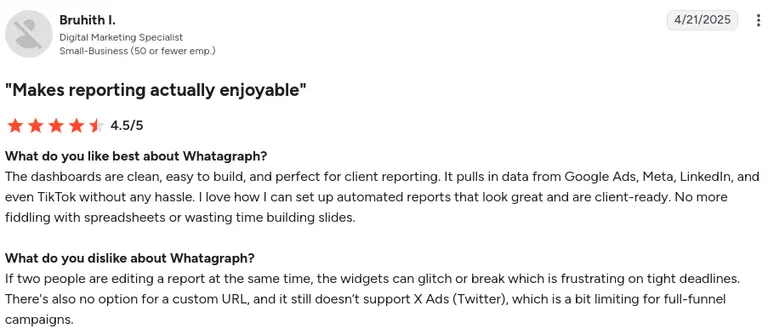
Con: Widgets can glitch when two people edit a report simultaneously, especially frustrating on tight deadlines. It also lacks custom URL support and X (Twitter) Ads integration, limiting full-funnel campaign reporting.
"If two people are editing a report at the same time, the widgets can glitch or break, which is frustrating on tight deadlines." (Bruhith I., G2 Review, April 21, 2025)
Pricing
Max plan starts at $812/month (billed annually), with a 14-day free trial. Prime is custom-priced for higher-volume needs.
Bottom line
If you spend hours writing report commentary every month, the AI summaries alone might justify Whatagraph's price gap against AgencyAnalytics.
7. Windsor.ai: for cross-channel attribution
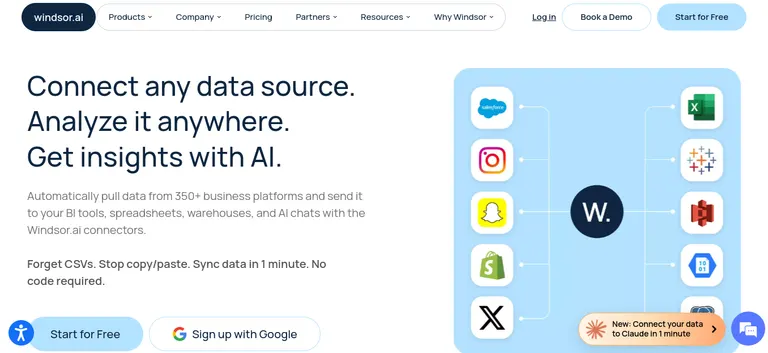
What it does: Windsor.ai links ad platforms to CRM data sources to map the customer journey.
Best for: Teams whose ad and sales data live in different systems and need one place that connects them without engineering help.
Windsor.ai connects scattered ad platforms and CRM systems automatically, mapping the full customer journey and assigning credit across every interaction.
You get a unified attribution view without writing a line of code.
The platform also includes offline conversion matching, making it a solid fit for businesses whose sales data lives outside their ad accounts.
Key features
- Multi-touch attribution: Assigns credit across every point of contact in the customer journey
- CRM and ad platform sync: Connects offline sales data back to the ad interactions that influenced them
- No-code setup: No developer needed to set up
Pros and cons
Pros:
- ✅ Setup takes minutes with no engineering involvement
- ✅ Offline conversion matching is reliable
- ✅ Entry price is low relative to other attribution tools on this list
Cons:
- ❌ Dashboard customization is relatively limited compared to Whatagraph or AgencyAnalytics
- ❌ Deeper attribution modeling requires a higher-tier plan
What users say
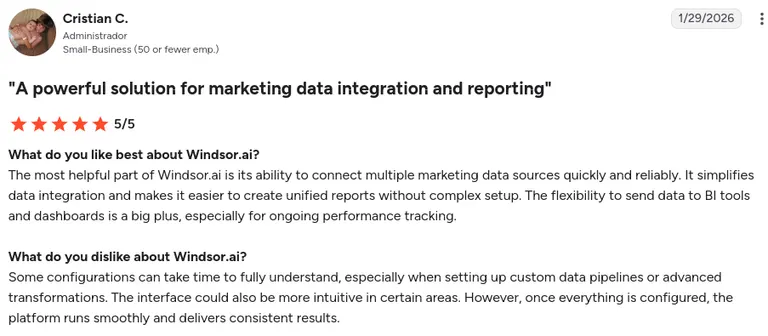
Pro: Windsor.ai connects multiple marketing data sources quickly and reliably, simplifying integration and enabling unified reports without complex setup, with the added flexibility to feed data into BI tools and dashboards for ongoing performance tracking.
"The most helpful part of Windsor.ai is its ability to connect multiple marketing data sources quickly and reliably." (Cristian C., G2 Review, January 29, 2026)
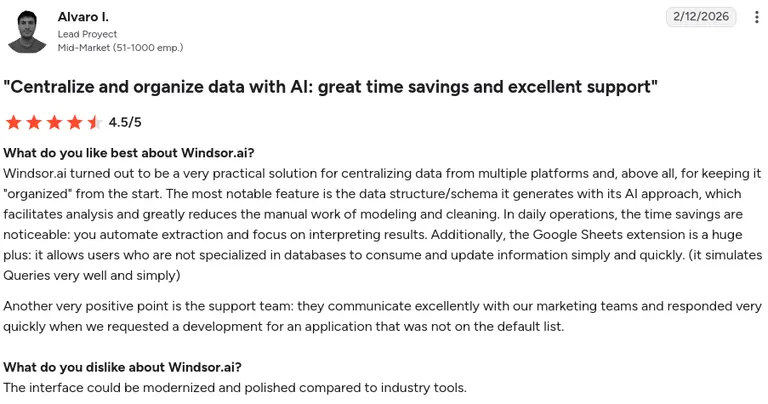
Con: The interface feels dated compared to other tools in the space.
"The interface could be modernized and polished compared to industry tools" (Alvaro I., G2 Review, February 12, 2026)
Pricing
Free plan available. Paid plans start at $19/month (billed annually) or $23/month (billed monthly) for the Basic tier.
Bottom line
Windsor.ai solves scattered attribution bottlenecks at a price point Adverity can't match. But advertisers with dozens of complex data sources will likely outgrow it.
8. Adverity: for enterprise data orchestration

What it does: Adverity orchestrates data at enterprise scale.
Best for: Large organizations managing complex data environments across many brands, regions, or business units.
Adverity organizes marketing data from dozens of sources for large teams using AI, with data controls built in so large teams can trust the numbers across regions and business units.
Enterprises get clean, compliant, automated data pipelines across every source.
The platform also includes a wide range of integrations, making it a central data system for organizations managing complex, multi-brand marketing operations.
Key features
- AI-powered data orchestration: Automates the connection and cleaning of data across a large number of sources
- Data governance controls: Built for enterprise compliance requirements across regions and business units
- Extensive connector library: Covers ad platforms, CRMs, and internal data warehouses
Pros and cons
Pros:
- ✅ Control features are built for enterprise compliance needs, not bolted on
- ✅ Handles data volume and source complexity beyond what smaller tools can manage
- ✅ Dedicated onboarding support throughout setup
Cons:
- ❌ No self-serve trial, every step requires a sales conversation
- ❌ Overkill for teams managing fewer than a dozen data sources
What users say
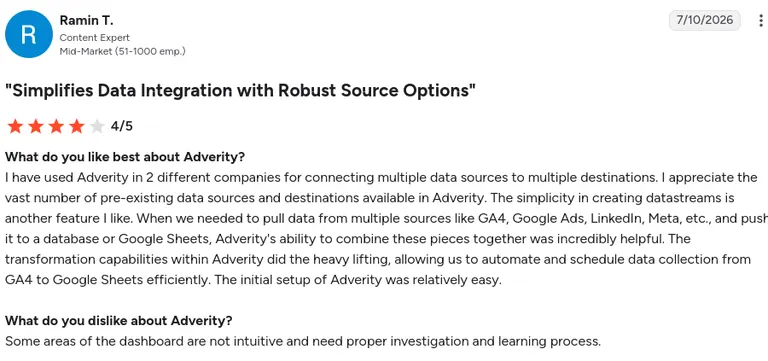
Pro: Adverity's wide library of pre-built data sources and destinations, combined with simple datastream creation, makes it easy to connect platforms like GA4, Google Ads, LinkedIn, and Meta to a database or Google Sheets, with strong transformation capabilities that automate and schedule data collection. All backed by a relatively easy initial setup.
"I have used Adverity in 2 different companies for connecting multiple data sources to multiple destinations." (Ramin T., G2 Review, July 10, 2026)
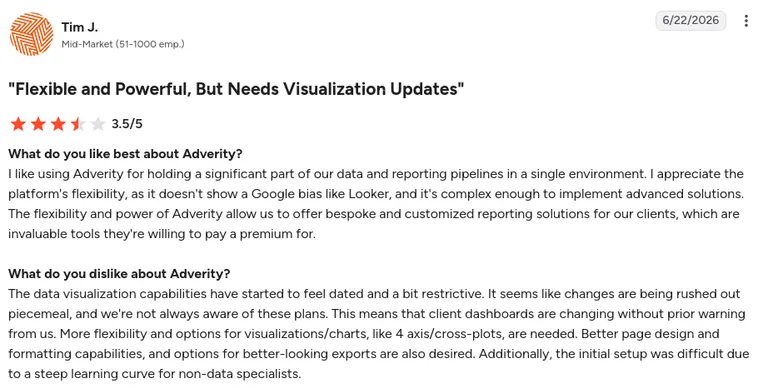
Con: Data visualization feels dated and restrictive, lacking options with limited page design and export quality. Updates are rolled out piecemeal without warning, sometimes changing client dashboards unexpectedly. The initial setup also has a steep learning curve for non-data specialists.
"The data visualization capabilities have started to feel dated and a bit restrictive." (Tim J., G2 Review, June 22, 2026)
Pricing
Custom pricing based on data volume and sources. There's no published pricing, and a sales conversation is required to get a quote.
Bottom line
If you're managing marketing data across multiple brands or regions with compliance requirements, Adverity is built for that scale. But go with Windsor.ai if your team is smaller, since it does the same job for a fraction of the cost and setup time.
9. SEMrush: for competitor PPC research
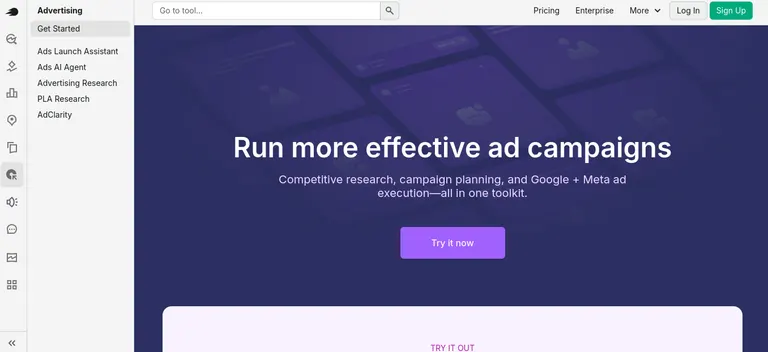
What it does: SEMrush's Advertising Toolkit shows you competitor advertising data.
Best for: Marketers who want to know what competitors are bidding on.
SEMrush's Advertising Toolkit displays competitor keywords, estimated spend, and paid search ad copy history, so marketers know what they're up against before building or adjusting their own PPC strategy.
You get visibility into what's already working for competitors before launching your own campaign.
The platform also includes organic and paid overlap data, so it's a good call for marketers who want competitive intelligence and SEO in one place.
Key features
- Advertising Research: Competitor estimated spend, profitable keywords, and ad copy history in one view
- 28 billion+ keyword database: One of the largest keyword databases available, covering both organic and paid search.
- Paid vs. organic overlap: Flags keywords where you're paying for ads you already rank for organically
Pros and cons
Pros:
- ✅ Keyword-level competitor spend estimates are detailed and easy to act on
- ✅ Combines organic and paid data. Useful for reducing redundant spend
- ✅ Ad copy archive helps spot what competitors keep testing versus abandoning
Cons:
- ❌ Buried inside a multi-tool platform, the learning curve is steeper than a dedicated competitor tool
- ❌ Team access requires a higher-tier plan, single-user limit on the base tier
What users say
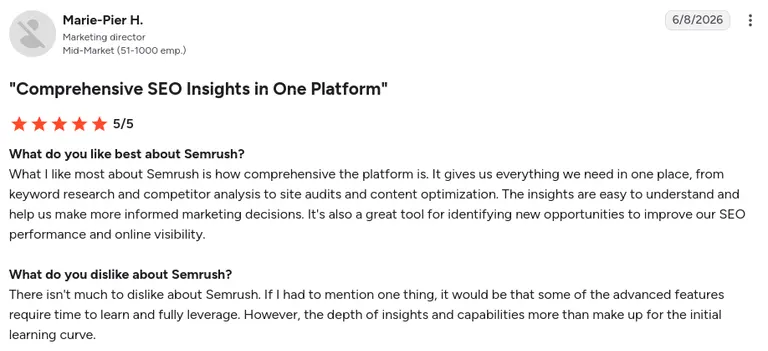
Pro: Semrush brings everything into one platform, from keyword research and competitor analysis to site audits and content optimization, delivering insights that are easy to understand and useful for spotting new SEO and visibility opportunities.
"What I like most about Semrush is how comprehensive the platform is. It gives us everything we need in one place." (Marie-Pier H., G2 Review, June 8, 2026)
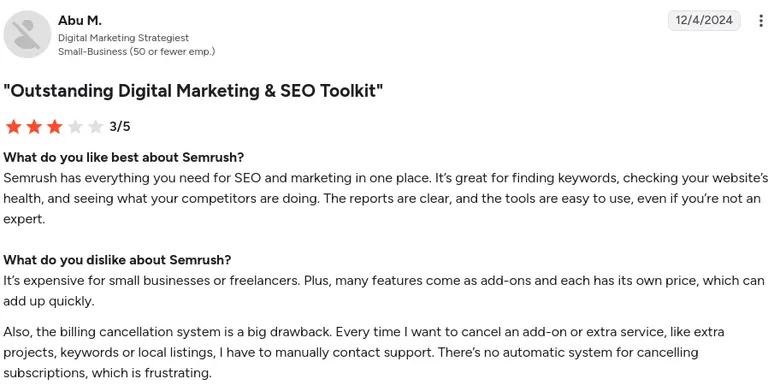
Con: Expensive for small businesses or freelancers, especially since many features are priced as add-ons that add up quickly. Canceling any add-on requires manually contacting support, as there's no self-serve cancellation system.
"It's expensive for small businesses or freelancers. Plus, many features come as add-ons, and each has its own price, which can add up quickly." (Abu M., G2 Review, December 4, 2024)
Pricing
Advertising Toolkit starts at $99/month for the Base plan (search campaign research); $220/month for Pro, which adds competitor creative, placement, and spend data across display, video, and social. There's a 7-day free trial.
Bottom line
If you're already using SEMrush for SEO, the PPC toolkit is worth exploring before buying a separate tool. But if competitor ad research is your only need, SpyFu gets you there faster and cheaper.
10. SpyFu: for budget-conscious competitor research
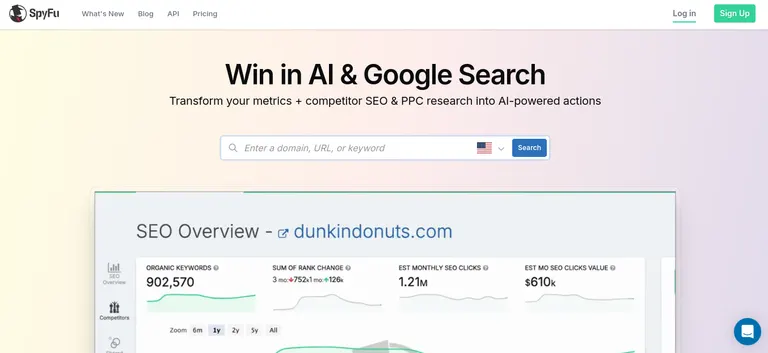
What it does: SpyFu shows competitor PPC data.
Best for: Small agencies and in-house teams that need competitor PPC data without paying for a full-suite platform.
SpyFu shows every keyword and ad a competitor has run in Google Ads, along with estimated spend, going back years.
You get a complete paid search profile on any domain in seconds, without paying for a full-suite platform.
The platform also includes rank tracking for both paid and organic results. This makes it a budget-friendly system for ongoing competitor monitoring.
Key features
- Complete ad history: Every Google Ads variation a competitor has tested
- AdWords Advisor: Shows profitable keywords competitors buy that you don't
- Rank tracking: Tracks organic and paid keyword positions over time
Pros and cons
Pros:
- ✅ Competitor snapshots loaded in seconds with no learning curve
- ✅ Starting at $29/month billed annually, it's one of the most affordable competitor research tools on this list
- ✅ Years of historical ad data useful for spotting long-term competitor patterns
Cons:
- ❌ Research only, no way to act on the data inside the tool itself
- ❌ Covers Google Ads and organic search only, no Meta, TikTok, or LinkedIn data
What users say
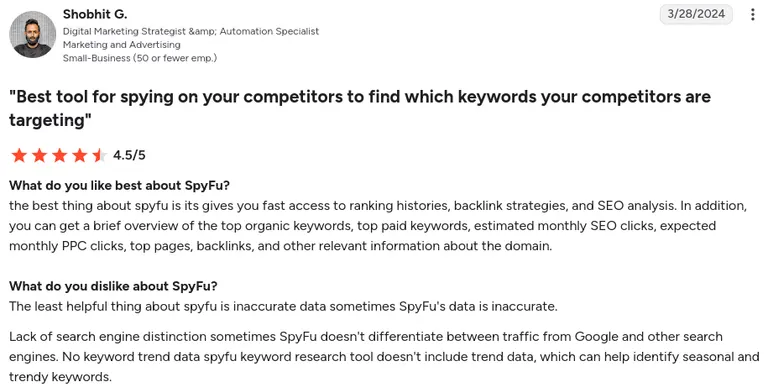
Pro: SpyFu gives fast access to a domain's ranking history, backlink strategy, and SEO analysis. Along with a quick snapshot of top organic and paid keywords, estimated monthly SEO and PPC clicks, top pages, and backlinks. All in one overview.
"The best thing about SpyFu is it gives you fast access to ranking histories, backlink strategies, and SEO analysis." (Shobhit G., G2 Review, March 29, 2024)
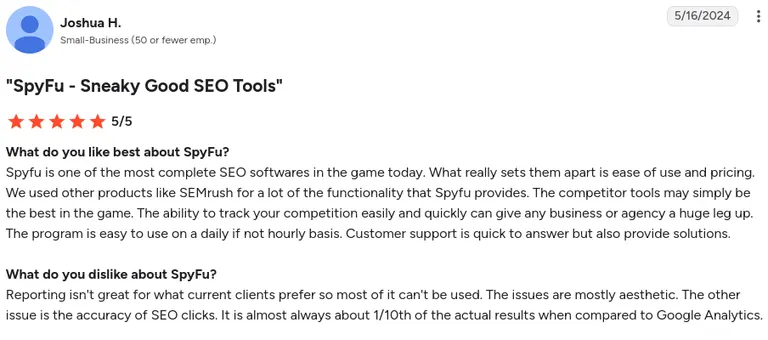
Con: Reporting doesn't match what clients typically prefer, mostly due to aesthetic limitations. SEO click data is often inaccurate, showing roughly a tenth of the actual traffic compared to Google Analytics.
"Reporting isn't great for what current clients prefer so most of it can't be used." (Joshua H., G2 Review, May 16, 2024)
Pricing
Starts at $39/month (or $29/month billed annually) for the Basic plan, though search results and exports are capped at 10,000 rows. Unlimited searches and historical data require the Pro + AI plan at $119/month (or $89/month billed annually). No free trial; 30-day money-back guarantee.
Bottom line
If your competitor research budget is under $50 a month and Google Ads is your main channel, SpyFu is hard to beat. But you'll need another tool if you're advertising heavily on Meta or TikTok too.
Which paid ads analytics tool should you choose?
The right pick depends on which problem is costing you time or money.
Choose Atria if you:
- Run paid social on Meta and TikTok and want competitor ad intelligence and your own creative tagging in one workflow
- Are tired of switching between a spy tool and a separate creative analytics dashboard
Choose Motion if you:
- Need a fast, visual way to see which hook, format, or theme is actually driving performance
Choose Triple Whale if you:
- Run a DTC brand on Shopify and need ad spend tied directly to real revenue
- Want creative-level ROAS without exporting data into spreadsheets
Choose Hyros if you:
- Spend heavily enough that a single misattributed sale matters to your budget decisions
- Sell high-ticket offers over calls and need phone sales attributed back to the ad that drove them
Choose AgencyAnalytics or Whatagraph if you:
- Manage reporting for multiple clients and need it automated, branded, and out the door on time
- Want AI-generated summaries explaining performance (Whatagraph), or a lower-cost, simpler reporting layer (AgencyAnalytics)
Choose Windsor.ai or Adverity if you:
- Have ad and CRM data scattered across systems and need it connected without engineering help (Windsor.ai)
- Operate at enterprise scale across multiple brands or regions with real data governance requirements (Adverity)
Choose SEMrush or SpyFu if you:
- Need to know what competitors are bidding on before building your own PPC strategy
- Want the deepest research available (SEMrush) or the most affordable option for Google Ads-only research (SpyFu)
Final verdict
There's no single winner here because these 10 tools solve different problems: creative intelligence, revenue attribution, agency reporting, cross-channel data orchestration, and competitive insights.
If Meta and TikTok are where your ad spend happens, start with Atria. Radar grades every ad and Raya (in Slack) briefs the next round, so competitor intelligence and your own creative analysis live in one workflow.
For client reports, AgencyAnalytics or Whatagraph will save you the most hours. And SEMrush or SpyFu will meet your PPC research needs.
Rubix, a performance marketing agency, ran creative analysis 40% faster and lifted ROAS by 15% with Atria's tagging and reporting.
Founder and CEO Alex Realmuto says, “Atria is phenomenal, especially from a reporting standpoint. It's going to make your life easier, and it's an easy decision when you look at ROI.”
For a deeper look at how Atria compares to other creative reporting tools like Motion, see our breakdown of creative reporting tools.
See what Radar flags in your account for free, with no credit card required.
Frequently asked questions
What is the best paid ads analytics tool for performance marketers?
The best paid ads analytics tool depends on what your problem is: creative performance, attribution, or reporting.
Atria is a strong fit for competitor intelligence and creative analysis, Motion offers a visual way to see why one creative outperforms another, and Triple Whale is great for DTC brands needing revenue tied to ad spend.
What's the difference between ad analytics and creative analytics tools?
The main difference between ad analytics and creative analytics tools is what they measure.
Ad analytics tools track overall campaign performance, spend, impressions, clicks, and conversions. Creative analytics tools go deeper into individual ad elements, hooks, formats, copy, and visuals, to show why certain ads outperform others.
Do I need a paid ads analytics tool if I'm already using Google Ads and Meta's built-in tools?
Yes, you still need a paid ads analytics tool because native platform reporting only shows what happened inside that platform.
It can't tell you whether a Meta ad and a Google ad are competing for the same sale or which one actually caused it. Once you're advertising on more than one platform or tying ad spend to real revenue, a third-party tool is essential.
What's a reasonable ad spend before investing in one of these tools?
Most of the tools on this list make the most sense once you're spending above $5K to $10K a month. Below that, native reporting plus a spreadsheet may cover what you need. Enterprise-focused tools like Adverity and Hyros suit brands spending well into six figures monthly.
Can I use more than one of these tools together?
Yes, you can use more than one of these tools together and most advertisers do. A common stack pairs an attribution tool like Triple Whale or Hyros with a creative or competitor intelligence tool like Atria or Motion. Neither category fully covers the other.
Which of these tools works best for agencies managing multiple clients?
AgencyAnalytics and Whatagraph are built specifically for multi-client reporting, with white-label dashboards and automated delivery. AgencyAnalytics is the more affordable, straightforward option, while Whatagraph adds AI-generated performance summaries for a higher price.