The right TikTok marketing tool helps you track what's working, create content faster, and find your next viral angle before your competitors do.
I spent weeks running dozens of tools against ad accounts and TikTok profiles, comparing hashtag-tracking accuracy and pulling competitor creative to see which tools surfaced usable insights.
Here are the 20 best options worth adding to your stack in 2026.
20 best TikTok marketing tools: TL;DR
- Atria: Best for agencies and brands that want to research competitor TikTok creative and generate new ad concepts from those insights
- Iconosquare: Best for social media managers who need deep TikTok analytics and side-by-side competitor benchmarking
- Exolyt: Best for researchers and marketers who want TikTok-native analytics covering video metrics, hashtag trends, and comment-level sentiment
- Socialinsider: Best for teams that want clear cross-platform benchmarking with exportable, presentation-ready reports
- Brandwatch: Best for enterprise teams that need to track brand mentions and sentiment across TikTok alongside the wider social web
- CapCut: Best for creators and teams who want a free, TikTok-native video editor with built-in trending templates
- Canva: Best for marketers who need quick, template-driven TikTok videos without a steep design learning curve
- invideo: Best for teams that want AI-generated video scripts turned into publish-ready TikTok clips
- Adobe Premiere on iPhone: Best for creators who want free, unwatermarked 4K exports built for TikTok
- Zoomerang: Best for solo creators who want AI-assisted scripting for short-form TikTok content
- SocialPilot: Best for agencies managing TikTok across many client accounts who need bulk scheduling and white-label reporting
- Hootsuite: Best for enterprise teams managing TikTok alongside several other social channels from one dashboard
- Later: Best for creators and small brands who want a visual content calendar built around TikTok
- Sprout Social: Best for large brands that need a unified inbox for TikTok comments alongside cross-platform reporting
- Influencity: Best for brands running ongoing, multi-creator TikTok influencer campaigns from discovery through ROI reporting
- Modash: Best for teams that want to vet TikTok creators for audience authenticity before committing budget
- TikTok One: Best for brands that want native creator discovery bundled with ad tools and campaign reporting
- Keyword Tool: Best for marketers researching high-volume, low-competition keywords straight from TikTok's own autocomplete data
- PiPiADS: Best for marketers who want to browse competitor TikTok ad creative at scale
- TikTok Ads Library: Best for marketers who want a free, direct look at currently running TikTok ads by industry and objective
How I researched and tested these TikTok marketing tools
I tracked hashtags, pulled competitor creative, and built sample content calendars across every tool on this list, using a mock brand account for setup and reporting. For tools without hands-on access, I reviewed documentation and watched product walkthroughs instead.
Here's what I considered:
- TikTok-specific depth: Whether the tool treats TikTok as a core platform or just a checkbox alongside Instagram and Facebook
- Competitor and creative intelligence: How much a tool reveals about what's actually working for other accounts
- Team and agency fit: Whether the workflow scales from one account to managing several clients at once
- Analytics you can act on: Whether the data points to a next step, or just restates views and likes you already saw in the app
- Setup time versus output: How long it takes to go from signup to a usable result
Analytics tools were where the gap showed up. A few caught which competitor hooks kept resurfacing across accounts, but some just dressed up numbers TikTok already hands you for free.
20 best TikTok marketing tools: quick comparison
| 💻 Tool | 🎯 Best for | 🔥 Starting price (billed annually) | ⚡ Strengths |
|---|---|---|---|
| Atria | Agencies pairing competitor research with creative generation | $129/month | Competitor creative research, AI-generated ad concepts, and a large cross-platform ad library |
| Iconosquare | Deep TikTok analytics with competitor benchmarking | $10/month | Competitor benchmarking, hashtag trend history, and white-label reporting |
| Exolyt | TikTok-native reporting for researchers and analysts | $330/month | Video-level metrics, hashtag trend tracking, and comment sentiment analysis |
| Socialinsider | Cross-platform benchmarking with exportable reports | $83/month | Cross-platform benchmarking, historical KPI tracking, and exportable reports |
| Brandwatch | Enterprise-level brand monitoring across TikTok and beyond | Custom pricing | Cross-channel brand monitoring, sentiment tracking, and early trend detection |
| CapCut | Free TikTok-native video editing | $179.99/year | TikTok-native editing, AI auto-captions, and a constantly updated template library |
| Canva | Template-driven design for non-editors | $180/year | Ready-made templates, a stock video library, and AI voiceover generation |
| invideo | AI script-to-video generation | $17/month | AI script generation, a large template library, and team collaboration tools |
| Adobe Premiere on iPhone | No-cost 4K exports with automatic TikTok resizing | Free | Unlimited 4K exports with no watermark, one-tap TikTok resizing, and a wide stock media library |
| Zoomerang | AI-generated scripts for solo creators | $3.25/month | AI script generation, text-to-video creation, and a simple mobile-first workflow |
| SocialPilot | Agency-priced bulk scheduling and reporting | $25.50/month | Bulk scheduling, white-label client reports, and multi-account management |
| Hootsuite | Enterprise teams managing many channels at once | $99/user/month | A unified multi-channel dashboard, social listening, and wide app integration support |
| Later | Visual planning for creators and small brands | $18.75/month | Visual content calendars, best-time posting suggestions, and a built-in link-in-bio tool |
| Sprout Social | Unified inbox for high-volume brand engagement | $199/month | A unified social inbox, cross-platform reporting, and CRM integrations |
| Influencity | End-to-end influencer campaign management | $318/month | Full campaign lifecycle management, an influencer CRM, and per-creator ROI reporting |
| Modash | Vetting creator authenticity before spend | $199/month | A large creator database, fake follower detection, and lookalike creator search |
| TikTok One | Native creator discovery paired with built-in ad and reporting tools | Free platform access | First-party creator data and unified campaign reporting alongside AI creative tools |
| Keyword Tool | Search volume and competition data for TikTok keywords | $68/month | Autocomplete-based keyword suggestions, search volume data, and competition scoring |
| PiPiADS | Browsing competitor ad creative at scale | $34.30/month | A large ad database, competitor ad filtering, and cross-platform ad data |
| TikTok Ads Library | Direct visibility into currently running TikTok ads | Free | Free access, country and objective filters, and ad performance transparency |
Pricing correct as of August 2026. Confirm with vendor.
Analytics & competitor intelligence
1. Atria: Best for agencies pairing competitor research with creative generation
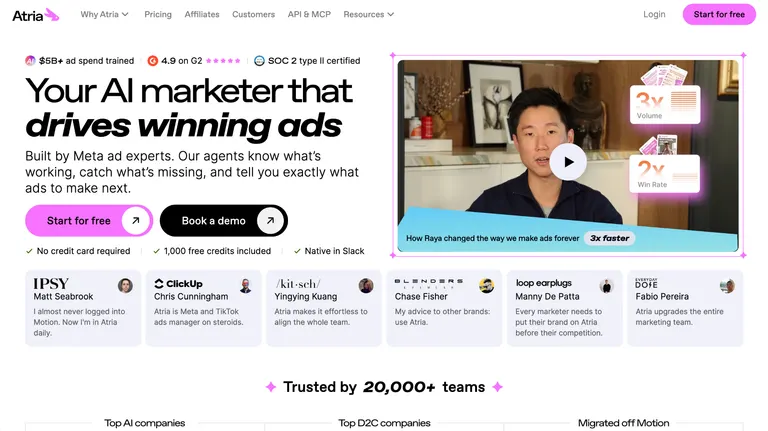
- What it does: Atria is a creative intelligence platform that analyzes performance data from Meta and TikTok ad accounts and turns those insights into new ad concepts.
- Best for: If you’re running paid social on both Meta and TikTok and want competitor research and creative generation in one workspace.
We built Atria to bridge the gap between watching competitor creative and acting on it.
Raya, the platform's AI strategist, pulls performance data from connected Meta and TikTok accounts, finds out which hooks and angles are gaining traction, and generates new ad concepts based on those patterns.
The ad library adds another layer, pulling 100M or more ads from both platforms so a team can pull inspiration before a brief even gets written. Launch and bulk-upload currently run through Meta specifically.
Key features
- Cross-platform competitor research: Pulls performance data and creative patterns from connected Meta and TikTok ad accounts
- AI-generated ad concepts: Turns research findings into new creative directions based on what's already working
- Cross-platform ad library: Gives teams access to a large, weekly-updated library of Meta and TikTok ads for reference and inspiration
Pros and cons
| ✅ Pros | ❌ Cons |
|---|---|
| Performance data from connected TikTok ad accounts feeds into Raya's creative recommendations the same way Meta data does | Batch-upload and launch currently only run through Meta |
| Ties research directly into creative generation instead of leaving that step manual | Google, YouTube, Pinterest, and LinkedIn remain on the roadmap, so teams running paid social beyond Meta and TikTok need separate tools |
| Ad library spans both platforms in one place |
What users say
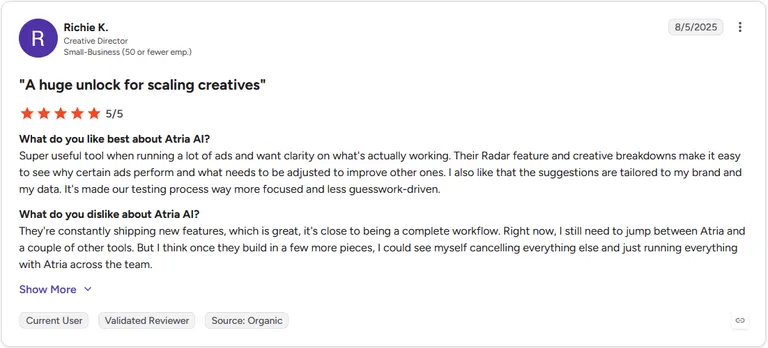
Pro: "Super useful tool when running a lot of ads and want clarity on what's actually working. Their Radar feature and creative breakdowns make it easy to see why certain ads perform and what needs to be adjusted to improve other ones." (Richie K., G2)
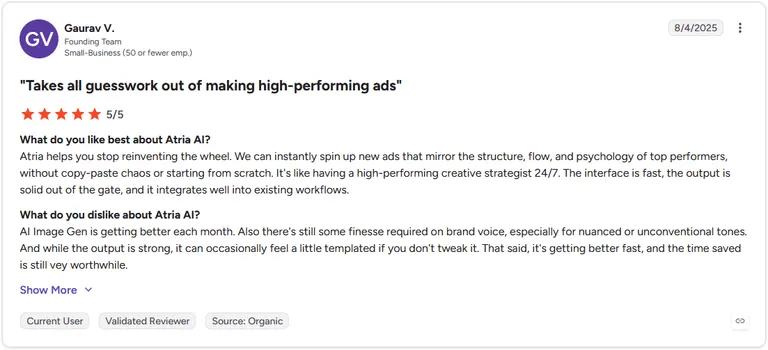
Con: "AI Image Gen is getting better each month. Also there's still some finesse required on brand voice, especially for nuanced or unconventional tones. ... That said, it's getting better fast, and the time saved is still [very] worthwhile." (Gaurav V., G2)
Pricing
Atria starts at $129 per month.
Bottom line
Atria's TikTok support centers on research and creative generation, with publishing still limited to Meta. Teams that want deeper, TikTok-native reporting on top of that research might get more mileage pairing it with Exolyt.
2. Iconosquare: Best for deep TikTok analytics with competitor benchmarking
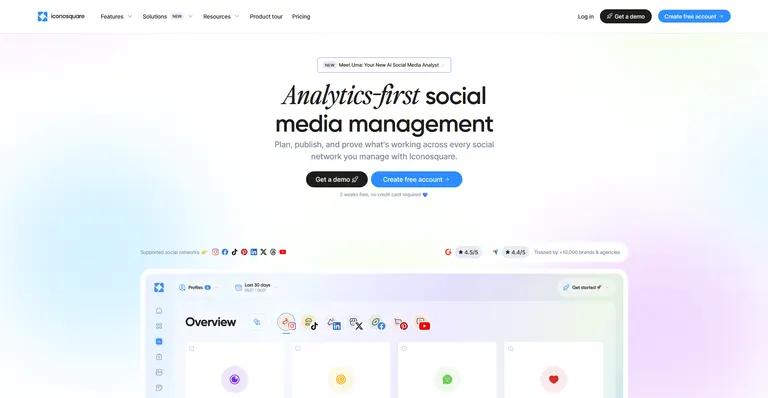
- What it does: Iconosquare is a social media analytics platform that tracks TikTok performance and lets teams compare their account against competitors in the same dashboard.
- Best for: Social media managers who want side-by-side competitor tracking without exporting data into spreadsheets.
To see how Iconosquare handled competitor tracking, I connected a TikTok account and set up benchmarking against two competitor profiles in the same niche.
The dashboard pulled hashtag performance and posting frequency for all three accounts into one view, so I could spot which content angles a competitor was leaning on without checking their profile manually.
Pulling in outside media for those comparisons took more manual uploading than I expected.
Key features
- Competitor benchmarking: Tracks a competitor's posting frequency, engagement, and hashtag use next to your own account
- Hashtag trend history: Shows how a specific hashtag's performance has changed over time alongside its current volume
- White-label reporting: Builds exportable reports formatted for sharing with clients or stakeholders
Pros and cons
| ✅ Pros | ❌ Cons |
|---|---|
| Layout previews posts before publishing, so the whole team can check formatting ahead of time | Media has to be uploaded manually, since there's no connected drive or content bank integration |
| Fuller reporting gives a fuller picture than basic post-level metrics | Follower demographic breakdowns stay limited for some platforms compared to others |
| Accessible enough that non-analytics team members can navigate it without training |
What users say
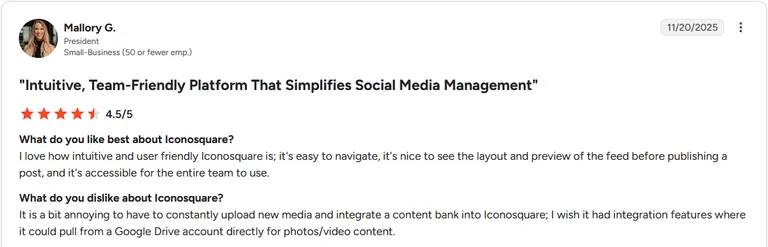
Pro: "I love how intuitive and user friendly Iconosquare is; it's easy to navigate, it's nice to see the layout and preview of the feed before publishing a post, and it's accessible for the entire team to use." (Mallory G., G2)
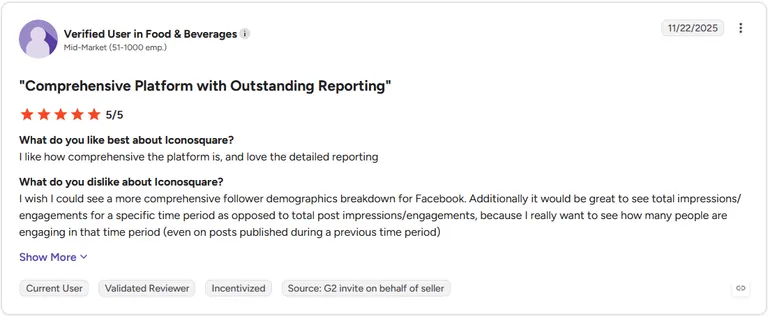
Con: "I wish I could see a more comprehensive follower demographics breakdown for Facebook. Additionally it would be great to see total impressions/engagements for a specific time period as opposed to total post impressions/engagements.)" (Verified User in Food & Beverages, G2)
Pricing
Iconosquare starts at $10 per month. Competitor tracking unlocks at the Scale tier, costing $79 per month.
Bottom line
Iconosquare's strength lies in benchmarking against named competitors you choose yourself. If you need to track mentions beyond your own watchlist, Socialinsider might suit you better.
3. Exolyt: Best for TikTok-native reporting for researchers and analysts
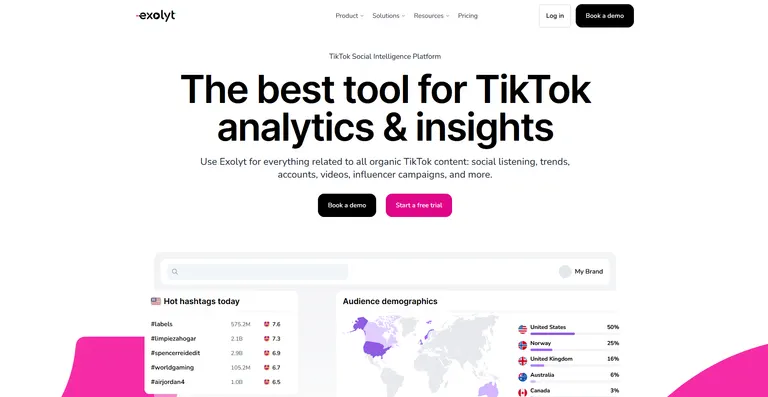
- What it does: Exolyt is a TikTok analytics platform that tracks video-level metrics, hashtag trends, and audience data for a connected account or hashtag.
- Best for: Researchers and analysts who need comment-level sentiment data alongside standard engagement metrics.
Exolyt is built around TikTok-specific reporting, so I tested it by tracking a niche hashtag and pulling comment sentiment on a handful of top videos under it.
The platform surfaced how many videos existed under that hashtag before I ran the analysis, which helped set expectations for how thin or deep the data pool was.
Sharing a dashboard view with someone who doesn't have a seat on the account isn't currently possible.
Key features
- Video-level metrics: Breaks down individual video performance alongside account-wide totals
- Hashtag trend tracking: Shows how many videos exist under a given hashtag and how that volume shifts over time
- Comment sentiment analysis: Reads through comments on tracked videos to surface audience sentiment patterns
Pros and cons
| ✅ Pros | ❌ Cons |
|---|---|
| Checking a hashtag's available video count before running a full analysis helps set expectations for coverage on niche or regional tags | Dashboard views aren't easily shareable with people outside the account |
| Comment-level sentiment data goes beyond what most platform-native analytics find | Customization options for dashboard layout stay limited |
| Built specifically around how TikTok's platform and data structure work |
What users say
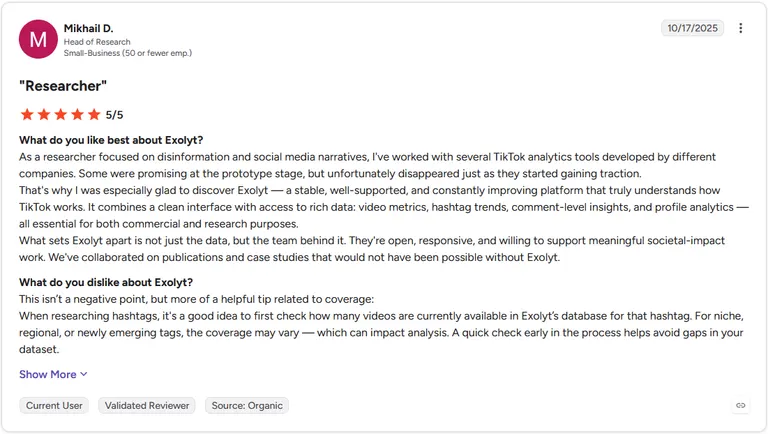
Pro: "Exolyt [is] a stable, well-supported, and constantly improving platform that truly understands how TikTok works. It combines a clean interface with access to rich data: video metrics, hashtag trends, comment-level insights, and profile analytics.” (Mikhail D., G2)
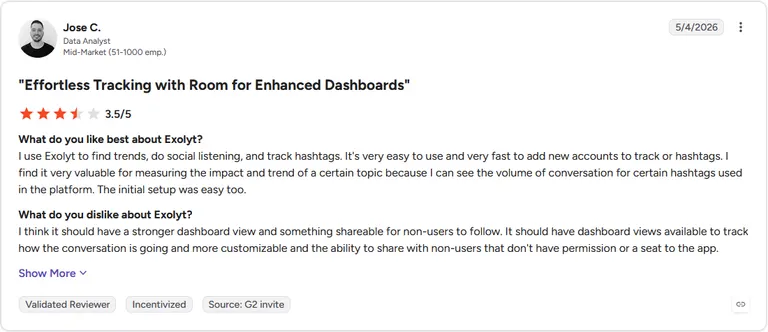
Con: "I think it should have a stronger dashboard view and something shareable for non-users to follow. It should have dashboard views available to track how the conversation is going and more customizable and the ability to share with non-users that don't have permission or a seat to the app." (Jose C., G2)
Pricing
Exolyt starts at $330 per month when billed annually. Comment sentiment analysis requires the Advanced plan at $790 per month (billed annually).
Bottom line
Exolyt's depth on comment sentiment and hashtag coverage checking is unusual among TikTok analytics tools. If you also need brand mention tracking across the wider web beyond TikTok itself might get more mileage from Brandwatch.
4. Socialinsider: Best for cross-platform benchmarking with exportable reports
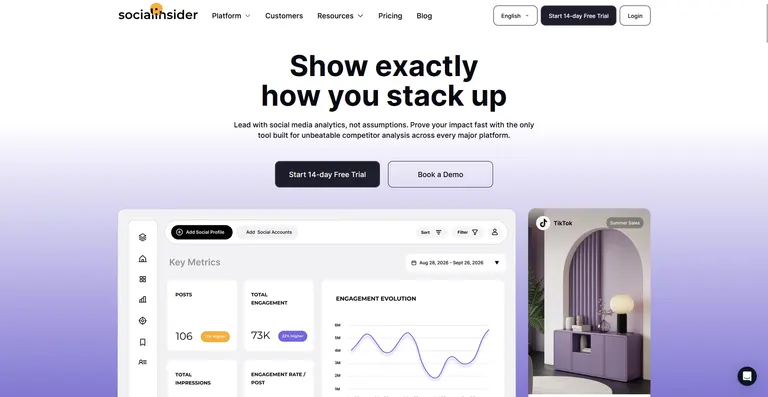
- What it does: Socialinsider is a social media analytics platform that benchmarks TikTok performance against competitor accounts and exports the results as shareable reports.
- Best for: Teams that need to hand off benchmarking data to clients or stakeholders without rebuilding charts from scratch.
I connected a TikTok account to Socialinsider and pulled benchmarking data against two competitor accounts to see how the reporting held up for a client-facing deck.
The graphs exported cleanly and stayed easy to read once dropped into a presentation, and the drag-and-drop layout made pulling specific visuals into a slide simple.
Demographic detail thinned out on a couple of the metrics I wanted to dig into further.
Key features
- Cross-platform benchmarking: Compares TikTok performance against competitor accounts across multiple platforms in one dashboard
- Historical KPI tracking: Tracks how key metrics have shifted across past reporting periods alongside the current snapshot
- Exportable reports: Builds presentation-ready reports and graphs that export directly for sharing
Pros and cons
| ✅ Pros | ❌ Cons |
|---|---|
| Interface stays easy to navigate for people outside the analytics team | Some metrics offer limited depth depending on the platform being tracked |
| Drag-and-drop visuals speed up building a client-facing deck | A few features take time to learn on first use |
| Graphs and data collection stay clear and reliable across reporting periods |
What users say
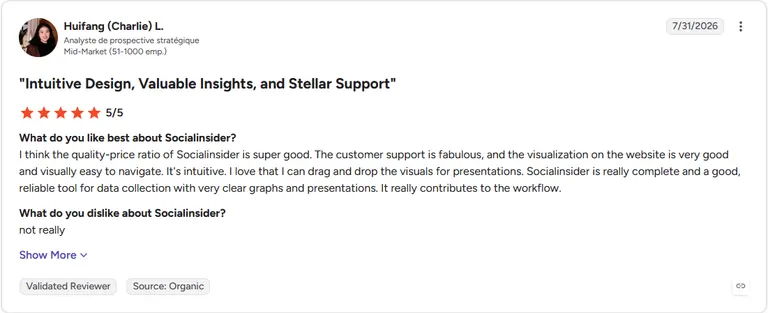
Pro: "Socialinsider is really complete and a good, reliable tool for data collection with very clear graphs and presentations. It really contributes to the workflow." (Huifang (Charlie) L., G2)
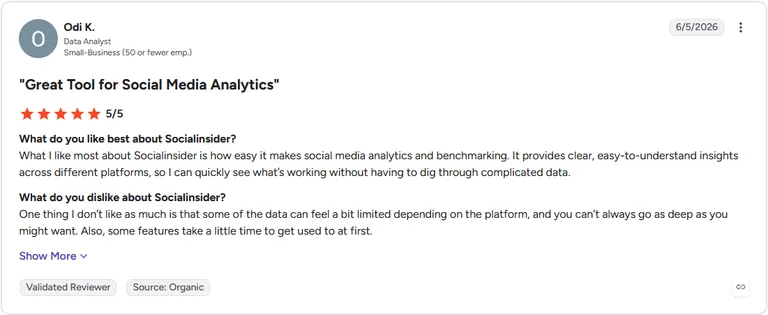
Con: "Some of the data can feel a bit limited depending on the platform, and you can't always go as deep as you might want. Also, some features take a little time to get used to at first." (Odi K., G2)
Pricing
Socialinsider starts at $83 per month.
Bottom line
Socialinsider's export-ready reporting saves real rebuild time when benchmarking data needs to reach a client. If you’re looking for creative generation layered on top of that benchmarking data, you might get more mileage from Atria.
5. Brandwatch: Best for enterprise-level brand monitoring across TikTok and beyond
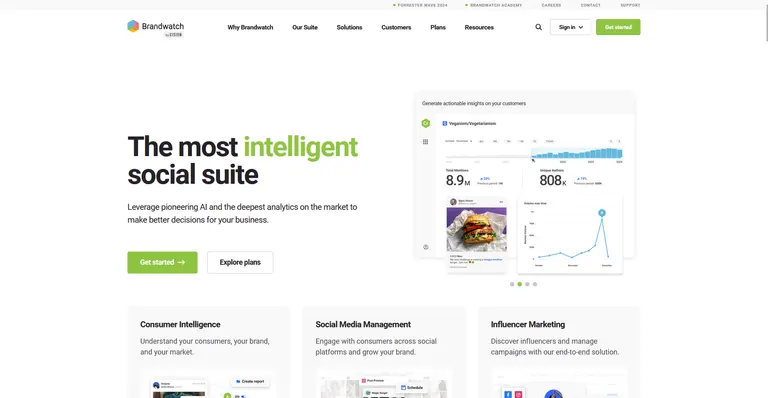
- What it does: Brandwatch is a social media monitoring platform that tracks brand mentions and sentiment across TikTok alongside other social channels and the wider web.
- Best for: Enterprise teams that need one dashboard tracking TikTok mentions next to news sites, forums, and other social platforms.
Brandwatch is built around monitoring conversations across many channels at once, so I tested it by setting up a tracker for a brand name to see how quickly mentions surfaced across platforms.
Once the tracker was live, I watched TikTok mentions show up alongside news and forum activity in the same feed, without switching tabs to check each source.
Numbers pulled through the platform occasionally lagged behind what the native TikTok app reported.
Key features
- Cross-channel brand monitoring: Tracks direct and indirect mentions of a brand across TikTok, other social platforms, and the wider web
- Sentiment tracking: Reads tracked mentions to flag whether conversation trends positive or negative
- Early trend detection: Surfaces emerging topics and conversations before they reach mainstream visibility
Pros and cons
| ✅ Pros | ❌ Cons |
|---|---|
| Custom dashboards make it simple to track brand activity and spot opportunities in one place | Figures pulled through Brandwatch can differ from numbers pulled directly from the platform itself |
| Sentiment analysis adds context that raw mention counts alone don't provide | Connecting and stabilizing channel integrations takes ongoing upkeep |
| Trend alerts surface topics gaining traction well ahead of standard monitoring tools |
What users say
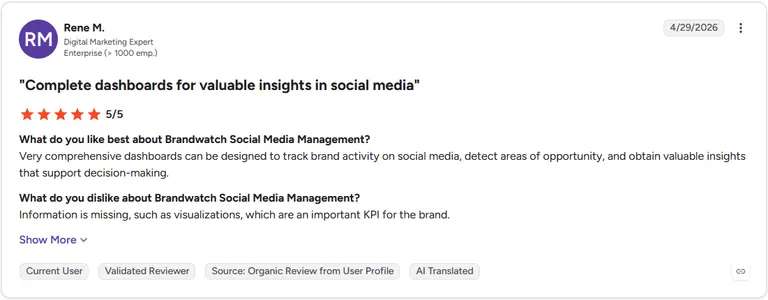
Pro: "Very comprehensive dashboards can be designed to track brand activity on social media, detect areas of opportunity, and obtain valuable insights that support decision-making." (Rene M., G2)
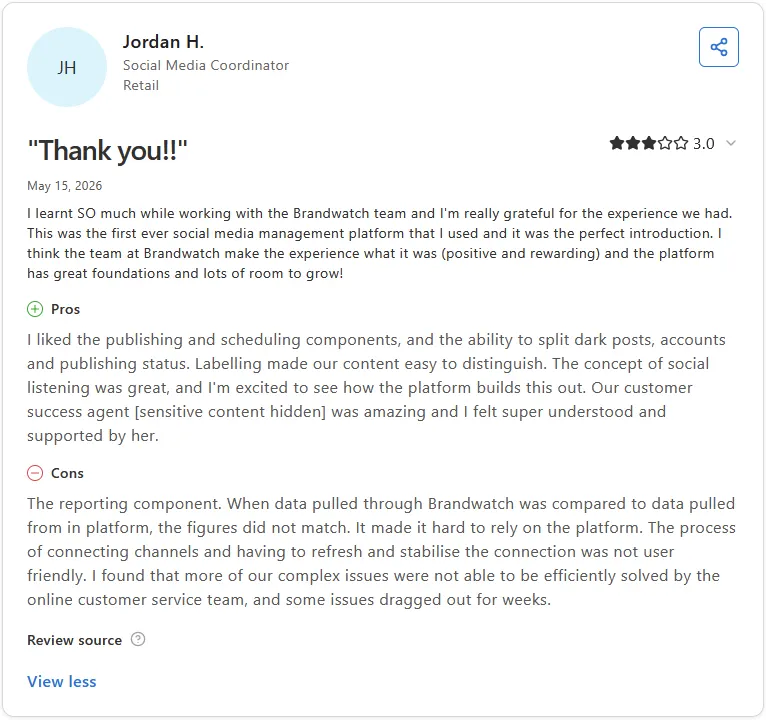
Con: "The reporting component. When data pulled through Brandwatch was compared to data pulled from in platform, the figures did not match. It made it hard to rely on the platform. The process of connecting channels and having to refresh and stabilise the connection was not user friendly." (Jordan H., Capterra)
Pricing
Brandwatch offers custom pricing.
Bottom line
Brandwatch's strength is watching a brand's reputation across TikTok and the open web at once, a scope none of the other tools here attempt. Teams that want deep TikTok-specific analytics on a single account might get more mileage from Iconosquare.
Special mentions
These tools didn't earn a full section, but each one covers a specific job well enough to belong in a TikTok marketing stack. Group them by what you're trying to solve, and pick the one that matches the gap in your current setup:
Content creation and editing
6. CapCut
CapCut is a free, TikTok-native video editor built by ByteDance, TikTok's parent company, and it earns that "native" label.
A 30-second clip with auto-captions and a trending template took me under ten minutes to get publish-ready, with no manual caption timing needed.
The catch shows up once you want more: the larger asset library and priority rendering both live behind the paid Pro tier.
7. Canva
Canva is a graphic design platform that extends into short-form video through templates and a stock media library.
I built a product video by dragging a template into place and swapping in my own clips, and the AI voiceover generator let me skip narration entirely.
Frame-by-frame precision isn't the point here, so anyone chasing tighter timeline control might prefer a different tool.
8. invideo
invideo is an AI-powered video creation tool that turns a text prompt into a draft video.
I typed in a two-sentence description of a skincare product and got back a 20-second draft with stock B-roll of hands applying cream and a voiceover reading the benefits out loud.
The pacing felt off, and the voiceover script needed a minor rewrite before anything was close to publish-ready.
9. Adobe Premiere on iPhone
Adobe Premiere on iPhone replaced Adobe's earlier Premiere Rush app, which is being phased out completely by the end of September 2026.
Exporting a 4K clip with no watermark and resizing it for TikTok took one tap each, and I didn’t have to worry about needing a subscription.
Handing a project to desktop Premiere Pro, or touching the Firefly generative tools, both require a separate paid Creative Cloud plan.
10. Zoomerang
Zoomerang is an AI video creation app built around generating short-form scripts and full videos from a prompt.
Its Video GPT feature turned a one-line idea into a rough cut with pacing already built in, a good head start for a solo creator working without a production team.
There's no shared workspace or approval step for a second person to review a draft before it posts, so an agency handling several client accounts would need a separate way to loop teammates in.
Scheduling and management
11. SocialPilot
SocialPilot is a social media scheduling and management platform built with agency-scale TikTok posting in mind.
I queued a batch of 20 posts through its bulk scheduler in one sitting and pulled a white-label client report right after, both done without touching a single settings menu I didn't already recognize.
TikTok ad campaign management sits outside the platform entirely, so paid TikTok work still needs a separate tool.
12. Hootsuite
Hootsuite is an enterprise social media management dashboard covering TikTok scheduling, listening, and analytics in one place.
Setting up a listening stream lets TikTok mentions show up next to a couple of news sources in the same feed, which removes a step I'd normally do by hand.
TikTok posts have to go in already finished, since there's no way to add a trending sound at the scheduling stage the way TikTok's own app allows.
13. Later
Later is a visual content calendar built with creators and small brands in mind.
I dragged a week of posts into its calendar and let the best-time suggestions pick the slots, then tracked clicks through the built-in link-in-bio tool. That link-in-bio piece meant one dashboard covered both scheduling and click data with no separate spreadsheet needed.
Later sells access in Social Sets instead of a flat account count, so managing several client accounts means adding more sets as the roster grows.
14. Sprout Social
Sprout Social routes TikTok comments into a unified inbox alongside every other connected channel.
Sending a competitor's mentions through that same inbox as my own TikTok comments turned triage into one pass instead of several.
The CRM integrations tie social activity back to actual customer records, so a comment thread can connect to a support ticket without leaving the dashboard. Setting up that CRM connection meant configuring integrations on the backend before any automatic linking worked.
Influencer and creator marketing
15. Influencity
Influencity is an influencer marketing platform covering the full campaign lifecycle from discovery through ROI reporting.
I filtered for TikTok creators by audience demographic and pulled a per-creator ROI estimate on a sample campaign, and its CRM kept every touchpoint in one thread throughout that test.
Running several ongoing creator programs at once is clearly the intended use case, so a brand testing one influencer partnership pays for a lot of unused capacity.
16. Modash
Modash is a creator discovery and vetting tool, and its 350 million-creator database is the whole pitch.
A fake-follower check against one mid-tier TikTok creator returned a clean authenticity score fast, along with a stack of lookalike creators worth comparing.
The vetting stops there. Once a creator's approved, outreach and campaign coordination move to a different tool entirely.
17. TikTok One
TikTok One replaced TikTok's earlier standalone Creator Marketplace as the platform's native creator and campaign hub.
I browsed open creator opportunities and pulled a campaign report without leaving the same login I already use for ad management.
Everything here stays inside TikTok's ecosystem, so a campaign spanning Instagram or YouTube creators needs a separate tool.
TikTok SEO and ad intelligence
18. Keyword Tool
Keyword Tool is a TikTok keyword research tool pulling suggestions straight from TikTok's own search autocomplete.
I typed in a seed keyword and quickly got back related terms with search volume and competition scores attached, data that made prioritizing which ones to chase far easier.
Turning those keywords into ranking content still comes down to writing good captions and on-screen text.
19. PiPiADS
PiPiADS is a competitor ad-spy tool, and it's blunt about what it's for: watching what everyone else is running before you build your own.
Searching one competitor's brand name surfaced a stack of their live ads, each tagged with a rough conversion estimate, and Facebook ad data creeping into the same TikTok search was a welcome surprise.
Treat those conversion numbers as a starting point, since real figures still live inside the advertiser's own account.
20. TikTok Ads Library
TikTok Ads Library is TikTok's own free, public ad transparency tool, and there's something satisfying about how little it asks of you.
There’s no login or signup wall, just filters for industry and country before a handful of live ads show up with reach and targeting attached.
The tradeoff is that performance detail here runs thinner than what a brand sees inside its own connected account.
Which analytics and competitor intelligence tool should you choose?
The decision mostly comes down to whether you need to act on what you find, or just see it clearly.
Choose Atria if you:
- Run paid social on both Meta and TikTok and want competitor research feeding directly into new ad concepts
- Want creative analysis and generation happening in the same workspace instead of two separate tools
- Need a cross-platform ad library to pull inspiration from before a brief gets written
Choose Iconosquare if you:
- Want to benchmark your account against named competitors you choose yourself
- Need hashtag performance tracked over time, as opposed to just a current snapshot
- Plan to hand off white-label reports to a client or stakeholder regularly
Choose Exolyt if you:
- Do research or analysis work that depends on comment-level sentiment as well as engagement counts
- Want to check a hashtag's available video coverage before committing to a full analysis
- Work primarily within TikTok itself
Choose Socialinsider if you:
- Need benchmarking data exported cleanly into a client-facing deck without rebuilding charts
- Track KPIs across several past reporting periods
- Want a team member outside analytics to navigate the dashboard without training
Choose Brandwatch if you:
- Track brand mentions across TikTok alongside news sites, forums, and the wider web
- Need to catch a conversation trending before it reaches mainstream visibility
- Manage brand reputation for an enterprise account spanning many channels at once
Skip this category entirely if:
- Your team already tracks TikTok performance manually, and the volume doesn't yet justify a dedicated tool
- What you actually need is scheduling or publishing rather than analysis or benchmarking
- Your budget covers one lightweight check-in a month
Turn TikTok research into your next ad concept
If you're deciding between TikTok marketing tools, you already know scheduling and hashtag tracking only get you so far. The harder question is what to make next, and that's where research usually stalls.
Atria answers that question with your own account's performance data, pulling from what's converting on Meta and TikTok before a single new concept gets drafted.
Here's what that looks like in practice:
- Competitor creative research: Track specific brands across Meta and TikTok and pull their strongest hooks, angles, and personas without manually scrolling through their profiles
- A shared ad library: Reference a library of ads spanning both platforms, refreshed weekly, when a brief needs a starting point beyond a blank page
- Concept generation from real data: Build new creative directions off patterns already proven in your connected accounts
See what Atria surfaces in your own TikTok account. Try Atria for free today.
Frequently asked questions
What is the best TikTok marketing tool for agencies?
The best TikTok marketing tools for agencies include SocialPilot for bulk scheduling and white-label reporting, Iconosquare for competitor benchmarking, and Atria for pairing TikTok competitor research with creative generation.
Is TikTok Creator Marketplace still around?
No, TikTok fully shut down the standalone Creator Marketplace on April 1, 2025. Its features now live inside TikTok One, TikTok's unified hub for creator discovery, ad tools, AI creative tools, and campaign reporting.
Can I schedule TikTok posts in advance?
Yes, you can schedule TikTok posts in advance using TikTok's own native scheduler, available on desktop for Business accounts, or a third-party tool like SocialPilot, Hootsuite, or Later.
Third-party tools typically add bulk scheduling, client reporting, and multi-account management on top of basic scheduling.
What is the difference between TikTok Ads Manager and third-party TikTok tools?
TikTok Ads Manager runs and manages paid ad campaigns directly through TikTok's own platform, while third-party tools handle tasks TikTok Ads Manager doesn't cover, like competitor creative research, cross-platform scheduling, or influencer discovery.
What tools help with TikTok video editing?
The best tools for TikTok video editing include CapCut (a free, TikTok-native editor), Canva for template-driven design, and Adobe Premiere on iPhone for free 4K exports.
The right choice depends on whether speed, design templates, or export quality matters most.