The attribution tracking software you choose determines if you scale your ad budget with confidence or keep making decisions based on conflicting reports.
After evaluating the leading attribution platforms for ecommerce brands, agencies, and performance marketers, here's what separates tools that only report conversions from those that reliably connect channels and campaigns to revenue.
You'll also see which attribution tool best fits your business model, and when GA4 with UTMs is enough.
9 best attribution tracking software platforms: TL;DR
- Triple Whale: For Shopify and DTC brands that need first-party attribution tied directly to profit and MER reporting.
- Ruler Analytics: For B2B marketers who need to trace leads and phone calls all the way to closed revenue. For the wider analytics picture, see paid ads analytics tools.
- Dreamdata: For B2B teams with long sales cycles who need account-level attribution across the entire customer journey.
- Hyros: For high-ticket and info-product brands that need to track complex, multi-device paths to purchase.
- Cometly: For performance marketers who want cleaner server-side attribution feeding straight back into ad platforms.
- Northbeam: For scaling ecommerce brands that need media mix modeling alongside multi-touch attribution.
- UserMaven: For budget-conscious marketing teams that want core attribution features without enterprise pricing.
- RedTrack: For agencies and media buyers managing cross-channel campaigns across multiple client accounts.
- Google Analytics 4: For smaller advertisers who just need reliable attribution before investing in a dedicated platform.
How I researched these attribution tracking tools
I explored the tools and analyzed product demos, official documentation, and pricing pages. Then I went over recent reviews from marketers actively using these platforms.
These six criteria were my focus:
- Attribution accuracy: Multi-touch attribution, first-party tracking, offline conversion support, and how well each tool connects the customer journey across channels.
- Paid media integrations: Native connections with Meta, Google Ads, TikTok, LinkedIn, Shopify, CRMs, and other platforms that influence attribution quality.
- Reporting and insights: How clearly the platform shows channel, campaign, creative, and revenue performance without requiring constant manual analysis.
- Ease of use: How quickly marketers can set up tracking, navigate reports, and answer everyday optimization questions.
- Pricing and value: Whether the features justify the cost, especially compared with using GA4 and a disciplined UTM strategy.
- Best-fit use cases: Which businesses benefit most from each platform (ecommerce brands, agencies managing multiple clients, B2B lead generation, or high-ticket sales funnels).
This approach made it easier to separate attribution platforms that help marketers allocate budget more confidently from those that simply generate a dashboard.
9 best attribution tracking software: Quick comparison
| Tool | Strengths | Starting price (when billed monthly) |
|---|---|---|
| 1. Triple Whale | Shopify attribution, first-party tracking, profit analytics | $219/month |
| 2. Ruler Analytics | CRM attribution, offline conversion tracking, call attribution | $400/month |
| 3. Dreamdata | Multi-touch attribution, revenue analytics, CRM insights | Free plan available; paid Advanced plan (unpublished) |
| 4. Hyros | Cross-device tracking, lifetime value attribution | $230/month (Business, billed annually) |
| 5. Cometly | Server-side tracking, AI optimization, ad platform integrations | Not published |
| 6. Northbeam | Media mix measurement, multi-touch attribution | $1,500/month |
| 7. UserMaven | Multi-touch attribution, native ad integrations, ROAS reporting | $84/month |
| 8. RedTrack | Multi-channel conversion tracking, automation, affiliate tracking | Free (Relay); from $69/month (Builder) |
| 9. Google Analytics 4 | Free attribution reports, UTM reporting, Google ecosystem | Free |
Prices accurate as of August, 2026.
9 best attribution tracking software
1. Triple Whale: For ecommerce and DTC brands

For an ecommerce brand that advertises across multiple platforms (Meta, Google, TikTok, email, and influencers), there's a tendency for each platform to claim credit for the same sale.
Triple Whale solves that problem with first-party tracking and attribution built specifically for Shopify vendors.
It gives you a single view of where revenue is coming from and how profitable each marketing channel is.
What it does: Triple Whale helps ecommerce brands measure marketing performance using first-party tracking, multi-touch attribution, and profit analytics.
Best for: Shopify brands and DTC businesses spending across multiple paid channels.
Key features
- First-party attribution: Tracks customer journeys using server-side data that's more resilient to browser privacy changes.
- Deep Shopify integration: Pulls orders, products, customers, and revenue into one reporting dashboard.
- Multi-touch attribution: Shows how different marketing channels contribute across every touchpoint in the buying journey.
- Profit analytics: Combines ad spend, revenue, and profitability so you can optimize for margin.
- Creative and campaign reporting: Breaks down performance by campaign, ad set, and creative to identify winning ads faster.
- Marketing dashboard: Combines paid media, email, and ecommerce performance into a single view.
Pros and cons
✅ Pros
- Eliminates manual reporting, giving you a single source of truth across all ad channels.
- Restores full conversion visibility post-iOS 14 so you can scale winning ads with confidence.
- Protects bottom-line profitability, showing exact take-home margins.
❌ Cons
- Costs too much for smaller e-commerce stores.
- Overwhelms beginners with too many complex metrics.
- Conflicts with attribution reports from native ad platforms.
What users say
Pro: It centralizes multi-platform data in one place with clear attribution, making it easier to see where sales come from and to make daily decisions with confidence.
"Triple Whale centralizes all my data in one place and gives me a clear view of performance across different platforms." (Nicolas Mauricio A., G2 Review, September 16, 2025)
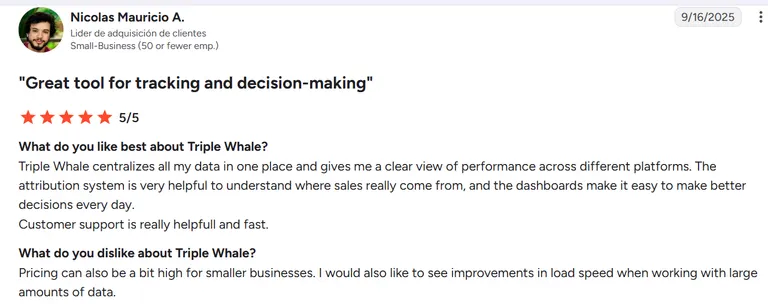
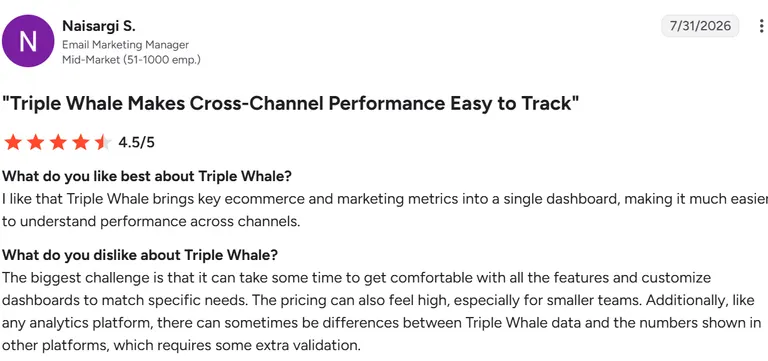
Con: There's a learning curve to getting comfortable with all the features and customizing dashboards, and pricing can feel steep for smaller teams. Data also sometimes doesn't perfectly match numbers from other platforms, requiring extra manual validation.
“The biggest challenge is that it can take some time to get comfortable with all the features and customize dashboards to match specific needs.” (Naisargi S., G2 Review, July 31, 2026)
Pricing
Free covers basic tracking and blended ROAS. Foundation starts at $219/month for full multi-touch attribution, and Automate is $749/month for AI-driven optimization at scale. Enterprise is custom-priced. Pricing scales with annual GMV.
Bottom line
I'd recommend Triple Whale to ecommerce brands that rely heavily on paid acquisition and want a trustworthy view of marketing performance across channels.
If you're running a B2B sales funnel or generating leads instead of online purchases, you'll get better value from an attribution platform built for that customer journey.
2. Ruler Analytics: Best for B2B lead generation
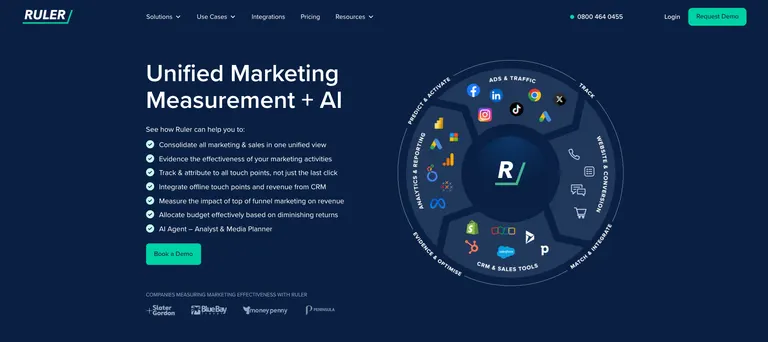
A big attribution challenge for B2B marketers is proving which marketing channel generated a lead that became revenue weeks or months later.
Ruler Analytics tries to solve that problem by connecting marketing touchpoints with CRM data and closed deals.
It follows the customer journey through to pipeline and revenue, making it much easier to understand which campaigns produce customers.
What it does: Ruler Analytics connects marketing touchpoints with leads, phone calls, CRM opportunities, and closed revenue through multi-touch attribution.
Best for: B2B companies and lead generation businesses that need to measure marketing's impact on pipeline and sales.
Key features
- Revenue attribution: Connects marketing campaigns directly to opportunities and closed revenue.
- Call tracking: Attributes inbound phone calls to the campaigns and channels that generated them.
- CRM integrations: Syncs with platforms like HubSpot and Salesforce to follow leads throughout the sales cycle.
- Multi-touch attribution: Measures every meaningful interaction across the customer journey.
- Marketing source reporting: Identifies which channels generate qualified leads.
- Custom attribution reports: Build reports around revenue, lead quality and campaign performance.
Pros and cons
✅ Pros
- Proves marketing ROI, connecting closed sales revenue to the campaigns that drove them.
- Captures every lead source across channels so no converting channel goes uncredited.
- Automates pipeline data flow into your existing workflow to eliminate manual deal tracking.
❌ Cons
- Costs too much for smaller businesses with low monthly traffic.
- Requires significant technical effort and time to configure properly.
- Locks customers into rigid 12-month contract agreements.
What users say
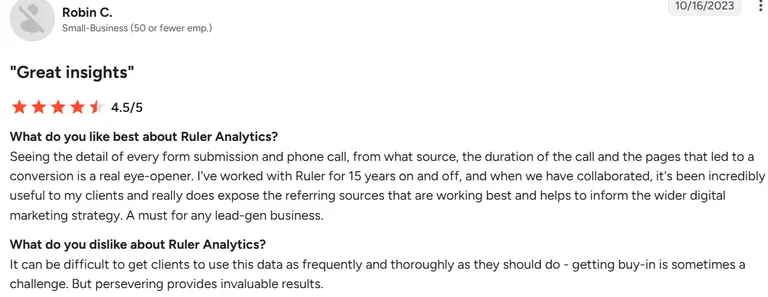
Pro: Gives granular visibility into every form submission and phone call, including source, call duration, and the page path to conversion.
"Seeing the detail of every form submission and phone call, from what source, the duration of the call and the pages that led to a conversion is a real eye-opener." (Robin C., G2 Review, October 16, 2023)
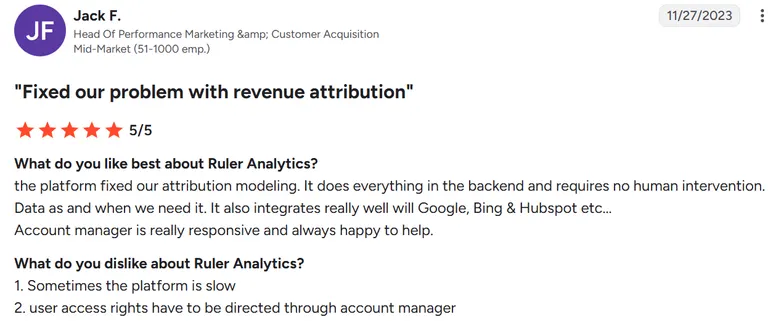
Con: The platform can be slow at times, and user access rights aren't self-serve. They have to go through the account manager.
“Sometimes the platform is slow” (Jack F., G2 Review, November 27, 2023)
Pricing
Small starts at $400/month ($360 annually) for up to 10,000 visits. Medium is $668/month ($601 annually) for up to 50,000 visits, and Large is $1,326/month ($1,193 annually) for up to 100,000 visits. Advanced starts at $2,000/month ($1,800 annually) for higher volumes.
Bottom line
I'd recommend Ruler Analytics to B2B companies that need to prove which marketing efforts generate pipeline and revenue.
3. Dreamdata: Best for B2B revenue attribution
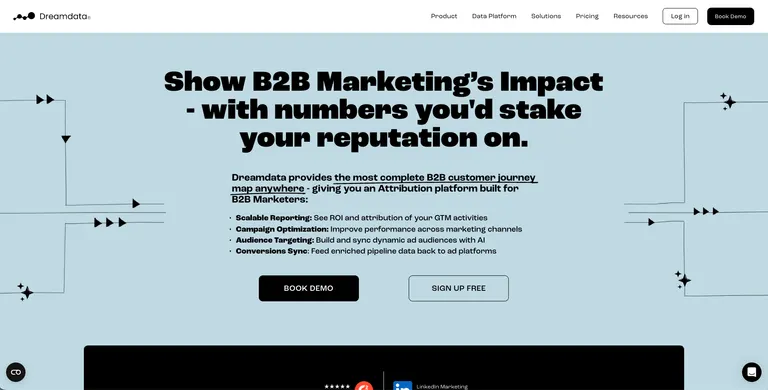
B2B buying journeys rarely begin and end in a single session. A prospect might click a LinkedIn ad, attend a webinar, download a guide, speak with sales, and only convert months later.
Dreamdata connects those touchpoints into one measurable customer journey.
It helps revenue teams understand which marketing activities influence opportunities and closed deals.
What it does: Dreamdata combines marketing, sales, and CRM data to provide multi-touch attribution across the entire B2B customer journey.
Best for: Mid-market and enterprise B2B companies with long sales cycles and multiple marketing channels.
Key features
- Multi-touch attribution: Assigns credit across every meaningful interaction instead of only the last-click.
- Revenue analytics: Connects campaigns directly to pipeline creation, opportunities, and closed revenue.
- Customer journey mapping: Visualizes every touchpoint from first visit to signed customer.
- CRM integrations: Syncs with platforms like HubSpot and Salesforce to tie attribution to sales outcomes.
- Account-based reporting: Measures performance at the account level, making it well suited for B2B buying committees.
- Custom dashboards: Build reports around marketing ROI, campaign influence, and revenue contribution.
Pros and cons
✅ Pros.
- Reveals hidden B2B buying patterns across entire accounts to shorten sales cycles.
- Eliminates departmental silos, giving marketing and sales one clear view of pipeline impact.
- Lowers the barrier to entry so you can start measuring B2B attribution without upfront investment.
❌ Cons
- Pricing scales up steeply as contact volumes and features increase.
- Demands technical setup and data mapping across multiple tool ecosystems.
- Focuses strictly on B2B, making it unsuitable for B2C or e-commerce models.
What users say
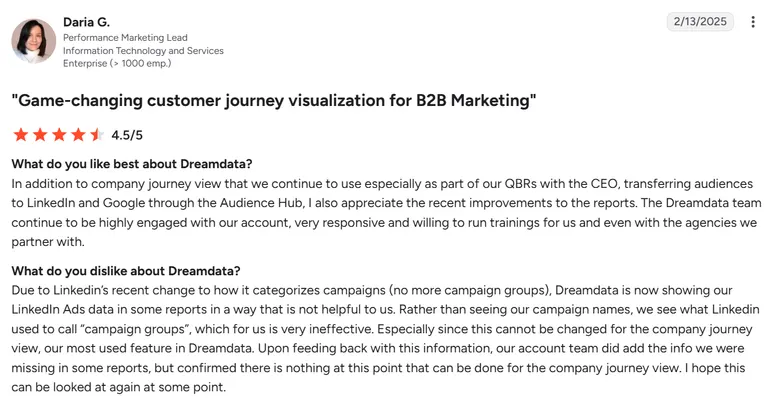
Pro: Hands-on Dreamdata team that runs training sessions.
"The Dreamdata team continues to be highly engaged with our account, very responsive and willing to run training sessions for us and even with the agencies we partner with." (Daria G., G2 Review, February 13, 2025)
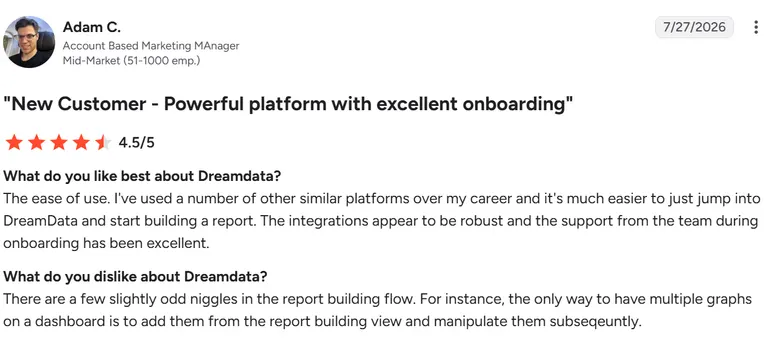
Con: Odd quirks in the report-building flow, for example, adding multiple graphs to a dashboard only works by adding them from the report-building view first, then adjusting them afterward.
“There are a few slightly odd niggles in the report building flow”
(Adam C, G2 Review, July 27, 2026)
Pricing
Starter is free for basic B2B web analytics. Advanced, which unlocks full attribution and AI-powered reporting, is custom-priced with no published rate, so you'll need to contact sales.
Bottom line
Dreamdata is great for B2B organizations that need to connect marketing activity directly to pipeline and revenue across long sales cycles.
4. Hyros: For high-ticket funnels and info products
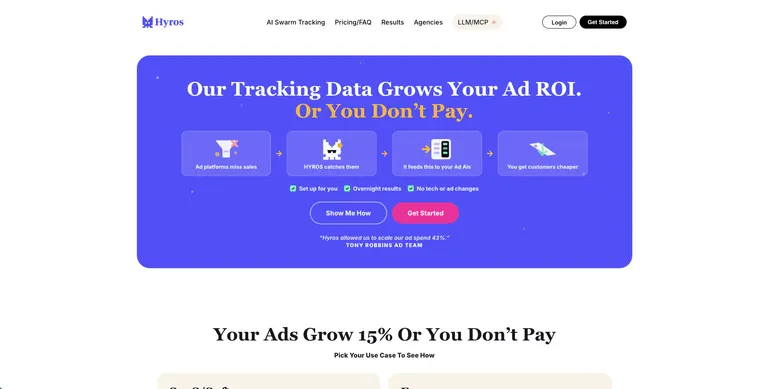
Hyros is built to sort out long customer journeys and show which marketing efforts are generating revenue.
Selling a high-ticket offer is different from shipping a $50 ecommerce product. Prospects often click multiple ads, watch webinars, book calls, and take days or weeks before buying.
Hyros tracks the full path to purchase, so advertisers can scale campaigns based on real customer value instead of platform-reported conversions.
What it does: Hyros tracks complex customer journeys across devices and marketing channels to attribute revenue and lifetime value more accurately.
Best for: Consultants, info-product businesses, and high-ticket brands running long sales funnels.
Key features
- Cross-device attribution: Connects customer journeys even when people switch between phones, tablets, and desktops.
- Lifetime value tracking: Measures the long-term revenue generated by each campaign.
- Multi-touch attribution: Gives credit to multiple marketing interactions across the sales funnel.
- Server-side tracking: Collects first-party data to improve attribution reliability despite browser privacy changes.
- Funnel reporting: Identifies where prospects enter, progress, and convert throughout complex sales funnels.
- Ad platform integrations: Sends cleaner conversion data back to platforms like Meta and Google Ads for campaign optimization.
Pros and cons
✅ Pros
- Excellent for long and complex customer journeys.
- Strong lifetime value and revenue attribution.
- Built specifically for high-ticket marketing funnels.
❌ Cons
- Costs significantly more than competitors, pricing out lower-budget advertisers.
- Demands extensive technical setup and rep-assisted onboarding to configure properly.
- Fits high-ticket sales funnels much better than traditional e-commerce stores.
What users say
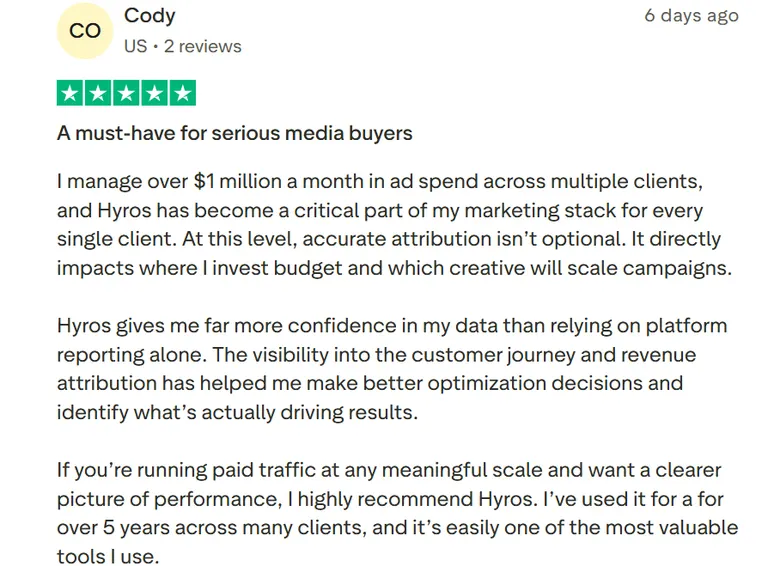
Pro: At $1M+/month in managed ad spend across multiple clients, Hyros has become a core part of the reviewer's stack, giving more confidence than platform-reported data alone.
"I manage over $1 million a month in ad spend across multiple clients, and Hyros has become a critical part of my marketing stack for every single client." (Cody, Trustpilot Review, July 9, 2026)
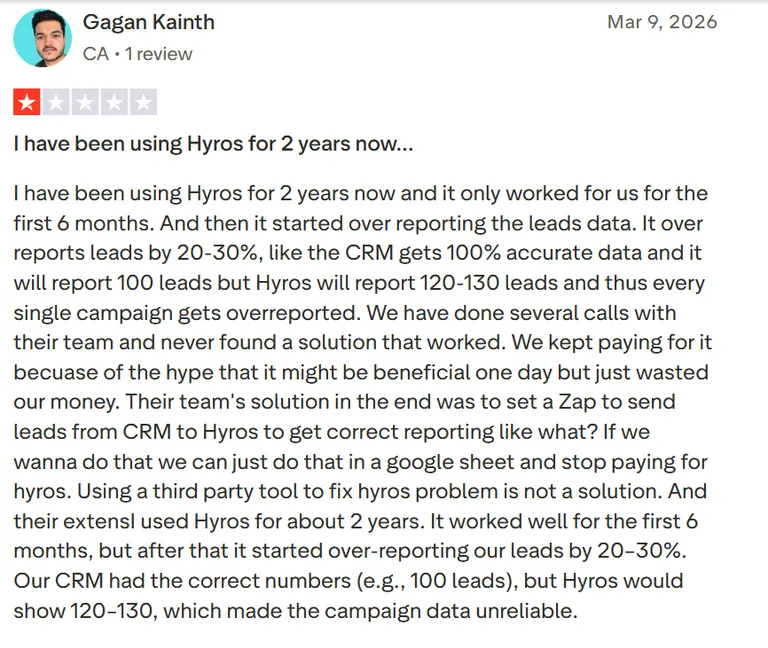
Con: Worked well for 6 months, then over-reported leads by 20–30% vs. the CRM, with no real fix found over several support calls. Google Ads integration never worked properly.
“I have been using Hyros for 2 years now and it only worked for us for the first 6 months.” (Gagan Kainth, Trustpilot Review, March 9, 2026)
Pricing
Business starts at $230/month billed annually, for up to $20,000 in tracked monthly revenue. Shopify starts lower, from $69/month. Agency pricing is custom, based on client count.
Bottom line
I'd recommend Hyros to businesses selling high-ticket products or services where customers interact with multiple campaigns before converting.
If your focus is Shopify ecommerce or short purchase journeys, a platform like Triple Whale or Northbeam is likely a better fit.
5. Cometly: For paid media optimization
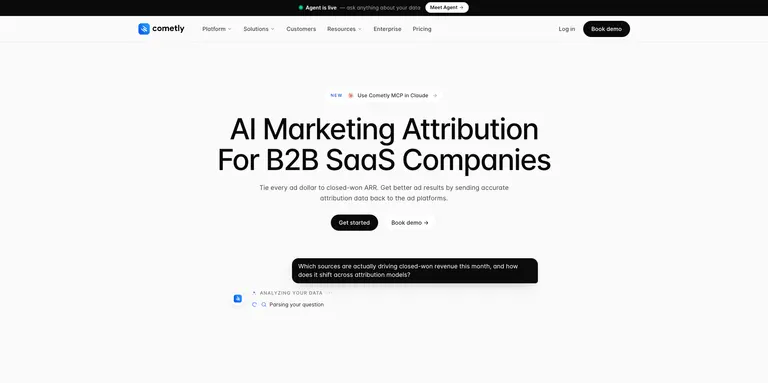
Cometly gives performance marketers a more accurate picture of conversion attribution.
It combines server-side tracking with multi-touch attribution and sends cleaner conversion data back to ad platforms.
Cometly helps marketers optimize campaigns using attribution data that's built for paid media.
What it does: Cometly tracks customer journeys across advertising channels using server-side tracking, multi-touch attribution, and conversion reporting.
Best for: Performance marketers and media buyers managing campaigns across Meta, Google Ads, TikTok, and other paid channels.
Key features
- Server-side tracking: Captures first-party conversion data that's more resilient to browser privacy restrictions.
- Multi-touch attribution: Shows how every meaningful interaction contributes to a conversion across the full customer journey.
- Native ad platform integrations: Connects directly with several major advertising platforms, including LinkedIn.
- Conversion API support: Sends higher-quality conversion signals back to ad platforms to improve campaign optimization.
- Campaign and creative reporting: Measures performance at the campaign, ad set, and creative level so marketers can identify winning ads faster.
- Custom dashboards: Build attribution reports around ROAS, customer acquisition, revenue, and marketing performance.
Pros and cons
✅ Pros
- Trains ad platform algorithms on accurate conversion data so AI targeting finds higher-quality buyers.
- Saves hours of weekly reporting time, displaying total ad performance in one clear view.
- Accelerates campaign optimization, letting you adjust spending the moment you spot top performers.
❌ Cons.
- Hides subscription pricing behind demo calls instead of listing quotes publicly.
- Scales costs with your monthly pageview volume, so high-traffic sites pay more.
- Suffers from outdated or sync-lagged product documentation according to users.
What users say
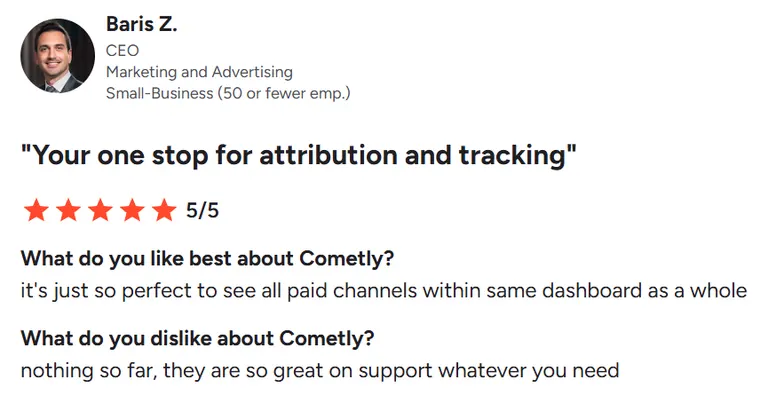
Pro: Having all paid channels visible together in one dashboard.
"It's just so perfect to see all paid channels within same dashboard as a whole" (Baris Z., G2 Review, November 29, 2024)
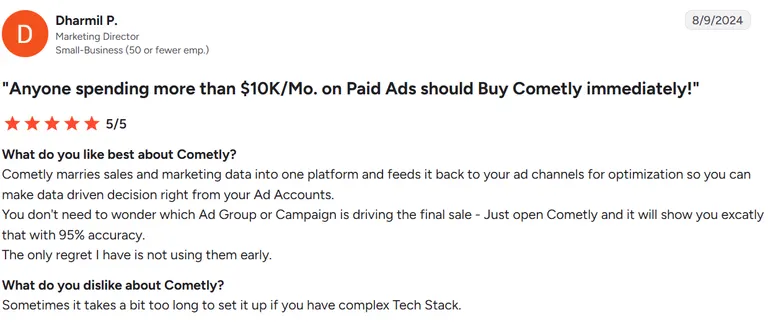
Con: Setup can take a while if your tech stack is complex.
“Sometimes it takes a bit too long to set it up if you have complex Tech Stack.” (Dharmil P., G2 Review, August 09, 2024)
Pricing
Cometly doesn't publish fixed pricing. Core is usage-based, scaled to monthly pageviews. Enterprise, for larger brands and agencies needing warehouse sync, is also custom-quoted.
Bottom line
Cometly is for marketers who spend heavily on paid media and want cleaner attribution data to improve campaign performance across multiple ad platforms.
6. Northbeam: For scaling ecommerce brands
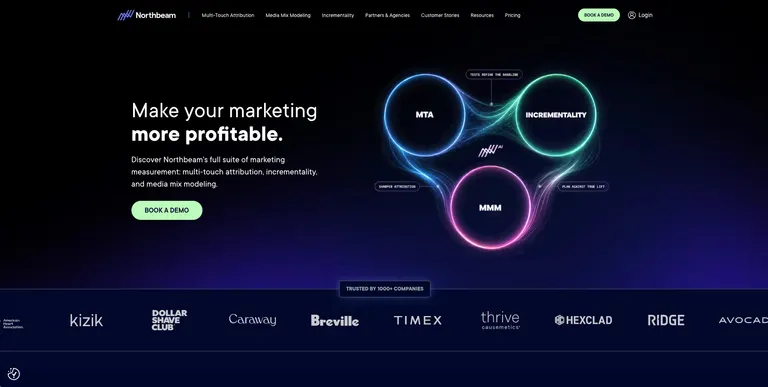
Northbeam combines multi-touch attribution with media mix modeling to give a broader picture of marketing performance.
It helps ecommerce teams make budget decisions using data collected across their entire marketing ecosystem.
What it does: Northbeam provides multi-touch attribution, media mix modeling, and first-party measurement for ecommerce brands running paid acquisition at scale.
Best for: Mid-market and enterprise ecommerce businesses managing large advertising budgets across multiple channels.
Key features
- Multi-touch attribution: Measures every meaningful customer interaction throughout the buying journey.
- Media mix modeling: Estimates the contribution of each marketing channel, even when direct attribution is limited.
- First-party tracking: Uses server-side data collection to improve measurement despite browser privacy changes.
- Creative performance reporting: Helps identify which ads, campaigns, and channels generate the strongest return.
- MER and profitability dashboards: Tracks overall marketing efficiency alongside revenue and advertising spend.
- Shopify integrations: Connects ecommerce sales data with advertising performance for unified reporting.
Pros and cons
✅ Pros
- Future-proofs ad tracking against privacy updates, revealing full customer journeys without relying on third-party cookies.
- Prevents wasted ad spend, giving you immediate daily insights to reallocate budgets to top-performing channels.
- Clarifies total brand growth, measuring how offline campaigns drive online conversions.
❌ Cons
- Charges high enterprise-tier pricing that makes it inaccessible for smaller e-commerce brands.
- There's a steep learning curve due to advanced algorithmic models and dynamic attribution metrics.
- Displays attribution data that can significantly differ from native ad network dashboards.
What users say
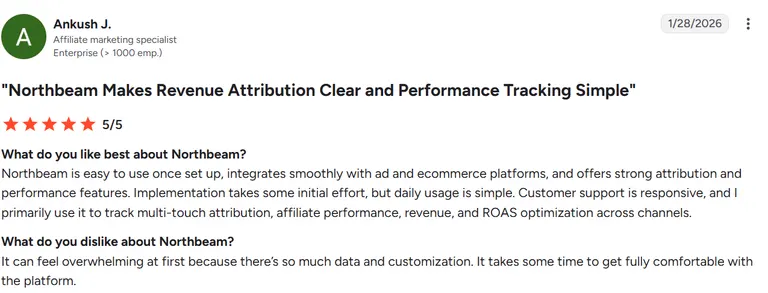
Pro: Easy to use day-to-day once set up, and integrates smoothly with ad and ecommerce platforms.
"Northbeam is easy to use once set up," (Ankush J., G2 Review, Jan 28, 2026)
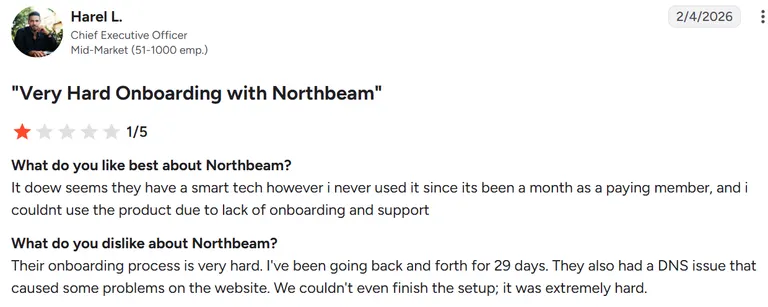
Con: Onboarding was very difficult. 29 days of back-and-forth with no setup completed.
“Their onboarding process is very hard. I've been going back and forth for 29 days.” (Harel L G2 Review, February 4, 2026)
Pricing
Starter begins at $1,500/month for brands under $1.5M/year in media spend. Professional and Enterprise, for higher spend tiers, are custom-quoted.
Bottom line
Northbeam is good for ecommerce brands spending heavily across multiple paid channels and need more than standard attribution reports.
You'll see better value from a simpler and more affordable attribution solution if you're managing a smaller advertising budget or only advertising on one or two platforms.
7. UserMaven: For budget-conscious marketing teams
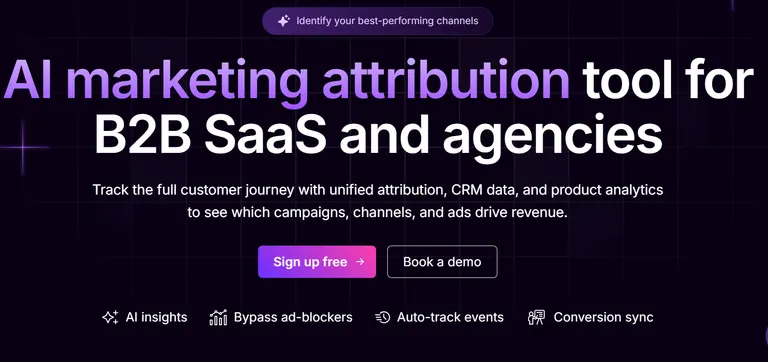
Not every business needs an enterprise attribution platform that costs thousands of dollars per month. UserMaven offers many of the core attribution features growing marketing teams need without the enterprise price tag.
Its biggest strength is simplicity. UserMaven helps marketers understand which channels are generating revenue and ROAS through native advertising integrations and multiple attribution models.
What it does: UserMaven provides multi-touch attribution, marketing analytics, and native ad platform integrations to connect campaign spend to revenue.
Best for: Growing businesses and marketing teams looking for a cost-effective attribution platform.
Key features
- Multi-touch attribution: Compare different attribution models to understand how each marketing channel contributes to conversions.
- Native ad integrations: Connect directly with several platforms (Google Ads, Meta, LinkedIn, Bing) to view real spend, revenue, and ROAS in one dashboard.
- Marketing analytics: Track customer journeys from the first interaction through conversion.
- UTM tracking: Automatically captures and organizes campaign data for more accurate attribution reporting.
- Custom dashboards: Monitor channel performance, campaign results, and conversion trends from a single workspace.
- Privacy-friendly tracking: Uses first-party tracking to remain reliable as browser privacy restrictions evolve.
Pros and cons
✅ Pros
- Accelerates decision-making, revealing how marketing campaigns drive product adoption and retention.
- 100% data accuracy and legal peace of mind without losing traffic to ad blockers or consent banners.
- Frees up engineering resources, enabling non-technical teams to track new user actions instantly.
❌ Cons
- Lacks advanced dashboard customization options compared to enterprise analytics suites.
- Limits raw data export options to basic CSV formats and select data warehouses.
- Offers limited native mobile application functionality for tracking analytics on the go.
What users say
Pro: Simple, well laid-out interface that makes it easy to find user data and page views. The switch from Google Analytics felt smooth since Usermaven is easier to use.
"I like Usermaven because of its simple interface and ease of use." (Abdul K., G2 Review, Mar 19, 2026)
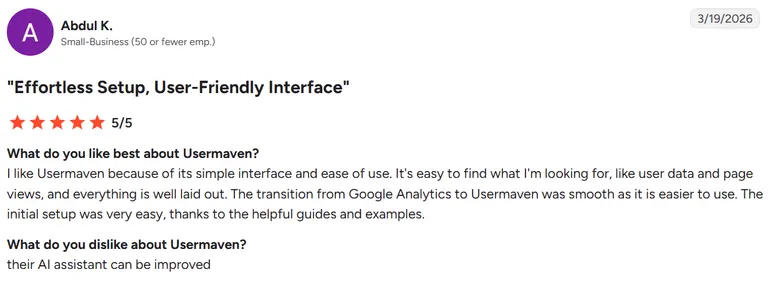
Con: Setup and customization are still a work in progress. There's no library of use-case tutorials, and what exists is more technical than expected.
“Setting up and customizing my needs is still a work in progress.” (Sergio P., G2 Review, June 30, 2025)

Pricing
Growth starts at $84/month, and Scale is $199/month for deeper paid ads and CRM attribution. Enterprise is custom-priced. Both paid plans include a 14-day free trial and roughly 15% off annually.
Bottom line
I'd recommend UserMaven to businesses that have outgrown GA4 but aren't ready to invest in an enterprise attribution platform.
It delivers the core attribution and ROAS reporting most marketing businesses need at a price that's easier to justify for growing brands and agencies.
8. RedTrack: For agencies and multi-channel media buyers
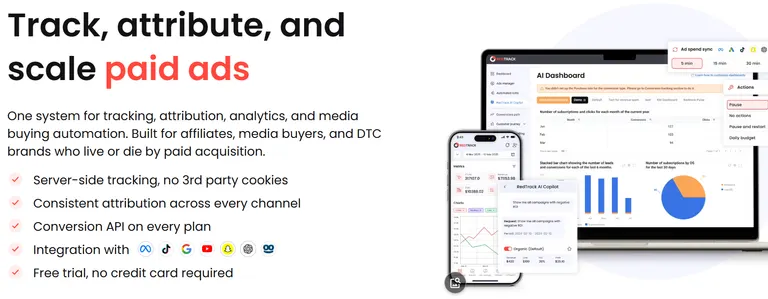
RedTrack centralizes attribution, making it easier for agencies and media buyers to see how campaigns are performing without exporting and reconciling reports.
It also simplifies campaign tracking across paid channels, affiliate programs, and multiple client accounts. This makes it a practical choice for marketers managing volume.
What it does: RedTrack tracks conversions across multiple advertising platforms and attributes revenue to the campaigns, channels, and traffic sources that generated them.
Best for: Agencies, affiliate marketers, and media buyers managing campaigns across multiple advertising platforms.
Key features
- Cross-channel attribution: Measures conversions across Meta, Google Ads, TikTok, native ads platforms, and affiliate networks.
- Server-side tracking: Uses first-party tracking to improve attribution accuracy as browser privacy restrictions evolve.
- Conversion automation: Sends conversion events back to advertising platforms to improve campaign optimization.
- Agency reporting: Manage multiple clients and campaigns from a single workspace.
- Affiliate tracking: Attribute conversions across affiliate partners alongside paid advertising channels.
- Custom dashboards: Monitor spend, conversions, ROAS, and campaign performance in one place.
Pros and cons
✅ Pros
- Limitless campaign expansion, connecting all your traffic sources and affiliate partners in one place.
- Protects ad budgets from manual delay, automatically cutting losing ads and scaling winners 24/7.
- Maximizes return on ad spend, ensuring budget is spent on real, high-intent human traffic.
❌ Cons
- Requires a complex technical setup and steep learning curve for new or non-technical users.
- Relies on single-touch attribution models rather than complex multi-touch customer journeys.
- Restricts team collaboration features and multi-user access to higher-priced subscription tiers.
What users say
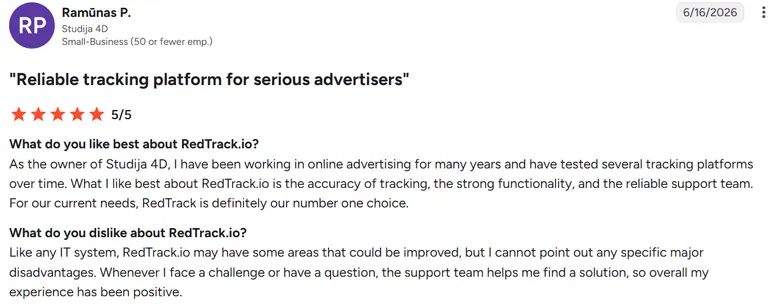
Pro: RedTrack is rated highly for tracking accuracy, strong overall functionality, and a reliable support team.
"What I like best about RedTrack.io is the accuracy of tracking," (Ramūnas P., G2 Review, June 16, 2026)
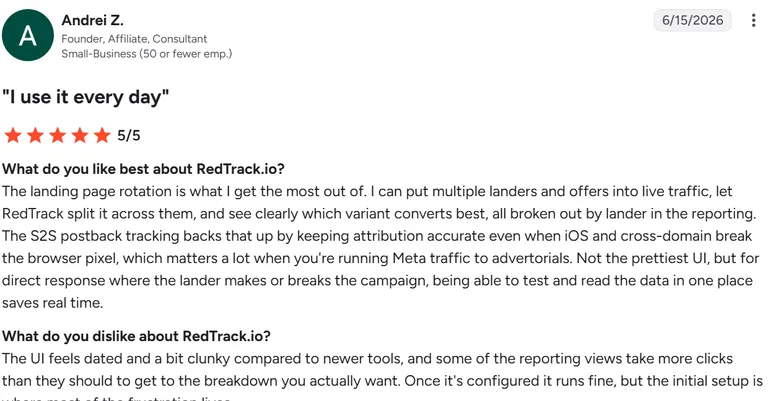
Con: The UI feels dated and clunky compared to newer tools, and some reporting views take more clicks than they should to reach the breakdown you actually want. It runs fine once configured, but initial setup is where most of the frustration is.
“The UI feels dated and a bit clunky compared to newer tools” (Andrei Z., G2 Review, June 15, 2026)
Pricing
For affiliate and lead-gen buyers, Relay is free forever (CAPI-only, 1 store). Builder starts at $69/month, Solo is $141/month, Team is $333/month, and Enterprise is $833/month.
For ecommerce brands, Brand starts at $83/month and Agency at $499/month.
Bottom line
I'd recommend RedTrack to agencies and media buyers that need dependable attribution across multiple advertising platforms without moving into enterprise-level pricing.
9. Google Analytics 4: For smaller advertising budgets
Buying a dedicated attribution platform is often unnecessary if you're spending a few hundred or a couple thousand dollars a month on ads.
A well-configured GA4 property with consistent UTM tagging can answer most of the attribution questions growing businesses have without adding another monthly subscription.
GA4 won't fix inconsistent campaign naming or missing tracking parameters. But when those fundamentals are in place, it provides enough visibility to understand which channels are generating traffic, leads, and conversions.
What it does: Google Analytics 4 measures website traffic, user behavior, and conversions while providing built-in attribution reports across your marketing channels.
Best for: Small businesses and advertisers with modest budgets that need reliable attribution before investing in a dedicated attribution platform.
Key features
- Built-in attribution reports: Compare data-driven and last-click attribution models within GA4, and see first-touch channels using dedicated first-user dimensions.
- UTM campaign tracking: Measure performance across campaigns using consistent tagging and source tracking.
- Conversion path analysis: Visualize how users interact with multiple channels before converting.
- Google Ads integration: Connect advertising spend with website conversions and engagement data.
- Custom reports and explorations: Build dashboards around the metrics your business tracks.
- Free to use: Access enterprise-grade analytics capabilities without paying a monthly subscription.
Pros and cons
✅ Pros
- Complete cross-device view of the customer journey without duplicate user metrics.
- Deeper insights into user engagement, capturing actions without custom developer tagging.
- Enterprise-grade predictive analytics and raw data ownership at zero software cost.
❌ Cons
- Lacks historical data import from older Universal Analytics properties.
- There's a steep learning curve due to complex customized reporting tools.
- Limits data retention periods to a maximum of 14 months without external storage.
What users say
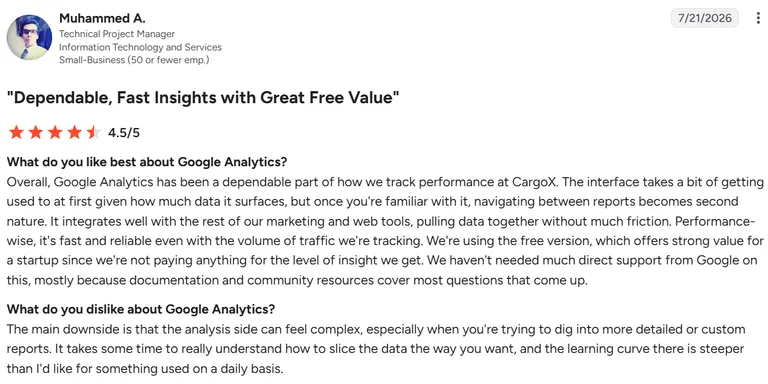
Pro: A dependable, fast, tracking tool that integrates smoothly with other marketing and web tools. The free version offers strong value for a startup.
"Overall, Google Analytics has been a dependable part of how we track performance at CargoX." (Muhammed A., G2 Review, July 21, 2026)
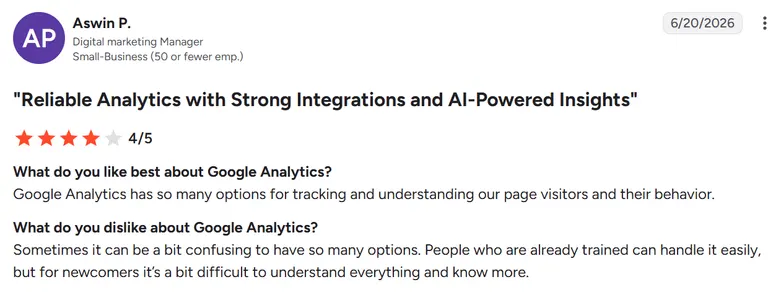
Con: Having so many options can feel confusing at first. Trained users handle it easily, but newcomers may find it harder to understand everything right away.
“Sometimes it can be a bit confusing to have so many options.” (Aswin P., G2 Review, June 20, 2026)
Pricing
Google Analytics 4 is free. Google Analytics 360 requires contacting sales, since Google doesn't publish a self-serve price.
Bottom line
Use Google Analytics 4 if you're still building your advertising program or spending relatively modest amounts across a handful of channels.
Which attribution tracking software should you choose?
The right attribution tracking software depends more on how your business acquires customers. An ecommerce brand, a B2B SaaS company, or a high-ticket coaching business all have very different attribution needs.
Choose Triple Whale if you:
- Run a Shopify or DTC ecommerce business.
- Need first-party attribution alongside profit and MER reporting.
- Want to understand which paid channels drive purchases.
Choose Ruler Analytics if you:
- Generate leads instead of online purchases.
- Need to connect phone calls, CRM opportunities, and closed revenue back to marketing.
- Want to measure marketing's contribution to pipeline.
Choose Dreamdata if you:
- Have a long B2B sales cycle with multiple stakeholders.
- Need account-level attribution and revenue reporting.
- Want marketing and sales working from the same attribution data.
Choose Hyros if you:
- Sell high-ticket products or services.
- Run webinars, sales calls, or complex funnels.
- Want to optimize campaigns based on long-term customer value.
Choose Cometly if you:
- Spend heavily on Meta, Google, TikTok, or other paid channels.
- Want cleaner server-side tracking and multi-touch attribution.
- Need better conversion data flowing back into your ad platforms.
Choose Northbeam if you:
- Manage a large ecommerce advertising budget.
- Want media mix modeling alongside multi-touch attribution.
- Need to understand how marketing channels influence each other.
Choose UserMaven if you:
- Want dedicated attribution software without enterprise pricing.
- Need native integrations with Google, Meta, LinkedIn, and Bing.
- Prefer an easier learning curve than more advanced platforms.
Choose RedTrack if you:
- Manage campaigns across multiple advertising platforms or clients.
- Need cross-channel conversion tracking and agency-friendly reporting.
- Run affiliate marketing alongside paid media.
Choose Google Analytics 4 if you:
- Spend less than $4,000 per month across a few marketing channels.
- Have a disciplined UTM strategy and reliable conversion tracking.
- Aren't ready to justify the cost of a dedicated attribution platform yet.
Final verdict
Choosing the right attribution tracking software comes down to how your business acquires customers. Triple Whale is the strongest choice for Shopify and DTC brands. Ruler Analytics and Dreamdata are the clear winners for B2B companies that need to connect marketing to pipeline and revenue.
If you're managing paid media across multiple channels, Cometly and Northbeam are excellent options for optimizing campaigns with more reliable attribution.
But attribution alone doesn't tell you why a campaign worked.
Once you know which channel or campaign generated revenue, the next challenge is figuring out which creative, messaging, and hooks drove the result.
Atria's creative intelligence platform solves that.
Atria helps performance marketers go beyond attribution by:
- Analyzing winning ad creatives, so you can identify the hooks, angles, offers, and formats driving conversions and not guess.
- Comparing competitors' advertising, making it easier to spot creative trends and opportunities before they become saturated.
- Turning attribution insights into creative briefs, which helps your team produce more of what's already working.
- Giving agencies and brands a repeatable creative research process, so every new campaign starts with evidence.
- Generating and launching new ad creative straight from those briefs, so the loop from attribution data to a live ad closes without needing a separate production tool.
Ipsy, a big player in the beauty space, used this workflow to double creative volume, lift ROAS 25%, and cut CAC up to 20%.
Attribution software shows where your revenue came from, and Atria shows what to make next.
Used together, they give you a much stronger foundation for allocating budget, improving creative performance, and scaling paid campaigns with confidence.
Try Atria for free. No credit card is required.
Frequently asked questions
What is attribution tracking software?
Attribution tracking software helps marketers identify which marketing channels, campaigns, and interactions contribute to conversions and revenue. Unlike native ad platform reporting, it combines data across multiple sources to provide a more complete view of the customer journey.
What is the best attribution tracking software?
The best attribution tracking software depends on your business model. Triple Whale suits Shopify and DTC brands; Ruler Analytics and Dreamdata suit B2B lead generation.
Hyros excels for high-ticket funnels, and Cometly fits performance marketers running paid media across channels.
Do I need attribution software if I already use Google Analytics 4?
You don’t always need attribution software. If you're spending less than roughly $4,000 per month across a few marketing channels, GA4 with a disciplined UTM strategy is often enough.
Dedicated attribution software becomes more important once you're advertising across several platforms and need more accurate multi-touch reporting.
Why don't attribution tools all report the same numbers?
Different attribution platforms use different identity resolution methods, attribution windows, and conversion rules. Because of this, no two tools will report identical results. Use one consistently when making budget decisions.
What should marketers look for in attribution tracking software?
When looking for attribution tracking software, prioritize first-party tracking, multi-touch attribution, native integrations with your advertising platforms, and reporting that connects the entire customer journey. The best platforms make it easy to compare channels, campaigns, and creatives.
Can attribution software show which ad creative drove a conversion?
Some platforms provide creative-level reporting, but most attribution tools focus on which channel or campaign generated revenue.
To see which hooks, formats, and messaging drive results, many brands pair attribution software with a creative intelligence platform like Atria, which analyzes winning ads and competitor creative to guide future campaigns.