
I started with a 20-second product clip meant for a Facebook video ad. The in-stream placement, where ads play inside another video, has its own limit. Facebook caps the desktop version at 15 seconds, though it may vary by objective.
My clip ran too long for that spot, so I cut it down before it could run. Small limits like that decide how many cuts your Facebook video ads need.
Over three days, I made two main cuts and a separate 15-second version. I took both main cuts through the upload and placement steps, matching their ratios and lengths to Meta's Feed and Stories limits.
Here’s which cut each placement needs and the checks to run before you upload.
Facebook Video Ads: TL;DR
- A Facebook video ad: An ad built around video instead of a static image. It can run in Feed, Stories, Reels, in-stream, or inside carousel and collection ads. You can create one in Ads Manager, or boost a Page post that already has a video.
- Ratio: The shape of the frame. Use 4:5 for Feed and the vertical 9:16 for Stories and Reels. Use 16:9 or 1:1 for Facebook in-stream video.
- For Reels in-stream, Meta’s templates use 1:1 and its safe-zone guidance covers 9:16, so either works.
- Length: Limits change by placement, so the same clip needed cutting down for one placement but fit another at full length.
- Hook: Test the hook first, since it's the part I'd change when something underperforms.
What Are Facebook Video Ads? The 30-Second Answer
Facebook video ads are paid videos you show to an audience you choose. They run in Facebook Feed, Stories, Reels, and in-stream. Meta also places them across Messenger, Instagram, and Audience Network, depending on the campaign objective you pick.
Your ad type and settings decide which placements are available. Not every placement is available for every ad, as Meta notes.
If you can cut a short clip to each placement's ratio and length, you can run a video ad.
Key Features
- Placements across Meta: You can give each placement its own version through asset customization.
- Captions for sound-off viewing: Meta can generate automated captions for you in English, and they can be used on Facebook and Instagram.
- Engagement audiences: Meta lets you build an engagement custom audience from people who watch your video on Facebook or Instagram.
Facebook Video Ad Specs at a Glance
Specs by placement:
| Placement | Ratio | Length limit |
|---|---|---|
| Facebook Feed | 4:5 | one second to 241 minutes |
| Facebook Stories/Reels in-stream | 9:16 for Stories | one second to three minutes (Stories) and five to 15 seconds (Reels in-stream) |
| Reels in-stream | 1:1 or 9:16 | five to 15 seconds |
| Facebook Reels | 9:16 | no maximum limit |
| Ads on Facebook Reels (Post-Loop) | 1:1 | four to 15 seconds |
| Facebook in-stream video | 16:9 or 1:1 | five to 15 seconds (desktop); five seconds to 10 minutes (mobile). Both may vary by objective. |
| Instagram Feed | 9:16 | one second to 60 minutes |
| Instagram Stories | 9:16, Meta's Stories recommendation | 60 minutes maximum |
| Messenger Stories | 9:16 | one to 60 seconds |
| Audience Network | 9:16, recommended | one to 120 seconds (native, banner, interstitial); three to 61 seconds (rewarded) |
| Carousel video card | 1:1 | one second to 240 minutes |
Feed design, text, and file specs:
- Design recommendations: Meta lists 1440 x 1800 pixels for the video. Captions are optional but recommended.
- Text recommendations: Primary text runs 50 to 150 characters, and the headline runs 27 characters.
- Technical requirements: Feed accepts MP4, MOV, or GIF files. The maximum file size is four GB, and the minimum width and height are 120 pixels each.
Encoding and file settings for Feed:
| Setting | Meta's requirement |
|---|---|
| Compression | H.264 compression |
| Pixels | Square pixels |
| Frame rate and scan | Fixed frame rate and progressive scan |
| Audio | Stereo AAC audio at 128kbps or higher |
| File containers | No edit lists or special boxes in the file |
| 360 video | Allowed with some objectives |
I rendered the 4:5 Feed cut at 1440 x 1800 pixels and the Stories and Reels cut at 9:16.
On mobile Feed, Meta hides the footer (headline, description, and button) for Awareness campaigns using maximize reach, 2-second continuous video views, impressions, or post engagement.
How Do Facebook Video Ads Work?
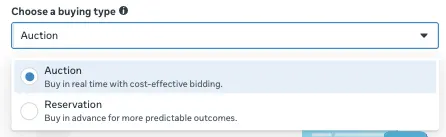
An auction decides which ad to show each time there's an opportunity to show someone your ad. Meta usually charges based on impressions, meaning the number of times that your ad is seen, unless you specify otherwise during ad creation.
What Happened When I Uploaded the Cuts
On the test cuts, most of the friction came in the first upload attempts.
The steps after the cuts were ready, in order:
- Upload: The 4:5 Feed cut then failed to upload twice before it went through on the third try. The test stopped at the draft, before any ad ran.
- Captions and preview: For a cut in another language, upload an SRT file, since Meta generates its automated captions in English.
Your captions won't upload if you write the file name incorrectly or don't use the correct language and country code. The last check was the preview, and it caught text getting cropped at the edges in some placements.
Can You Do a Video Ad on Facebook?
Yes, you can build a video ad in Meta Ads Manager, or boost an existing Page post with a video on it. Meta notes that some detailed targeting features are only available in Ads Manager. A boost still lets you decide on interests, age, and gender for targeting. I set up a boost draft.
Where to Make the Facebook Video
You can make the video in a design or video tool, then upload the finished file. Canva's free plan lists a drag-and-drop editor, and CapCut offers an online video editor.
Meta also builds video ads from your images inside Ads Manager. Below Templates, click Turn into video, then choose a template type.
Templates suit square or vertical placements. Meta’s square templates suit 1:1 placements like Feed and in-stream reels, and its vertical templates suit 9:16 placements like Stories. That sorting describes the templates, but Meta's safe-zone guidance names 9:16 for Reels in-stream ads.
Meta's template steps:
- Add up to 30 characters of text to each scene.
- Click Create video.
- Click Publish to run your video ad.
An AI video tool's output still needs a human pass for the hook, the captions, and the brand details before it goes into an ad. Before any of that, Raya, Atria's AI creative strategist trained on $10B+ in real ad spend, generates hook and script concepts based on what’s already winning in your account and your competitors’ ads, before you build the clip. For more options, see a roundup of AI ad generators for video and images.
Types of Facebook Video Ads by Placement
One clip turned into three separate cuts.
Feed

My 4:5 cut matches Meta’s recommended ratio for Facebook Feed. Meta lists Feed video at one second to 241 minutes. Instagram Feed takes a 9:16 ratio in Meta’s ads guide, and Meta also supports 1:1 and 4:5 for Feed placements.
On the computer version of Facebook Feed, my 4:5 cut showed in a square frame with black bars on both sides. Keep the main text in the middle of the frame.
Stories and Reels
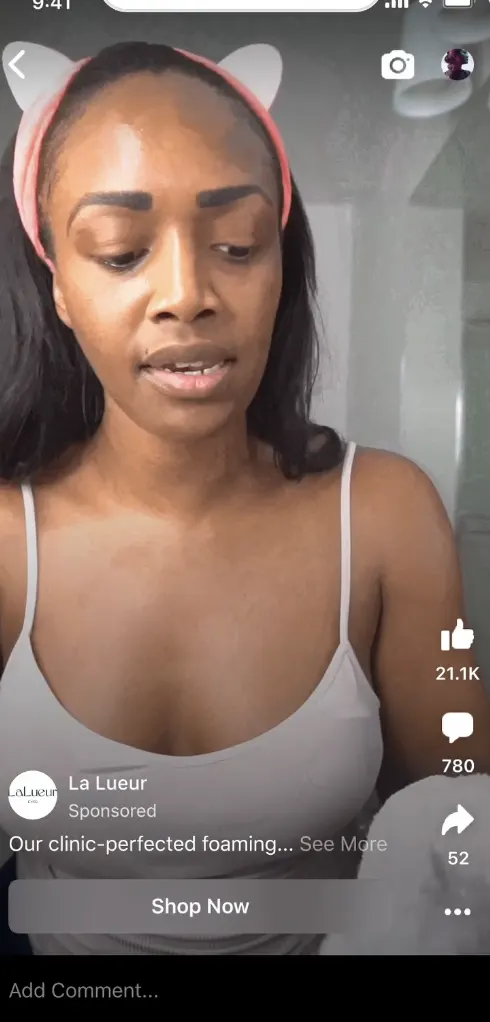
Meta's safe-zone guidance is written for ads with a 9:16 aspect ratio in Stories, Reels, Feed, and Reels in-stream ads. A 9:16 cut in Feed follows the safe-zone guidance, and your 4:5 Feed cut follows the Feed spec.
The two apply to different creative ratios as opposed to the same ad. The safe-zone guidance asks you to keep the top, bottom, and sides free of text, creative elements, and logos.
My 20-second Stories cut sat well inside the table’s limit of one second to three minutes. For Stories placements, Meta recommends 9:16, and it caps Instagram Stories at 60 minutes.
Reels in-stream ads follow the shorter five- to 15-second limit in the table.
In-Stream
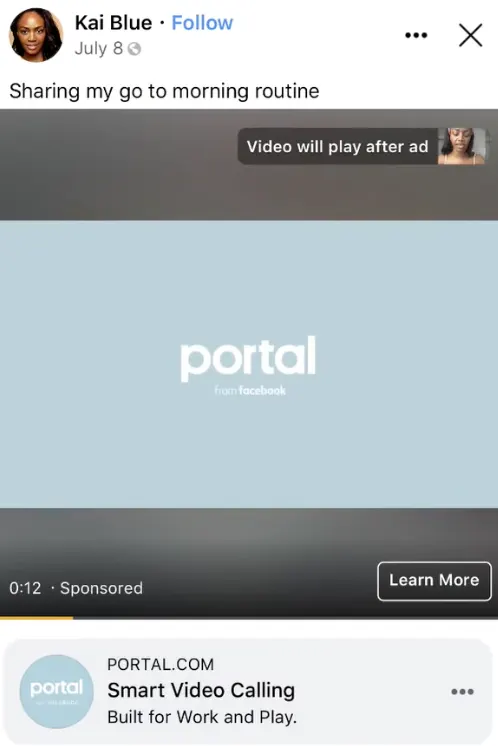
Meta says Reels in-stream ads are shown to people watching Reels, and that they can appear before, during, or after a Reel. By default, non-skippable ones include a short viewing period of up to 15 seconds.
The viewer can return to the reels content they were watching only after that period. Skippable ones have a viewing period of up to five seconds. My 20-second vertical cut is over the five- to 15-second length Meta allows for Reels in-stream ads, so that placement needs a shorter cut.
Meta's Facebook in-stream video spec lists 16:9 or 1:1. My first in-stream cut was 4:5, which is out of spec. Meta’s in-stream spec lists 16:9 or 1:1, so cut in-stream versions at one of those.
Facebook in-stream video is a different placement from Reels in-stream ads. It runs on desktop and mobile, and it has its own spec in the table. Desktop in-stream ads run five to 15 seconds, and mobile in-stream ads run five seconds to 10 minutes. Both limits may vary by objective.
The point when ads can appear during the main video is separate from the ad-length limit above: Meta says those ads can appear after 15 seconds of playback.
Meta also lists controls for Reels in-stream ads, including an inventory filter, publisher block lists, content type exclusions, and topic exclusions. With them, you can exclude content types and publishers you don't want your ad to appear beside.
Video Cards in Carousel and Collection Ads
A video can also run as one card in a carousel. Carousel ads take two to 10 cards, and each card is at least 1080 x 1080 pixels. A carousel video card takes a 1:1 ratio and runs from one second to 240 minutes.
A collection ad's cover can be a video at 1.91:1 to 1:1, followed by three product images. I didn't build either format in this test, so the figures here come from Meta's carousel and collection pages.
Messenger

Messenger Stories takes a 9:16 video of up to 60 seconds. Check the placement in the preview before you publish.
Facebook Video Ads vs. Static Ads: What's the Difference?
Video and static ads do different jobs. For a deeper look at static ads, read our guide to static ads and why they still work.
Video and static ads, side by side:
| Factor | Facebook video ad | Static ad |
|---|---|---|
| What it shows | Motion, sound, a demo | One image and one message |
| Best for | Demos and stories | Quick tests and new angles |
| Where it fits | Angles that already held up | Fast testing across hooks |
| Files to make | Placement-specific video cuts | One image, with placement-specific crops if needed |
| Length | Set by each placement | No running time |
A static ad's limit is that one image can't show motion, sound, or a demo.
What I Liked and Didn't Like About Facebook Video Ads
What Worked in My Test
- Boost draft: The draft used the video and copy unchanged.
- Caption speed: The automated captions were ready in about four minutes on the test cut.
Where It Falls Short
- Crops: My 4:5 file in a 9:16 slot needed a crop that removed text. I re-exported more often than I'd like.
- Placement settings: Placements were all on by default, so I had to check each one in the draft.
Should You Use Facebook Video Ads? My Take
Yes, if the product needs a demo. Start with a 4:5 Feed cut. Add a 9:16 cut for Stories and Reels once the Feed cut is performing.
When to Make Facebook Video Ads
Video suits these teams and products:
- Teams with footage, or a clip they can cut down.
- Brands that can cut one master edit into Feed, Stories, and Reels versions.
Skip Facebook Video Ads If You:
These cases call for a static ad:
- Have no footage and no time to make a second cut.
- Need a same-day change, since every video change I made meant re-exporting each placement's cut.
- Want to test only an offer or a message, where one image may be enough.
How to Get Started with Facebook Video Ads in 6 Steps
- Choose the objective: Some objectives change what shows in Feed.
- Choose your placements: Start with Feed. Add Stories or Reels once the first cut holds up, and keep each placement's ratio in mind.
- Upload the file for each placement: Match each cut to the ratio the table lists for its placement, and check its length limit in the table.
- Add captions: Generate them, then read through them.
- Write the text: Keep the primary text short and the headline to a few words.
- Preview each placement before you publish: Check how the Feed cut sits in a square frame on desktop.
Facebook Video Ads Best Practices I Wish I Knew Earlier
These seven habits apply to each video ad. Some of them come from the upload and crop problems I ran into.
Practices to follow:
- Hook early: Open on the product or the problem, and aim to land the hook in the first three seconds. A logo can wait.
- Design for sound off: Add captions.
- Frame for the placement: Use the recommended ratio for each placement, including 16:9 or 1:1 for Facebook in-stream video.
- Put the call to action (CTA) early: Show what the button does in the first half of the video, and repeat it at the end.
- Keep it short: On Facebook in-stream, ads of 15 seconds or less play in full, while Meta shows only the first 15 seconds of longer ones. The tightest placement sets the limit, so a shorter cut fits more placements.
- Keep the story focused: Use one message per video so a viewer can repeat it back.
- Retarget video viewers: Build the engagement audience first, then point the next ad at the people who watched part of the video.
Common mistakes:
- Unchecked automatic crops: Review the generated crops before publishing.
- A full-length cut for desktop in-stream: Cut the clip before you upload.
- Long primary text: In my preview, the longer copy ran past the visible area. Trim the copy and let the video carry the rest.
How to Test Facebook Video Ad Hooks
A hook is the opening line or image that catches attention in the first few seconds, and it's the first thing I'd test.
A controlled test keeps the body of the video the same and swaps only the opening line.
Check your own account data for a hook that has run for a long stretch. When the same opening keeps running, check whether its first few seconds still stop the scroll.
Our guide to diagnosing Meta creative fatigue covers how Meta shows creative fatigue in Ads Manager, and also covers a five-step framework to diagnose it.
My Verdict on Facebook Video Ads
Facebook video ads are worth making if your product needs a demo. Start with a 4:5 Feed cut, add a 9:16 cut for Stories and Reels, and build in-stream versions at 16:9 or 1:1.
Use a static ad to test a new message before producing video. If the product needs a demo, start with video and test different hooks.
How Atria Helps Meta Advertisers Find the Concepts That Win
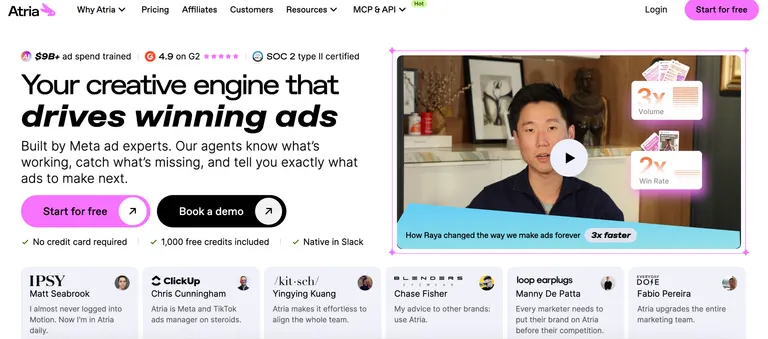
Atria is a creative-intelligence platform for Meta ads.
What Atria does:
- Follows the brands you pick and their latest ads.
- Generates concepts and scripts.
- Helps you know which concepts will win before you build them.
- Learns from every campaign and sharpens your winning formulas.
Raya builds briefs and scripts for your next video from your account data and competitors’ top hooks. Radar grades the ads already in your account in plain English and alerts you when a creative starts declining.
The Core plan includes five seats, with extra seats at $20/extra seat/month.
Start today for free with 1,000 credits included and no credit card.
Frequently Asked Questions
How much does Facebook pay for 1000 views on video?
Facebook has no fixed payout for every 1,000 video views. Eligible creators in Facebook Content Monetization see an Earnings Rate metric instead: approximate earnings per 1,000 qualified views, which depends on how the content performs.
Why am I getting ads on Facebook videos?
You get ads on Facebook videos because of your activity on Facebook, such as liking a Page or clicking on ads you see.
How to avoid Facebook video ads?
You can hide an ad or an advertiser. You can also adjust your ad preferences. In the Activity from other businesses setting, you can choose whether Meta uses activity that other businesses share with it to show you ads.
What's the best format and size for a Facebook video ad?
It changes by placement. Use 4:5 for Facebook Feed, 9:16 for Stories and Reels, and 16:9 or 1:1 for Facebook in-stream video.
How long should a Facebook video ad be?
The best length for a Facebook video ad depends on placement. Facebook Stories take one second to three minutes, Reels in-stream ads take five to 15 seconds, and desktop in-stream takes five to 15 seconds.