You've got a store with 4,000 SKUs and prices that change while you sleep. Building a separate ad for each one means pure punishment.
Facebook dynamic ads replace that work. You hand Meta a product catalog, drop a Pixel on your site, and the system shows the right product to the right shopper on its own. That means no need for 4,000 ads and no editing prices at midnight.
I’ve run dynamic ads across more accounts than I can count. The format rarely fails on its own, rather, the feed, the Pixel, and the creative are where it usually breaks. Below, you’ll find how to launch one that updates itself and actually sells.
Facebook dynamic ads vs. dynamic creative: what's the difference?
When you open Ads Manager, you'll bump into two things wearing the word "dynamic." They do completely different jobs, and picking the wrong one burns budget.
Dynamic catalog ads pull products straight from your catalog and match them to shoppers based on what those people browsed or added to cart. This is the format built for a store with a product feed, and it's what this guide covers from here on.
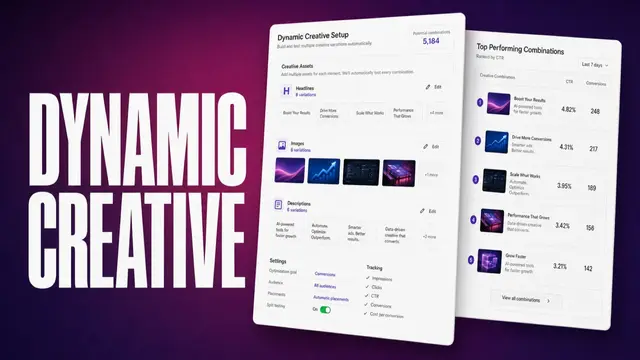
Dynamic creative is a creative variation tool that doesn’t need a product catalog. You upload a bunch of images, headlines, and CTAs, and Meta combines them into different ad variations to see how the combinations perform.
The catch is that the combinations share delivery, so Meta's asset breakdowns can't isolate which single image or headline won (run a real split test for that).
Here’s how they compare:
| Factor | Dynamic catalog ads | Dynamic creative |
|---|---|---|
| What it does | Auto-promotes products from your feed | Auto-combines creative elements into ad variations |
| What it needs | A product catalog plus product-event tracking, like Meta Pixel or Conversions API | Multiple images, headlines, and CTAs |
| Best for | Retargeting and prospecting a product line | Exploring promising creative combinations before running a split test |
| Meta's current name | Advantage+ catalog ads | Flexible ad format (for some objectives) |
As of June 2024, Meta stopped offering dynamic creative for the Sales and app promotion objectives, pointing advertisers to the flexible ad format instead. Dynamic catalog ads weren't affected.
How Facebook dynamic ads work
Meta can automatically create product-level ad variations from your catalog, so you don’t have to build an ad for every SKU.
Your product catalog is the raw material, a feed listing every product with its ID, title, price, image, and stock status. Keep the feed's availability updated, and Meta stops showing sold-out items on its own.
Your Meta Pixel, or the SDK for apps, sends Meta data on what people do on your site or app, which products they view, what they add to cart, and what they buy. Some advertisers send this through the Conversions API instead of (or alongside) the Pixel.
Combine the catalog and that activity data, and Meta can retarget someone who lingered on the navy running shoes with those same shoes without you ever building an ad yourself.
Dynamic ads can run across Facebook, Instagram, Messenger, and Audience Network, depending on your placements, campaign, format, and account.
Meta's delivery system decides which product each person sees by weighing catalog eligibility and your feed data. Andromeda's ad retrieval first narrows the ad candidates, then ranking and the auction decide which eligible product actually gets shown.
Product sets and product-group IDs are your controls for which catalog slices are eligible and how variants roll up.
What you need before you start
Before you build anything, make sure you have:
- A product catalog: Uploaded to Meta Commerce Manager and connected to a feed you keep fresh. Scheduled uploads can run as often as hourly. Faster changes need a different update option through your catalog integration.
- A Meta Pixel or SDK: Meta Pixel covers your website, the SDK covers your app, and the Conversions API works for websites too.
- Clean feed fields: A unique item ID, plus title, description, price, availability, and an image of at least 600 x 600 pixels. GTINs help prevent duplicate records.
- The right Meta access: You need a Meta business account with access to your catalog and ad account. You also need a website that can use Meta Pixel or Conversions API, or an app that can send events through the Meta SDK.
Once that's in place, spend ten minutes in catalog diagnostics checking your event match rate.
A low event match rate means Meta can’t match many tracked product events to the right catalog items. That can limit product-specific retargeting and reduce the usable audience for catalog ads.
How to set up Facebook dynamic ads (3 steps)
The ad you build today shows up in Ads Manager as an Advantage+ catalog ad, Meta's current name for dynamic ads. Miss a key setup step, and your catalog ad may not deliver correctly:
Step 1: set up your product catalog
Head to Commerce Manager, create a catalog, and connect your product feed (most ecommerce platforms have a direct integration or a scheduled feed URL).
Group products into product sets by category, price band, or whatever slice makes sense for your campaign, so you control which items show to which audience.
💡 Tip: If you're producing product ads at volume, check out our guide on bulk ad creation software.
Step 2: connect your Meta Pixel (and SDK for apps)
Install the Pixel if you haven't, then confirm ViewContent, AddToCart, and Purchase are actually firing (the Events Manager test tool shows you in real time).
I’d make sure each event sends product IDs that match the item IDs in your catalog. That lets Meta connect product activity with the right catalog items for retargeting and recommendations.
Step 3: build the Advantage+ catalog ad
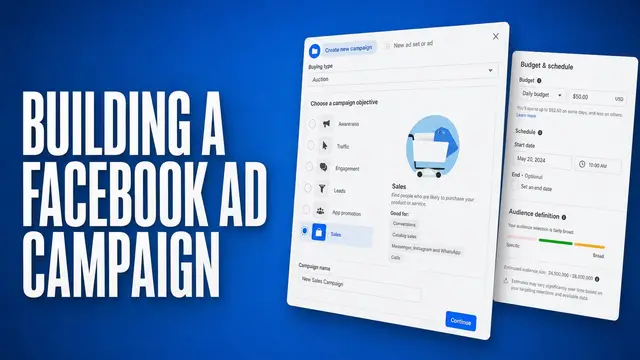
Create a campaign and pick the objective that fits your goal. Sales, Traffic, Engagement, Leads, and App promotion all support catalog ads.
From there, make a few quick choices:
- Catalog and product set: Pick which one this campaign runs against.
- Audience: Retargeting or broad, more on that below.
- Optimization event: Base it on what you're tracking. Purchase, AddToCart, and others are all options.
Add your creative and publish. Meta starts matching products to people from there.
How to optimize your dynamic ad creative
The creative you feed the machine is the biggest factor you still control once automation is running.
In an NCSolutions meta-study of nearly 450 CPG campaigns, creative accounted for roughly half (49%) of the short-term incremental sales lift in digital and TV, and 46% in social specifically.
That same study found something I recognize from plenty of ad accounts. Marketers tend to overrate the role of targeting and underrate what creative actually contributes.
For dynamic ads specifically, that's worth remembering, since it's easy to treat the feed and the creative as an afterthought once the automation's running.
Here's what moves a dynamic campaign:
- Overlays and templates per product set: Stamp price, a sale percentage, or a badge onto the catalog image so an auto-pulled photo still looks designed.
- Seasonal, time-based templates: A Black Friday or sale-week frame that switches on with the promo and off when it ends.
- Social proof and scarcity: If your catalog setup supports the fields, pull star ratings or a "last one left" tag from your feed with rules, so the ad only says it when it's true.
- Static turned into video: Give a flat product shot some motion. It won't guarantee better performance, but it's worth testing against your stills.
- Watch edits during high-traffic windows: Significant creative changes can restart an ad set's learning phase, so time bigger swaps outside peak periods when you can.
💡 Tip: If you're producing on-brand variations across a full catalog by hand, our guide on ad creative automation platforms rounds up tools built to take that off your plate.
Audience strategy: retargeting, broad, and segmenting shoppers
Who you show catalog ads to influences how they perform. Start narrow, then widen:
Retargeting
Remind someone of the product they eyed, cross-sell a match, or upsell a tier. Many advertisers start here since retargeting can convert well, but it's capped by your site traffic.
If your retargeting pool is small or you need new-customer growth from day one, prospecting broad can make more sense.
Broad
Once retargeting is doing what you need, let Meta prospect for new customers using core geography and demographics.
Stacking Lookalike, Custom, and interest layers isn't automatically bad, since a Custom Audience is often essential for retargeting itself. The issue is unnecessary restrictions, which can limit reach and slow learning.
A larger product set can give the system more to work with, as long as what's in it is relevant, in stock, and priced to compete.
Segmenting shoppers
Split page viewers from cart adders. A viewer wants a nudge, but a cart abandoner needs a stronger push like a reminder or a light incentive. Match the bid and the message to the segment you're talking to.
I check this split first whenever a catalog campaign underperforms, since it's an easy one to miss.
Exclusions
Exclude recent purchasers if this campaign is meant to win new customers, so you're not paying to resell what they already own. If the goal is cross-sell, upsell, replenishment, or a loyalty push instead, keeping them in the pool is the point.
3 Facebook dynamic ad results worth learning from
The ideas above are easier to spot in a real campaign. Here are 3 brands that A/B tested their catalog ads in 2024, and what each result tells you about your own setup.
1. Boden: 23% higher ROAS from a less restrictive product set

Boden, the UK clothing brand for women and children, usually ran Advantage+ catalog ads on tightly curated product sets. The problem with a small, hand-picked set is that it limits which products Meta’s delivery system can recommend to each shopper.
So Boden tested Meta’s “Include other products from catalog” option. The curated set still gets priority, so it ranks higher and shows more often, but Meta can also pull in other products from the full catalog.
One campaign used the option, and the other promoted the curated set alone. Both ran to US women aged 25 to 55.
Over the month-long test, the campaign with the wider catalog delivered:
- 24% lower cost per purchase
- 23% higher return on ad spend
The takeaway: You don’t have to choose between promoting your priority products and giving Meta room to find better matches. If your catalog ads run on a narrow product set, this is one of the simplest tests you can run.
2. Three Bird Nest: 67% more link clicks from the same test

Three Bird Nest, a boho fashion retailer that launches new collections weekly, ran the same test with a different audience: US women aged 18 and over, over two months.
Including other catalog products alongside its curated set delivered:
- 26% lower cost per purchase
- 67% more link clicks
The takeaway: Two brands with different audiences saw nearly the same drop in cost per purchase, which makes the result more convincing than a single case study. It’s also a real-world example of one of the mistakes covered below: a product set that’s too small or restrictive.
3. Ben & Jerry’s: 6.5% cheaper clicks with AI-generated backgrounds
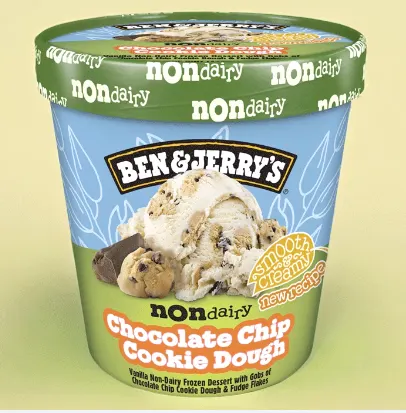
Ben & Jerry’s used catalog ads to drive delivery orders for its non-dairy dessert line, which shows the format isn’t only for fashion brands with thousands of SKUs.
With its agency, WITHIN, the brand tested its usual hand-picked catalog creative against Advantage+ creative for catalog with background image generation turned on.
That feature uses generative AI to place the same product shot against many different backgrounds, giving Meta more variations to test. The two-week test ran to US adults aged 18 and over.
The AI-enhanced campaign delivered:
- 7% more link clicks
- 6.5% lower cost per link click
The takeaway: Catalog photos don’t have to look the same in every ad. Generated backgrounds are a low-effort way to add variety, but the gains here were modest. Test them alongside the overlays and templates covered above rather than as a replacement for them.
Common Facebook dynamic ad mistakes (and how to fix them)
I've seen enough of these campaigns break to know the pattern by now. Dynamic campaigns often fail for the same handful of reasons:
| Mistake | Fix |
|---|---|
| Stale or incomplete feed | Update your feed often. Automate it if you can. |
| Pixel events missing or misfiring | Check ViewContent, AddToCart, and Purchase in Events Manager |
| Product set too small or restrictive | Start with enough relevant products, then split by results |
| Unnecessary targeting layers on broad | Remove restrictions that aren't helping and let delivery work |
| Treating dynamic creative like a split test | Run a real A/B test instead |
| Ignoring automated creative | Use accurate overlays and refresh when needed |
How Atria turns dynamic ad production into a repeatable workflow
Facebook dynamic ads automate the matching by showing each shopper the product they're most likely to want. They don't automate the thinking behind that, like which creative to run, what competitors are doing this month, or what to fix when performance drops.
Atria is a creative intelligence platform for Meta ads built to answer those 3 questions.
Raya, Atria's AI creative strategist, researches competitor hooks and angles, turns that research into briefs, generates ad scripts, copy, and images from real ad-spend data, then batch-uploads the variants to Meta.
Atria's grading and monitoring engine, Radar, checks every live ad and flags when it starts to decline, with the exact fix attached.
Together, Raya and Radar drive creative velocity so you can produce and monitor more ads without adding headcount.
Ready to find out what's working in your account? Try Atria for free today.
Frequently asked questions
What's the difference between Facebook dynamic ads and dynamic creative?
The difference comes down to catalog versus creative. One needs a product feed, and the other doesn't.
Dynamic catalog ads automatically promote products from your feed to shoppers based on eligible signals, including products they viewed, added to cart, or purchased on your website or app.
Dynamic creative auto-combines elements like images and headlines. Meta shows asset-level breakdowns in some reports, but combinations mix and share context, so those breakdowns don't establish one element as the clean, causal winner.
Do I need a product catalog to run Facebook dynamic ads?
Yes. Facebook dynamic ads need a product catalog uploaded to Meta, plus a Meta Pixel, SDK, or Conversions API sending events like ViewContent, AddToCart, and Purchase.
Without those signals, Meta can’t match products to the shoppers who viewed or added them, which is why they sit in the prerequisites section above as hard requirements, not nice-to-haves.
Are Facebook dynamic ads the same as Advantage+ catalog ads?
Yes, effectively. Meta has evolved dynamic ads into what's now called Advantage+ catalog ads, so the format you build today carries the newer name, though the setup and experience aren't identical to how older dynamic-ad campaigns worked.
Can Facebook dynamic ads be used for lead generation?
Yes. Facebook dynamic ads work for lead generation too, beyond ecommerce sales.
For example, a business can show relevant catalog items and collect contact details through an instant form, then send leads to a CRM for follow-up. Automotive is one possible use case when the campaign and lead flow are set up for it.
Why aren't my Facebook dynamic ads delivering?
Dynamic ads can stop delivering because of a catalog, tracking, eligibility, budget, or targeting problem.
Check that your product feed is current, your ViewContent, AddToCart, and Purchase events are firing, and your product set or audience isn't too narrow to leave the campaign room.