You can probably name 7 tools off the top of your head that'll tell you who your audience is. The hard part is turning that pile of demographics into a Meta ad someone stops scrolling for.
I checked pricing, data depth, and how fast an insight turns into a usable brief across dozens of audience insight tools. These 11 made the cut for Meta advertisers in 2026.
Below, you'll find which tool fits your budget and platform, plus the step between finding an audience and shipping the ad for them.
11 best audience insight tools for Meta advertisers: TL;DR
- Facebook Audience Insights: Best for Meta advertisers building a first audience picture from their own Page and Instagram followers
- Google Ads Audience Insights: Best for advertisers who want segments built from people already converting on their Google campaigns
- SparkToro: Best for finding the podcasts, sites, and accounts your audience already follows
- Audiense: Best for social-first teams that want behavioral cluster and persona detail
- Brandwatch: Best for enterprise brands with a dedicated insights team monitoring conversations at scale
- Talkwalker via Hootsuite: Best for social teams that want listening and publishing under one roof
- YouScan: Best for consumer brands that need visual and image-based audience signals
- Similarweb: Best for competitive web-audience research and traffic-source analysis
- Sprout Social: Best for teams managing publishing and audience data from a single seat
- Semrush Traffic & Market Toolkit: Best for teams that want audience data pulled from any domain's traffic, even ones they don't own
- YouGov: Best for brand and attitudinal research grounded in verified panel data
What are audience insight tools?
Audience insight tools are software that studies your audience for you. They look at things like age, interests, habits, and sentiment, so you know who you're talking to and what to say.
Most tools fall into 4 families:
- Platform-native: Meta, Google, and social apps report on the audiences you already reach. Usually free.
- Social listening: Tools like Brandwatch and YouScan scan public conversations to tell you what people say and feel.
- Behavioral and clickstream: Tools like SparkToro build audience profiles from web traffic, social, and search signals, no surveys involved.
- Research and panel: YouGov builds profiles by surveying opt-in panelists directly.
How I researched and tested these audience insight tools
I put each tool through the scenarios a Meta advertiser runs into, like building an audience profile from scratch, checking a competitor's audience overlap, and pulling demographic and interest data tied to a live ad account.
Then, I checked how fast each one turned that research into something a media buyer could use for targeting or creative.
For the tools without direct access, I worked through vendor documentation, product walkthroughs, and user reviews.
Here's what I considered:
- Audience depth: How far past basic demographics each tool goes into interests, behavior, and sentiment.
- Meta relevance: Whether the tool's audience data maps cleanly onto Meta's targeting options or needs manual translation.
- Time to insight: How many clicks and how much setup stand between opening the tool and a usable audience picture.
- Pricing transparency: Whether the tool publishes its rates or hides them behind a quote request.
- Free tier value: How much a team can get done before hitting a paywall.
The tools I liked best handed me data ready to drop straight into Meta's targeting fields. The rest left me translating a personality profile into a targeting decision on my own.
11 best audience insight tools: quick comparison
| Tool | Best for | Starting price (billed annually) | Strengths |
|---|---|---|---|
| Facebook Audience Insights | A free snapshot straight from Meta Business Suite | Free | Native to Meta Business Suite, zero cost, and no separate account needed |
| Google Ads Audience Insights | Segments built from your converting customers | Free | Segments tied to real conversions, zero cost, and campaign-ready targeting fields |
| SparkToro | Mapping where your audience spends attention | Free/$38/month | Podcast and site-level audience data, influencer discovery, and an affordable entry tier |
| Audiense | Behavior-based persona clusters | Custom pricing | Behavior-based clustering, detailed persona attributes, and exportable reports |
| Brandwatch | Enterprise-scale conversation monitoring | Custom pricing | Massive conversation volume, sentiment and trend analysis, and cross-channel coverage |
| Talkwalker via Hootsuite | AI segmentation paired with publishing | Custom pricing | AI-powered segmentation, persona creation, and listening paired with publishing |
| YouScan | Visual listening for image-heavy brands | $499/month (visual listening on higher plans) | Image and logo recognition, visual sentiment analysis, and scene-level detail |
| Similarweb | Sizing up competitor traffic and overlap | $125/month | Competitor traffic estimates, audience overlap data, and market sizing |
| Sprout Social | Audience data inside a social suite | $79/seat/month | Audience data alongside publishing, unified team workflow, and straightforward setup |
| Semrush Traffic & Market Toolkit | Audience data pulled from any domain's traffic | $289/month | Demographics, socioeconomics, and audience overlap in one toolkit |
| YouGov | Survey-verified insight into audience beliefs | From $1.50 per response. A five-question survey to 250 respondents might start at $375. | Verified panel data, attitudinal and brand-tracking depth, and weekly data refreshes |
*Pricing correct as of September 2026. Confirm with vendor.
1. Facebook Audience Insights: Best for a free snapshot straight from Meta Business Suite
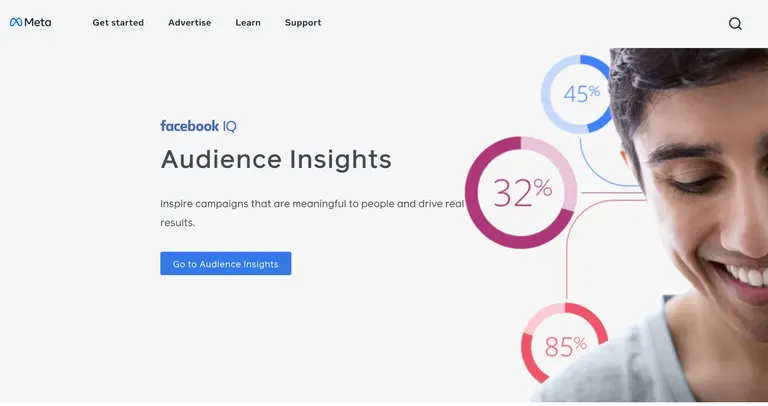
- What it does: Facebook Audience Insights is a free audience research feature inside Meta Business Suite (not the older Ads Manager tool of the same name) that shows follower demographics, including age, gender, top cities, and top countries, for your Page or Instagram account.
- Best for: Meta advertisers who want a first demographic check on their existing Page audience before setting up a campaign.
I pull Facebook Audience Insights up first in almost every Meta build, so for this roundup I ran the same check I always do: a demographic pull for a sample skincare brand's Page audience.
It loaded right inside Meta Business Suite's Insights tool, no separate login or export needed. The Audience tab only covers people already following the Page, so I treat it as a check on who I've already reached.
Key features
- Follower breakdown: Shows total followers, age and gender split, and top cities and countries for your Page or Instagram account.
- Video audience insights: Shows follower growth rate and follower versus non-follower view counts for your Facebook videos over the past 14 days.
- Meta Business Suite access: Opens from the Insights tab in the same Meta Business account you run ads from.
Pros and cons
| ✅ Pros | ❌ Cons |
|---|---|
| No added cost, as it runs on the same Meta Business account you already use for ads | Video audience metrics (follower growth rate, follower vs. non-follower views) are Facebook-specific, with no Instagram equivalent in this same tab |
| Age, gender, and location data updates automatically as your follower base grows, no manual refresh | No visibility into competitor or off-platform audiences |
| Covers both your Facebook Page and your Instagram account from the same Audience tab |
Pricing
Facebook Audience Insights is free with any Meta Business account.
Bottom line
Facebook Audience Insights pulls follower data straight from your own Page, so there's no separate research step before you check who you're already reaching. If you want to see where your audience spends time beyond Meta's own platforms, SparkToro might be a better fit.
2. Google Ads Audience Insights: Best for segments built from your converting customers
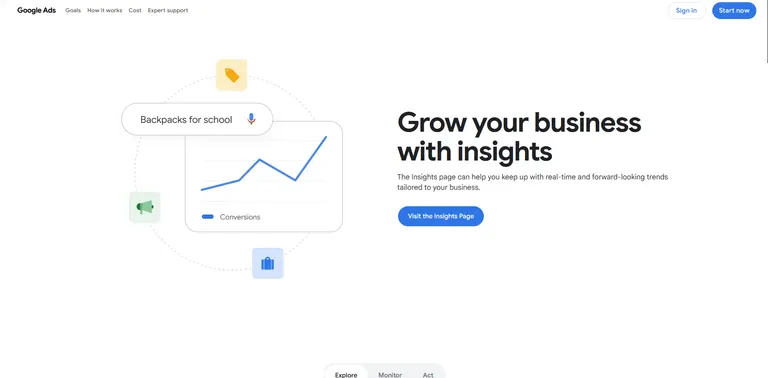
- What it does: Google Ads Audience Insights is a free audience research tool inside Google Ads that shows which audience segments are converting on your campaigns.
- Best for: Google advertisers who want segments built directly from people who already converted on their campaigns.
I run Google Ads Audience Insights on most Search accounts once conversion data starts coming in, so for this roundup I checked the same skincare brand's Search campaign against it.
Each segment, whether it’s affinity, in-market, or life-event, gets scored on how many of my conversions it drove and how big a slice of my target audience it makes up, and I didn't have to build an audience by hand to get there.
The catch is it needs conversion data already flowing, so it's no use on a brand-new campaign.
Key features
- Audience scorecard: Indexes each segment by comparing its share of conversions against its share of your targeted population.
- Segment types: Breaks results into affinity, in-market, demographic, life-event, and custom segments.
- Native Google Ads access: Opens directly inside the Google Ads account you already use to run campaigns.
Pros and cons
| ✅ Pros | ❌ Cons |
|---|---|
| No cost beyond an existing Google Ads account | Shows Google-side audiences only, so the segments need translating before they map onto Meta targeting |
| Segments reflect people who already converted in the account | Needs existing conversion data before it shows anything useful |
| Five segment types cover interests, purchase intent, demographics, and life events in one view |
Pricing
Google Ads Audience Insights is free with any Google Ads account.
Bottom line
Google Ads Audience Insights builds its segments from conversion data already sitting in your account. If you want persona-level detail beyond demographics, Audiense could be worth a look.
3. SparkToro: Best for mapping where your audience spends attention
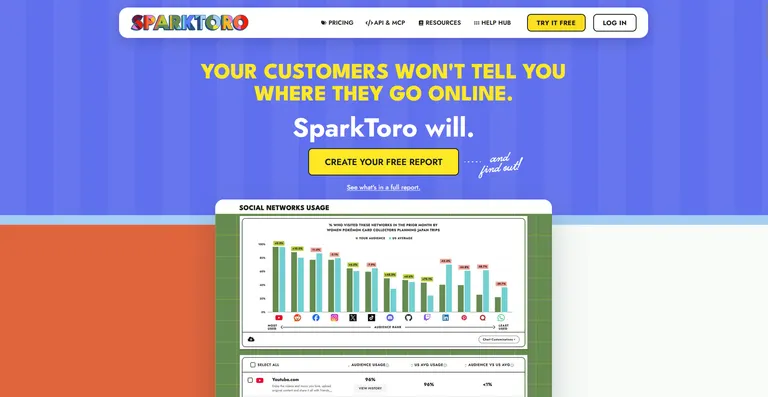
- What it does: SparkToro is an audience research tool that shows where a target audience spends attention online, from podcasts to social accounts to websites, based on a simple search.
- Best for: Meta advertisers looking for new placements, podcasts, or creators outside their own account data.
SparkToro is built around audience-attention data, so I searched an audience described as people who follow DTC skincare brands to see what surfaced.
The results named specific podcasts, Instagram accounts, and websites that the audience follows, along with the exact words they use in their bios.
The free tier capped me at 3 previews per month, and those only show preview data, so checking a new audience regularly means upgrading.
Key features
- Audience search: Enter a description of an audience and return the podcasts, sites, and social accounts they follow.
- Take Action prompts (Business plan and up): Turns audience data into headlines, PR angles, social post ideas, and SEO starting points.
- Press & Pubs and Podcast lists: Finds the specific publications and podcasts an audience trusts, ready to use as a PR pitch or sponsorship target list.
Pros and cons
| ✅ Pros | ❌ Cons |
|---|---|
| Finds real placements and creators an audience already follows | Take Action prompts and Persona Builder are locked behind the Business plan, so Personal gets full reports without them, and Free gets preview data only |
| Shows the exact words and phrases an audience uses in their own bios | Only covers English-language audiences in the US, Canada, and the UK |
| Free tier available for a quick check before committing to a paid plan |
Pricing
SparkToro has a free plan with 3 previews a month, and paid plans start at $38 per month (Personal, billed annually).
Bottom line
SparkToro tells you where an audience already pays attention, which is a different question than most demographic tools ask. If you want deeper behavioral clustering instead of attention data, Audiense could be worth considering.
4. Audiense: Best for behavior-based persona clusters
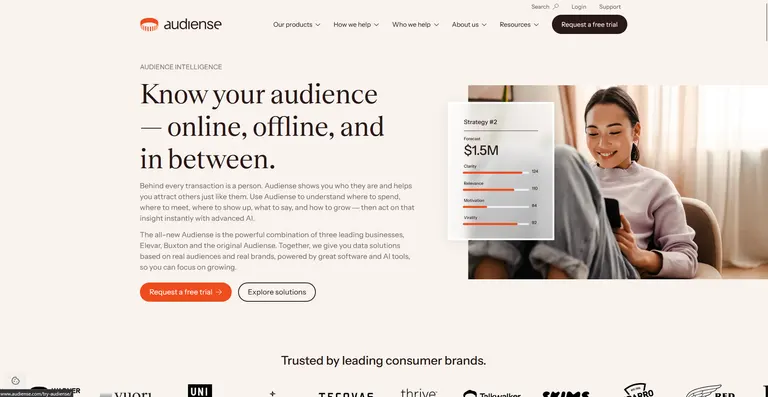
- What it does: Audiense is an audience intelligence platform, formed from the merger of the original Audiense with Buxton and Elevar, that builds behavior-based persona clusters through its Discover product.
- Best for: Teams that want ready-made persona clusters built automatically from behavior data, now backed by a broader consumer-intelligence suite.
Audiense Discover clusters an audience by shared interests and behavior. I used its documentation and sample reports to see how it built clusters for a sample supplement brand.
Reports break a broad audience into named segments, each with its own influencers, interests, and demographic profile, formatted for a client-ready PDF.
Getting into Audiense Discover starts with a free-trial request form, so this research leaned on published walkthroughs and sample reports. The product also just went through a full rebrand, so some of what's written about it online still describes the standalone tools it replaced.
Key features
- Cluster segmentation: Splits a broad audience into named clusters based on shared interests, influencers, and behavior.
- Persona-style reports: Formats each segment as an exportable, client-ready profile.
- Consumer intelligence suite: Sits alongside Audiense's e-commerce tracking and location-strategy tools under one platform.
Pros and cons
| ✅ Pros | ❌ Cons |
|---|---|
| Clustering visualization and report exports are the most-cited strengths in G2 reviews, especially for agencies sharing findings with clients | Broader data-source coverage beyond social and behavioral signals is a recurring ask in reviews, teams wanting more platforms folded in |
| Segments go deeper than basic demographics, covering interests and behavior patterns | The merger is recent enough that some product documentation still reflects the standalone tools it replaced, so double-check current naming before relying on it |
| Free trial available on request before any pricing conversation |
Pricing
Audiense uses custom pricing.
Bottom line
Audiense Discover builds ready-made persona clusters without a manual segment-build step, backed by a broader consumer-intelligence platform. If your priority is listening at enterprise scale across the wider web, Brandwatch is likely the stronger starting point.
5. Brandwatch: Best for enterprise-scale conversation monitoring
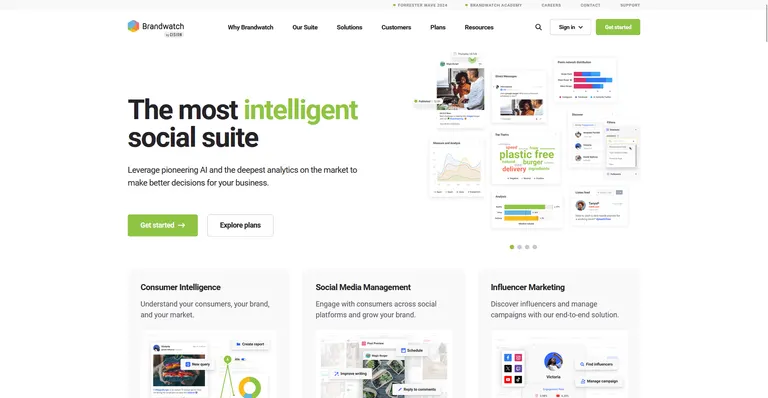
- What it does: Brandwatch is an enterprise consumer intelligence and social listening platform that monitors public conversations across social media, news, blogs, and forums, then layers on sentiment and trend analysis.
- Best for: Brands and agencies with a dedicated insights team that need to monitor conversation volume beyond what a lean listening tool covers.
To see how Brandwatch handles listening at scale, I worked through its demos for a fitness-category search built with its Boolean query builder.
Its demos show mentions pulled in across social, news, blogs, and forums, then broken into sentiment and trend charts you can segment further.
The volume of data it pulls in is its biggest hurdle: sorting through mentions from 100 million-plus online sources takes time.
Key features
- Boolean query builder: Narrows conversation searches by keyword, source, and date range across social, news, blogs, and forums.
- Sentiment and trend charts: Breaks monitored conversations into sentiment scores and emerging topic trends.
- Cross-channel inbox: Responds to messages across Facebook, X, Instagram, LinkedIn, WhatsApp, and YouTube from one dashboard.
Pros and cons
| ✅ Pros | ❌ Cons |
|---|---|
| Monitors conversations across more than 100 million online sources, well beyond social platforms alone | No published pricing, every account starts with a sales conversation |
| Boolean query controls let you narrow a huge conversation volume down to exactly what matters | Built for a dedicated insights team, a lean ad team will find more platform than it needs |
| Its influencer tool draws from tens of millions of creators |
Pricing
Brandwatch offers custom pricing.
Bottom line
Brandwatch pulls in enough conversation volume to support a dedicated insights team well beyond a single campaign check. If you need a free demographic gut check on your existing audience, Facebook Audience Insights already covers that without the sales call.
Special mentions
These 6 tools didn't earn a full section, but each still solves an audience-research problem for the right team:
6. Talkwalker via Hootsuite
Talkwalker now branded Lumen by Talkwalker, is an AI-powered social listening product Hootsuite sells alongside its publishing tools.
Its own materials describe audience segmentation built from real-time conversation data across social, news, blogs, and forums, with sentiment and interest mapping layered on top.
The AI-segmentation angle looks built for teams that already run Hootsuite for scheduling and want listening in the same dashboard.
Pricing: Custom pricing through Hootsuite’s Enterprise plan.
Access runs through Hootsuite's enterprise sales process, with no public price list to check the real cost against.
7. YouScan
YouScan is a social listening tool that reads photos as well as text, spotting logos, objects, and scenes inside posts.
It also covers the sentiment and demographic data most listening tools offer. That's a good fit for brands whose products show up more in pictures than in captions, like in skincare, food, or anything visual.
If your category is mostly text, this extra photo-reading power won't do much for you.
Pricing: Starts at $499/month, billed annually. Visual listening needs the Unlimited plan or an add-on.
8. Similarweb
Similarweb is a web-traffic and audience-intelligence tool that estimates any site's visitors and where they come from.
I pulled traffic and audience-overlap data for a sample health brand's closest competitor and got a breakdown of where that traffic originates and which other sites its visitors overlap with. The numbers read as estimates, matching what the site itself says about its own modeling approach.
Coverage thins out for smaller or niche sites, so a lower-traffic competitor can show gaps or wide estimate ranges instead of a clean number.
Pricing: Starts at $125/month, billed annually.
9. Sprout Social
Sprout Social is an all-in-one social media management suite with audience demographics and listening features included.
I connected a sample account and pulled the audience breakdown sitting inside its analytics tab, right alongside the publishing calendar and inbox. The demographic view stayed easy to read even without me touching the deeper listening add-on.
Without that add-on, the default audience data stays fairly surface-level.
Pricing: Starts at $79/seat/month, billed annually.
10. Semrush Traffic & Market Toolkit
Semrush's Traffic & Market Toolkit is a set of dashboards that show who visits any website, broken down by demographics, income, and behavior.
A sample report for a home fitness equipment competitor's site showed age, gender, device type, and the other sites those visitors go to. Its Socioeconomics report adds household income and education level, details many tools on this list skip entirely.
This tool looks at a whole website's traffic, but it can't tell you exactly who your ads reached, only who visits the site in general.
Pricing: $289/month.
11. YouGov
YouGov is a survey-research platform that builds audience profiles from a panel of millions of verified respondents.
Its own materials describe weekly-refreshed panel data covering attitudes, brand perception, and behavior across 49 markets, sized and segmented as a research team defines the audience.
YouGov’s self-serve surveys return results in as little as 24 hours. Deeper studies run as custom reports with YouGov’s research team and take longer.
Pricing: Self-serve surveys from $1.50 per response.
How to use audience insight tools beyond collecting data
Here’s how to turn what each tool shows you into a targeting or creative decision:
| What the tool shows you | What you do with it |
|---|---|
| A new interest cluster or lookalike segment | Build it as a fresh audience and test it against your control |
| A competitor's audience and top placements | Study their reach with Facebook ads competitor analysis tools and borrow the angles that fit |
| Demographics, values, and sentiment | Draft a real buyer persona your creative team writes toward |
| Which interests correlate with conversions | Tighten targeting, add exclusions, and track results with creative reporting tools |
| The topics and words your audience uses | Turn those interests into hooks your creative team can test |
Audience insights for Meta advertisers: from research to launched ad
The tools we talked about above describe an audience well, but they stop short of handing you the ad itself.
For a Meta buyer, the useful next step is turning the competitor hooks, personas, and landing pages working right now into creative angles you can brief and ship this week.
You can already spy on competitor Meta and TikTok ads by hand, and a growing stack of AI tools helps speed that up. But moving findings from research into a creative brief is still slow, manual work.
To be fair, the free tools are enough to start. Facebook Audience Insights and Google Ads Audience Insights will get a small team a long way on the data side.
The slower part is turning that data into a finished ad.
Which audience insight tool should you choose?
The right choice comes down to how much research depth you need past your own ad account data, and how much manual setup you're willing to trade for that depth.
Choose Facebook Audience Insights if you:
- Want a first look at your existing Page followers before spending anything
- Already run Meta ads and want the data sitting next to the account you check daily
- Need video-specific reach data on top of standard follower demographics
Choose Google Ads Audience Insights if you:
- Run Search, Shopping, or Performance Max campaigns with conversion data already flowing
- Want segments scored against real conversions already sitting in your account
- Are fine skipping this check on a brand-new campaign with no data yet
Choose SparkToro if you:
- Need to find new podcasts, creators, or placements your audience already follows
- Want to see the actual words your audience uses in their own bios
- Only need to check a new audience occasionally since a few searches a month covers it
Choose Audiense if you:
- Want persona clusters built automatically, without assembling segments by hand
- Need reports formatted to hand straight to a client or creative team
- Are comfortable requesting a free trial before you get access
Choose Brandwatch if you:
- Have a dedicated insights team that can own an enterprise listening tool
- Need to monitor conversation volume across news, blogs, and forums alongside social platforms
- Can commit to a sales conversation before seeing a working account
Skip this category entirely if:
- Your real bottleneck is turning existing research into a finished ad
- You need a specific competitor's ad creative
Get more from your audience research than a demographic snapshot
Not many audience insight tools do a great job of telling you why something in your account is working.
Atria is a creative intelligence platform for Meta ads. It starts with what's already converting in your account, tells you why, then builds the next round of creative from there.
Raya, Atria's AI creative strategist, handles the research and creative work. Radar, Atria's grading engine, watches your live ads and tells you what to fix.
Here's how Atria can help:
- Competitor audience research: Follow specific competitor brands and auto-extract their top hooks, personas, and landing pages.
- Review mining: Pull messaging angles straight from customer reviews, the language your own audience already uses to describe what it wants.
- Brief building: Turn that research into a creative brief automatically, no manual write-up required.
- Ad generation: Build scripts, copy, and images from the brief, then batch-upload variants straight to Meta.
- Ad grading: Every live ad gets scored in plain English through Radar, with a specific reason behind a drop before it becomes a bigger problem.
See what Atria turns up in your own ad account. Try Atria for free today.
Frequently asked questions
What is the best audience insight tool?
The best audience insight tool for most Meta advertisers is Facebook Audience Insights, since it’s free inside Meta Business Suite. SparkToro (from $38/month) shows where your audience spends attention, and Brandwatch and YouGov cover enterprise listening and panel research.
What is the best free Facebook analytics tool?
Facebook Audience Insights, inside Meta Business Suite, is the best free Facebook analytics tool for most advertisers. It reports demographics for your Page audience, including age, gender, and top locations. Pair it with Similarweb’s free traffic checker for estimated competitor traffic data.
How do you check audience insights?
In Meta, open Business Suite, then Insights, then Audience, to see demographics for your Page.
In Google Ads, open Audience Insights directly for conversion-based segments.
Dedicated tools like SparkToro or Similarweb add competitor and off-platform data.
Are audience insight tools worth it for small ad teams?
Yes, audience insight tools are worth it for small teams, especially the free ones. Facebook Audience Insights and Google Ads Audience Insights cover most early needs at no cost.
Add a paid tool once you need data beyond your own Page and campaigns, like competitor traffic or the podcasts and creators your audience follows.
What are effective tools for audience research?
Effective tools for audience research include Facebook Audience Insights and Google Ads Audience Insights for the audiences you already reach.
SparkToro shows where your audience spends attention, and Brandwatch or YouScan track what people say in public conversations. YouGov adds survey-backed data on attitudes and brand perception.
What is the best software for customer insights?
Audiense is the best software for customer insights when you want persona-level detail. It splits a broad audience into named segments, each with its own interests, influencers, and demographic profile. If you need survey-verified data on what customers believe, YouGov is the stronger pick.